How to Connect Shopify to Zoho: Full Operations Integration Guide
How to connect Shopify to Zoho Books, Zoho Inventory, and Zoho CRM for unified eCommerce operations. Covers architecture, edge cases, and real operational outcomes.
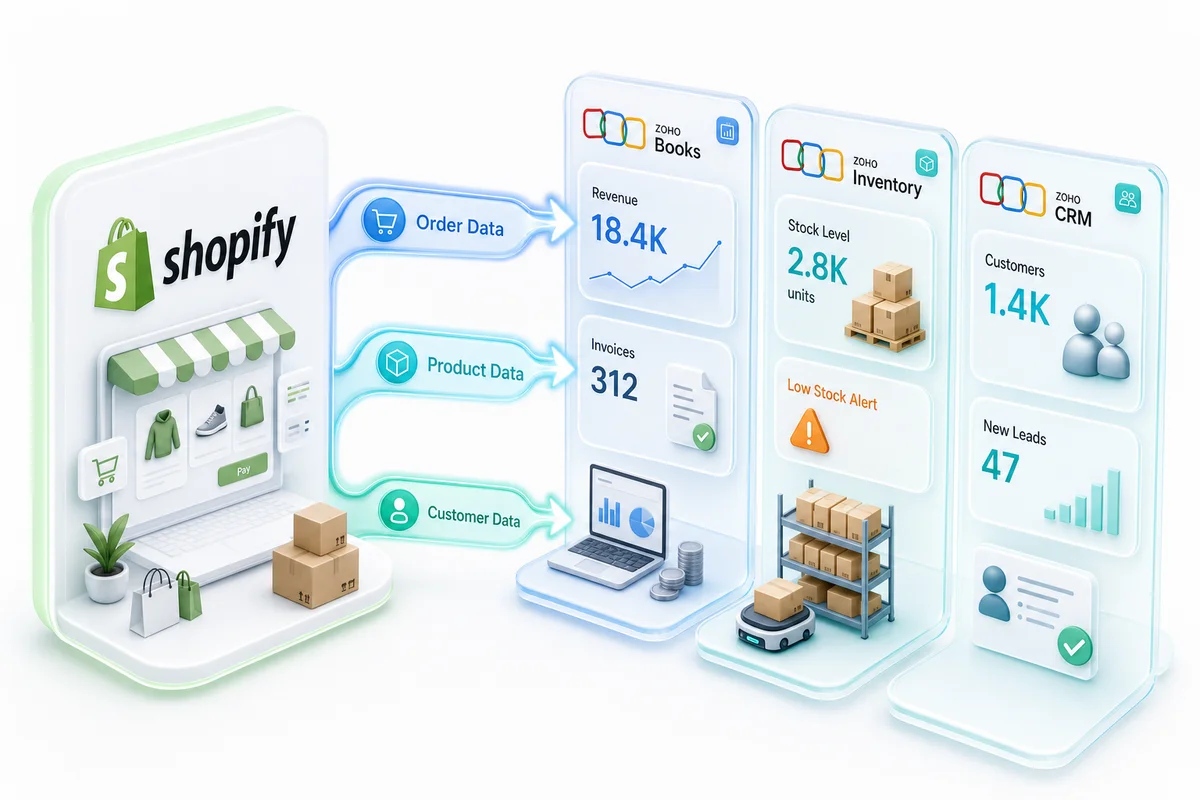
How to connect Shopify to Zoho: Setting up a Zoho integration with Shopify starts by enabling the native Shopify connector in Zoho Inventory. In the 2026 interface, that lives under Settings → Integrations → Marketplaces — Shopify is listed there, not buried three menus deep like the old Marketplace tab was. Zoho Inventory becomes the integration hub, syncing orders and stock bidirectionally with Shopify, pushing invoices to Zoho Books, and routing customer data to Zoho CRM. A full three-app implementation covers Books, Inventory, and CRM and takes 3 to 6 weeks from discovery to go-live. With Shopify Markets enabling multi-country storefronts and Shopify B2B adding wholesale ordering natively, the integration scope has expanded: sellers now need Zoho Books multi-currency handling, price books for B2B tiers, and net terms sync alongside the core order-to-invoice flow. Getting this architecture right before BFCM is the difference between a system that handles 10x order volume without oversells and one that needs emergency patches at 2am on Black Friday.
How to Integrate Zoho with Shopify in 5 Steps
- Enable the Zoho Inventory–Shopify connector. In Zoho Inventory (2026 UI), go to Settings → Integrations → Marketplaces → Shopify. Authorize the connection with your Shopify store credentials and select which store to sync. The 2026 interface added a sync health dashboard here — check it; it shows webhook delivery status and any orders that queued but failed to process.
- Map your products, SKUs, and tax rules. Import your Shopify product catalog into Zoho Inventory as the master record. Configure tax rules to match how Shopify charges tax at checkout so the numbers reconcile correctly in Zoho Books.
- Connect Zoho Books to Zoho Inventory. The Zoho Books Shopify integration links these two apps within the Zoho ecosystem. Map Shopify revenue, discounts, shipping charges, and payment processing fees to the correct general ledger accounts. A CA review of the chart of accounts before go-live catches the mapping errors that cause month-end problems.
- Set up the Zoho CRM Shopify integration. Each Shopify buyer lands in Zoho CRM as a contact with their order history already there. Set up post-purchase workflows: welcome sequences for first-time buyers, repeat-buyer tags for high-value accounts, and win-back flows for customers who have not ordered in 90 days. See eCommerce Customer Retention with Zoho CRM for the full RFM segmentation and automation playbook.
- Test every order type before going live. Run the full pipeline against real test orders: standard orders, refunded orders, partial shipments, multi-currency orders, and discount-heavy orders. Confirm that Zoho Books shows both the invoice and the matching payment receipt for each order before you switch production traffic.
A basic Zoho Inventory Shopify integration can be live in 1 to 2 weeks. A production-ready implementation with CA-reviewed accounting and CRM workflows takes 3 to 6 weeks. For a managed setup with a Chartered Accountant reviewing every configuration before go-live, see Zolify's Shopify-Zoho integration service.
Why Shopify Zoho Integration Matters for eCommerce Operations
Most Shopify merchants outgrow their store's built-in tools long before they outgrow Shopify itself. Orders pile up in spreadsheets. Inventory counts drift between channels. Customer data lives in three places and matches in none of them. According to Shopify's 2026 Commerce Trends report, 68% of merchants cite order management and fulfillment as their top operational challenge — and that share has held steady even as more merchants add automation tools, because disconnected point solutions don't solve the underlying data fragmentation problem.
Here's a walkthrough of the Zoho Shopify integration: Zoho Books for accounting, Zoho Inventory for stock management, and Zoho CRM for customer lifecycle data. We cover the actual architecture, the edge cases that trip up most implementations, and what day-to-day operations look like once everything is wired together. For a broader view of how Zoho handles eCommerce operations across inventory, accounting, and CRM, see the Zoho for eCommerce guide.
TL;DR: Connecting Shopify to the full Zoho stack (Books, Inventory, CRM) eliminates manual data entry and cuts monthly reconciliation from days to hours. 68% of merchants still struggle with order management fragmentation even after adding point-solution tools. A properly architected Zoho integration fixes this by creating a single operational backbone across invoicing, inventory, and customer data — with no external middleware and no third-party relay that can fail or cap your transaction volume.
What Does a Zoho Shopify Integration Actually Mean?
More than syncing invoices. A Forrester study on commerce operations found that 73% of eCommerce businesses use five or more disconnected tools for back-office operations. A real Shopify Zoho integration replaces that patchwork with a single operational backbone spanning invoicing, inventory, and customer management.
Most merchants start by connecting Shopify to one Zoho app, usually Zoho Books for invoicing. That's a fine first step, but it leaves gaps. Real integration touches three systems simultaneously, and each one handles a distinct operational concern.
Citation Capsule: According to Forrester, 73% of eCommerce businesses rely on five or more disconnected back-office tools. A Shopify-to-Zoho integration consolidates invoicing, inventory, and customer data into a single operational backbone, replacing manual handoffs with automated data flows across Zoho Books, Zoho Inventory, and Zoho CRM.
Orders to Zoho Books (invoicing and revenue recognition)
The Zoho Books Shopify integration creates a corresponding sales order or invoice automatically. This includes line items, taxes, discounts, and shipping charges. Revenue recognition happens in Zoho Books based on your accounting method, cash or accrual.
Here's the critical detail most guides skip: Shopify collects payment at checkout, but a Zoho Books and Shopify integration needs to record both the invoice and the payment receipt. These are two separate transactions in double-entry accounting. If your integration only creates invoices, your books will show outstanding receivables for orders that were already paid.
Roughly 40% of the DIY setups we've audited have this exact mistake: invoices created without matching payment receipts, leaving receivables open on orders customers already paid for.
Having a Chartered Accountant review the accounting flow before going live catches these issues. The integration isn't just a technical problem — it's an accounting problem. That's why having a CA on staff, not just developers, matters for getting the chart of accounts and transaction mapping right from the start.
For a step-by-step breakdown of every stage from order captured to cash reconciled, see our Shopify order-to-cash automation guide.
Inventory to Zoho Inventory (real-time stock sync)
The Zoho Inventory Shopify integration makes Zoho Inventory your single source of truth for stock levels. When a Shopify order is placed, Zoho Inventory decrements the stock. When you receive a purchase order in Zoho Inventory, the updated count pushes back to Shopify.
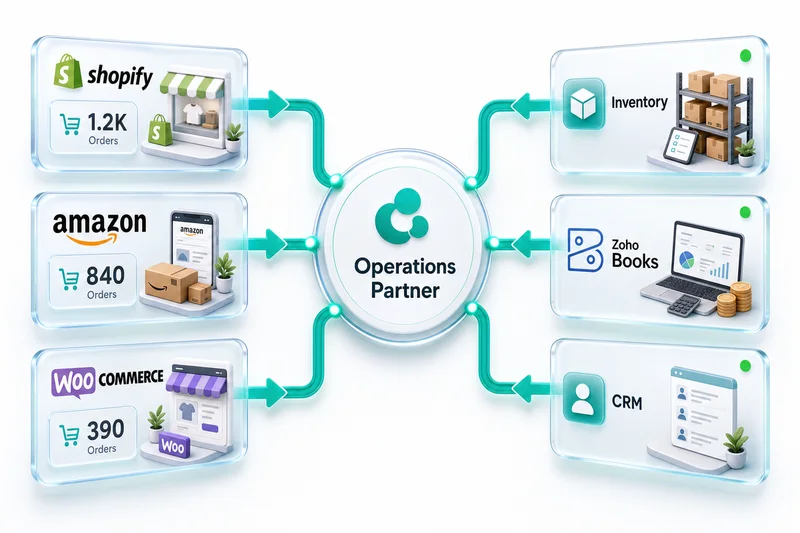
This matters most for merchants selling on multiple channels. According to Statista's eCommerce report, 56% of online retailers sell on three or more channels. Without centralized inventory, overselling is inevitable. Zoho Inventory handles this by maintaining a single stock pool with channel-specific allocations. For more on that, see our multi-channel eCommerce operations page. For a detailed walkthrough of the Shopify connector settings, multi-warehouse configuration, and the most common setup errors, see our Zoho Inventory for Shopify guide. For how Zoho Inventory manages this across the Shopify, Amazon, and WooCommerce combination — including FBA vs self-fulfilled warehouse separation and SKU mapping across three different identifier systems — see our Zoho Inventory multi-channel guide for Shopify, Amazon, and WooCommerce.
The sync needs to be bidirectional and near-real-time. A five-minute delay on a fast-selling SKU during a flash sale can mean dozens of oversold units. The Zoho Inventory Shopify integration uses webhook-based sync to reduce this lag to seconds.
For high-volume seasonal peaks like Black Friday and Cyber Monday, that real-time sync is what keeps oversells from stacking up across channels. See our BFCM inventory planning guide for Shopify and Amazon sellers for pre-season buffer stock calculations and the channel-specific safety stock approach that prevents Q4 stockouts.
Customers to Zoho CRM (lifecycle data)
The Zoho CRM Shopify integration creates a corresponding contact for every buyer. This isn't just a contact dump — it's about building a complete picture of each customer's relationship with your business. Purchase history, support tickets, email engagement, and lifetime value all live in one place.
According to Salesforce's State of the Connected Customer report, 65% of customers expect companies to adapt to their changing needs. That's hard to do when your customer data is split between Shopify's admin panel and whatever spreadsheet your sales team keeps.
With Zoho CRM connected, your team can trigger workflows based on purchase behavior. A first-time buyer gets a welcome sequence. A high-value repeat customer gets flagged for VIP treatment. A customer who hasn't ordered in 90 days enters a win-back flow. None of this works when Shopify is an island. For a full breakdown of how Zoho Campaigns runs these sequences from Shopify data, see our Zoho Campaigns eCommerce guide and our Zoho Campaigns review for pricing and plan details.
Shopify B2B and Shopify Markets: two scenarios that need specific setup
Shopify added two capabilities that change the integration scope for sellers moving beyond standard DTC.
Shopify Markets creates localized storefronts for international selling — local currencies, local pricing, local tax rules, and local payment methods from a single Shopify back end. Each Markets region generates orders in a different presentment currency, feeding into the same Zoho Books organization. The critical configuration step: set up Zoho Books' multi-currency handling and currency-specific clearing accounts before enabling the integration. Exchange rates must lock at order creation, not at settlement, to prevent unexplained FX gain/loss entries at month-end. Zoho Flow handles this with a rate-lock script that stamps the Shopify order's exchange rate onto the Zoho Books invoice the moment the order syncs.
Shopify B2B (available on Shopify Plus) adds wholesale ordering natively: customer-specific price lists, net 30/60/90 payment terms, draft orders, and company-level account management. These features map cleanly to Zoho's B2B configuration, but require specific setup to work correctly:
- Zoho Inventory price books mirror Shopify's B2B price lists. Configure these before go-live so wholesale pricing doesn't accidentally apply to retail orders.
- Payment terms in Zoho Books must sync with Shopify B2B's credit terms. Without this, B2B invoices in Zoho Books show as immediately due regardless of the net 30/60 agreed with the buyer — triggering false overdue alerts and disrupting account relationships.
- Zoho CRM company records (not just individual contacts) hold B2B account hierarchy, credit limits, and approval workflows. Wholesale sellers need both company and contact objects properly linked to get full account visibility.
For the full B2B workflow in Zoho — price books per customer tier, trade credit management, and CRM workflows for wholesale account management — see B2B eCommerce with Zoho: Price Books, Net Terms, and Wholesale Order Management.
Why Do Basic Connectors Break at Scale?
A basic Zoho Shopify integration using simple connectors works until it doesn't. A Gartner survey on integration challenges found that 65% of organizations report their initial integration approach fails to scale with business growth. The problem isn't that basic tools can't move data — it's that they can't handle the complexity eCommerce data generates at volume.
The breaking point typically hits between 200 and 500 orders per month. Below that, manual workarounds are annoying but survivable. Above it, errors compound faster than anyone can fix them.
Citation Capsule: Gartner research shows 65% of organizations find their initial integration approach fails to scale. For Shopify merchants, this breaking point hits between 200-500 monthly orders, when manual CSV exports, Zapier automations, and generic middleware can't keep pace with eCommerce data complexity involving multi-currency, partial refunds, and tax calculations.
The CSV export trap
Many merchants bypass a proper Zoho Books Shopify integration and start with manual CSV exports, imported into Zoho Books or Zoho Inventory on a weekly or monthly basis. This works for the first month. By month three, it's the task everyone dreads.
CSVs introduce problems that get worse over time. Data formatting inconsistencies between Shopify and Zoho cause import errors. Historical records don't update when customers change their details. Deleted or modified orders in Shopify never reach Zoho. And the person doing the exports becomes a single point of failure for the entire finance operation.
The hidden cost is reconciliation. When your Shopify dashboard says one number and Zoho Books says another, someone has to figure out why. That detective work can eat 15–20 hours per month for a mid-volume store. It's not just a productivity drain — it's a morale killer.
So why do merchants stay in this loop so long?
Zapier and Make vs. native Zoho: where generic middleware falls short
Zapier and Make (formerly Integromat) are useful for simple automations. They're not built for high-volume, multi-step eCommerce data flows. Here's how the options compare on the factors that actually matter at volume:
| Capability | Native Zoho (Inventory + Flow) | Zapier (Professional) | Make (Core) |
|---|---|---|---|
| Task / operation limits | None — runs on Zoho infrastructure | 2,000 tasks/mo; overages billable at ~$0.025/task | 1,000 ops/mo; overages billable |
| BFCM spike handling | Webhook queue auto-scales; sync health dashboard shows backlog in real time | No auto-scaling; tasks queue and fail silently at daily limits | No auto-scaling; operations cap causes silent failures |
| Error handling | Centralized Zoho Flow dashboard with built-in retry and alert rules | Email alert + manual retry; no cross-order audit trail | Notification + manual rerun; error history limited to 30 days |
| Partial refund support | Native — credit notes and stock adjustments handled automatically | Requires custom field mapping; refunds often create duplicate records | Requires custom module configuration |
| Multi-currency (rate lock) | Zoho Flow Deluge script locks rate at order creation | No rate-lock capability; exchange rate drift creates FX variance at month-end | Same gap as Zapier |
| Fulfillment automation | Native pick/pack/ship with carrier sync, packing slips, and 3PL routing via API | Limited to data relay; no native fulfillment actions | Same limitation |
| Complex order data | Full Shopify order object via API; Deluge handles transformation | Field mapping with limited logic | Better transformation options; still falls short on complex order objects |
| Data residency | Inside Zoho — same security boundary as your business data | Zapier servers (third-party relay) | Make servers (third-party relay) |
| Cost at 500 orders/mo | Included in Zoho One or per-app pricing | ~$150–300/mo in task overages alone | ~$80–150/mo in operation overages |
| Cost at 2,000 orders/mo (BFCM peak) | No change — same Zoho subscription | $400–800/mo in peak-month overages | $200–400/mo in peak-month overages |
The limitations show up most clearly in four areas.
First, task limits hit fast. A single Shopify order can trigger four to six Zaps: create invoice, record payment, update inventory, create or update CRM contact, tag for email sequence, update analytics. A store processing 500 orders per month burns through 2,000 to 3,000 tasks just on order processing. During BFCM, a store that normally processes 500 orders/month may process 2,000 in three days. Zapier's Professional plan caps at 2,000 tasks per month. That's not a runway — it's a wall.
Second, error handling is basic. When a Zap fails (and they do fail) you get an email notification and a retry button. There's no built-in reconciliation, no way to identify which orders made it through and which didn't without manually cross-referencing.
Third, data transformation is limited. Shopify's order object is complex. Line-item discounts, tax overrides, multi-currency amounts, partial refunds. Transforming this data into the exact format Zoho Books or Zoho Inventory expects requires logic that generic middleware handles poorly.
Fourth, neither Zapier nor Make has native fulfillment capability. They relay data; they don't generate packing slips, route orders to 3PLs, or update carrier tracking back to Shopify. For that layer, you still need Zoho Inventory's fulfillment module — which means you're paying for middleware and Zoho anyway.
For a full breakdown of where Zapier falls short across financial workflows — multi-currency logic, settlement parsing, COGS recording, and error handling — see why Zapier falls short for eCommerce operations. For the five failure modes specific to Shopify-Zoho Books connections, see our Shopify Zoho Zapier breakdown.
What about generic Zoho consultants?
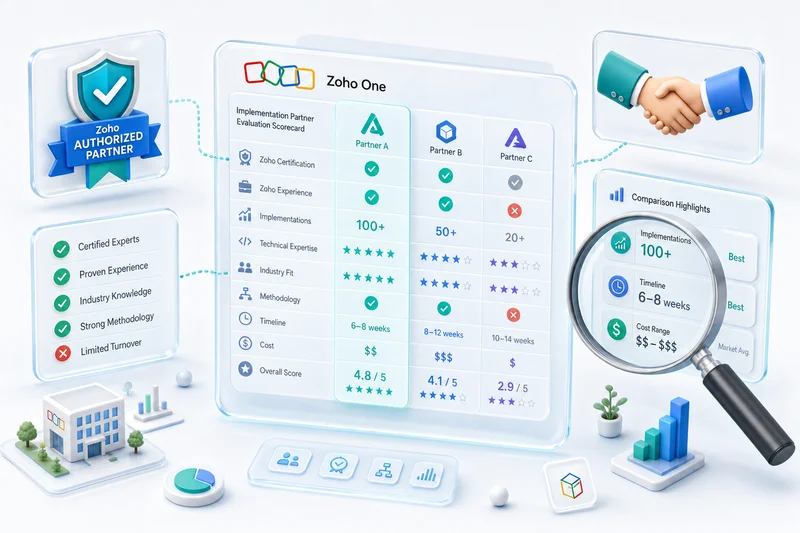
Many Zoho consultants can configure Zoho apps competently. The gap shows up with eCommerce-specific edge cases. A consultant who primarily sets up Zoho for service businesses or manufacturing firms won't instinctively know that Shopify handles taxes differently from most invoicing workflows, or that Amazon marketplace fees have 15 different line items that each need proper chart-of-accounts mapping.
The biggest predictor of integration success isn't technical skill — it's whether the implementation team understands eCommerce accounting. A Shopify Zoho integration built by someone who doesn't understand double-entry accounting for eCommerce will technically "work" but produce books that make your accountant's life miserable and cost you weeks of cleanup at year-end. This is why we keep a Chartered Accountant on staff who reviews every chart of accounts mapping before go-live.
How Zolify Sets Up Your Zoho Integration with Shopify
Our approach uses Zoho's own native tools combined with custom API integrations, with no external middleware. According to Zoho's product documentation, Zoho Flow supports over 500 pre-built integrations including Shopify, with custom logic through Deluge scripting. The integration runs inside the same ecosystem as your business data, not through a third-party relay.
Most Zoho Shopify integration providers treat this as a technology project. It's actually an operations design project. The technology is the easy part. Mapping business logic — how you handle returns, how you recognize revenue, which customer fields matter for your sales process — is where integrations succeed or fail.
Citation Capsule: According to Zoho's documentation, Zoho Flow supports 500+ pre-built integrations with custom Deluge scripting capabilities. Zolify's implementation process uses these native tools combined with custom Shopify API integrations, keeping the entire data flow inside the Zoho ecosystem rather than routing through external middleware that creates additional failure points.
Discovery and chart of accounts mapping
Every implementation starts with a discovery phase. This isn't a generic questionnaire — it's a deep review of your current operations with both technical and accounting expertise at the table.
A Zoho Books and Shopify integration eliminates manual data entry, but only when the chart of accounts is mapped correctly. That mapping is where a Chartered Accountant's involvement pays for itself. Shopify's revenue, refunds, shipping charges, discounts, payment processing fees, and taxes each need specific general ledger accounts in Zoho Books. Get this wrong and you'll spend months untangling misclassified transactions. Get it right and your monthly close becomes a review exercise instead of a reconstruction project.
Across 100+ migrations completed, the chart of accounts review catches an average of 8-12 mapping errors per implementation. Left undetected, each one creates hours of reconciliation work at the first month-end close — errors that compound silently until someone finally notices the numbers don't reconcile.
For merchants migrating from QuickBooks, Xero, Tally, or SAP, the Zoho Books and Shopify integration phase also includes mapping your existing account structure to Zoho Books. The goal is zero disruption to your financial reporting continuity.
For detailed chart of accounts templates and Zoho Books configuration guidance specific to eCommerce, see our Zoho Books setup guide for accountants and eCommerce businesses. If your store uses Shopify Payments, the processing fee and clearing account configuration is a distinct setup step — see our Shopify Payments Zoho Books reconciliation guide for the complete account structure and bank rules.
Native Zoho integration architecture
The architecture centers on Zoho Inventory as the operational hub. The Zoho Inventory Shopify integration handles bidirectional sync of orders, products, and stock levels natively. Zoho Books connects to Zoho Inventory natively within the Zoho ecosystem, with no middleware needed. Zoho CRM connects to both through Zoho's built-in inter-app integrations.
Here's the data flow for a typical Shopify order:
- Customer places an order on Shopify
- Zoho Inventory receives the order via the native Shopify connector
- Zoho Inventory creates a sales order and adjusts stock levels
- Zoho Books receives the sales order and generates an invoice automatically
- Payment is recorded in Zoho Books, matched to the Shopify payment gateway
- The customer record is created or updated in Zoho CRM with the order details
- Zoho CRM triggers any relevant workflows (welcome email, loyalty tagging, sales alerts)
Zoho Flow handles any custom logic that falls outside the native connectors. Need to tag orders from a specific Shopify sales channel differently? Zoho Flow. Need to route wholesale orders to a different Zoho Books organization? Zoho Flow. Need to apply custom inventory allocation rules? Zoho Flow with Deluge scripting. For a detailed breakdown of what Zoho Flow handles natively for eCommerce versus where custom integration takes over, see Zoho Flow for eCommerce Automation.
The advantage of staying within the Zoho ecosystem: error handling, logging, and retry logic are all centralized. When something fails, you see it in one dashboard — not across three different tools with three different notification systems.
Handling edge cases (returns, partial shipments, and multi-currency)
Edge cases are where most integrations fall apart. Here's how a properly architected Zoho-native setup handles the common ones.
When a refund is issued in Shopify, Zoho Inventory creates a sales return. Zoho Books generates a credit note and records the refund. Stock is returned to available inventory if it's a restocked return. The customer's lifetime value in Zoho CRM adjusts automatically.
The Zoho Inventory Shopify integration supports partial fulfillment natively. A single Shopify order can ship in multiple packages from different warehouses. Each shipment updates the order status in both Zoho Inventory and Shopify without creating duplicate records.
For multi-currency transactions, Shopify Markets supports selling in 130+ currencies. The Zoho Books Shopify integration handles multi-currency with real-time exchange rate updates. The integration maps Shopify's presentment currency to Zoho Books' transaction currency and records the exchange rate at the time of the order. For international sellers accepting GBP, AUD, or EUR, our multi-currency eCommerce accounting guide covers the FX gain/loss setup, per-currency bank account structure, and Shopify settlement reconciliation workflow in full.
Shopify calculates taxes at checkout based on the customer's location. Those tax amounts pass through to Zoho Books as line-item tax entries, so your tax reporting reflects exactly what Shopify charged. No recalculation needed.
Multi-currency is where we see the most configuration errors in DIY setups. The exchange rate at the time of the Shopify order and the exchange rate Zoho Books uses for the invoice have to match. If they don't, your books will show unexplained foreign exchange gains and losses. Zoho Flow scripts can lock exchange rates at order time to prevent this drift.
Testing and go-live
Before any integration goes live, we test every data flow against real order scenarios. We run test orders through the full pipeline (standard orders, refunded orders, partially fulfilled orders, multi-currency orders, and discount-heavy orders) to verify that Zoho Books, Zoho Inventory, and Zoho CRM all reflect the correct data.
The CA on staff reviews the financial output before sign-off. Does the trial balance look right? Are payment receipts matching invoices correctly? Is the tax mapping accurate for your jurisdiction? These aren't questions a developer alone can answer.
A Zoho integration with Shopify goes live in phases, not as a big-bang switch. Most implementations start with order sync and invoicing, add inventory management in week two, and bring CRM workflows online in week three. This catches edge cases in production at manageable volume before everything runs simultaneously — and it keeps your operations team from absorbing a full-stack change all at once.
Talk to a Shopify-Zoho Integration Specialist
Fulfillment Automation for BFCM Volumes
Black Friday and Cyber Monday don't just stress-test your inventory numbers. They stress-test the automation layer that moves orders from Shopify through fulfillment and into Zoho Books. A system configured for 200 orders a day behaves differently at 2,000. The merchants who run BFCM cleanly are the ones who configured for peak load before it hit.
Here's what a properly configured Zoho-Shopify fulfillment automation stack looks like under BFCM volume.
How Zoho Inventory's fulfillment module handles BFCM order surges
The 2026 Zoho Inventory update added batch fulfillment processing — you can now select 50 orders at once and generate pick lists, packing slips, and shipping labels in a single action. This matters at BFCM volumes because individual-order processing that takes 30 seconds per order becomes a 16-hour queue for 2,000 orders. Batch processing collapses that to minutes.
The configuration steps to enable this before BFCM:
- Enable batch pick-list generation under Settings → Fulfillment → Batch Operations in Zoho Inventory. Set your batch size to match your warehouse team's capacity (typically 25–50 orders per picker per shift).
- Set channel priority rules. If you sell on Shopify plus Amazon or eBay, configure which channel's orders take fulfillment priority when a common SKU is low on stock. These rules live in Settings → Integrations → Fulfillment Priority. Without this, Zoho processes orders in arrival order — which means an Amazon order that arrived one minute before your Shopify VIP customer's order gets the last unit.
- Configure automated shipping label creation. Connect your carrier accounts (Shiprocket, EasyPost, Shippo, or direct carrier API) under Settings → Shipping Carriers. With this connected, Zoho Inventory generates and prints shipping labels automatically when an order is packed, and pushes the tracking number back to Shopify in real time. Your customer gets a tracking email without anyone touching a keyboard.
- Set up low-stock alerts with BFCM thresholds. BFCM safety stock levels should be higher than your normal reorder points. Set SKU-specific BFCM reorder points under the product's Reorder Point field in Zoho Inventory, and set a manual reserve quantity for your top 20 SKUs that prevents Zoho from committing the last units to any order without a human review.
Automated purchase order triggers for replenishment
At BFCM volumes, manual PO creation becomes the bottleneck that causes stockouts three days into a five-day sale. Zoho Inventory's auto-PO rules close this gap.
Under Purchase Orders → Auto-PO Rules, you configure: trigger SKU, reorder quantity, preferred vendor, lead time, and approval workflow. When a SKU drops below the BFCM reorder threshold, Zoho generates a draft PO automatically and routes it for approval. Your vendor communication doesn't wait for someone to notice the stock alert.
For sellers using a 3PL, the fulfillment automation layer needs to connect Zoho Inventory's outbound order data with the 3PL's WMS. This is typically done via Zoho Inventory's API or through a vendor-specific Zoho Flow integration. The result: Zoho receives the Shopify order, syncs it to the 3PL for pick-pack-ship, receives the tracking number back from the 3PL, and pushes it to Shopify — all without a human touchpoint.
Accounts payable automation for BFCM vendor bills
BFCM generates a surge of vendor bills alongside the surge of customer orders. Freight invoices, 3PL handling charges, packaging materials, extra staffing — these hit Zoho Books within days of the sale. Without an automated AP workflow, the bill processing backlog from BFCM can take weeks to clear.
Zoho Books' automated AP routing (configured under Accounts Payable → Approval Rules) lets you define approval thresholds and auto-pay rules for recurring vendors. Combined with Zoho's OCR-based bill capture, vendor invoices that arrive by email are auto-matched to POs and queued for payment without manual entry. For a detailed walkthrough of setting up automated AP workflows in Zoho Books, see eCommerce Accounts Payable Automation with Zoho Books.
Three things to verify before BFCM goes live
- Webhook queue performance. Zoho Inventory's Shopify connector uses webhooks for real-time order sync. The 2026 sync health dashboard (Settings → Integrations → Shopify → Sync Health) shows your current webhook delivery rate and queue depth. If you're seeing queue depth above 0 at normal volume, you have a configuration issue that will compound at 10x volume during BFCM. Fix it now.
- BFCM safety stock in Zoho Inventory. Set peak-season reorder points and manual reserve quantities for key SKUs before the sale opens. The integration syncs live inventory; it doesn't prevent oversells on SKUs with no safety stock buffer configured.
- Pre-reconcile Zoho Books. Start BFCM with no open invoices and no unmatched deposits. Post-BFCM reconciliation is manageable when the baseline is clean. A Zoho Books reconciliation run the week before the sale takes 2 hours; cleaning up a messy baseline after BFCM takes days.
Year-end close is where the integration's full value compounds. Every Shopify order from the past 12 months should already be in Zoho Books as a matched invoice and payment receipt, waiting for CA sign-off — not data entry. For the full process — reconciling Shopify Payments, clearing outstanding invoices, validating COGS, and generating the Zoho Books year-end reports — see our Year-End Accounting Checklist for eCommerce Sellers in Zoho Books.
What Does a Complete Shopify Zoho Integration Look Like?
A fully integrated Shopify-Zoho environment eliminates data re-entry and gives every team a single source of truth. According to McKinsey's digital operations research, companies with integrated digital operations see 20-30% improvement in operational efficiency. The difference shows up most clearly in daily workflows and reporting.
Citation Capsule: McKinsey research indicates companies with integrated digital operations achieve 20-30% efficiency improvements. For Shopify merchants, this translates to automated order-to-invoice flows, real-time inventory sync across all channels, and month-end closes that take hours instead of days, with every Shopify transaction already categorized in Zoho Books.
Day-to-day operations after integration
Here's what actually changes when the integration is running properly.
Your operations team opens Zoho Inventory in the morning and sees every order from the previous day already categorized, stock levels already adjusted, invoices already generated in Zoho Books. The only action items are exception handling: flagged orders that need a human eye.
Customer service gets faster too. When a customer calls about an order, your support team pulls up their Zoho CRM record and sees the full picture: order status, shipment tracking, payment status, previous purchases, and any open support tickets. No bouncing between Shopify admin, a spreadsheet, and an email inbox.
Month-end reconciliation drops from days to hours. The Zoho Books Shopify integration ensures every Shopify transaction is recorded, categorized, and matched to payments. Your CA or accountant reviews and approves rather than manually entering data. For the full monthly bookkeeping cycle — statement timing, reconciliation workflow, and which Shopify reports map to which Zoho Books entries — see our Shopify monthly bookkeeping guide for Zoho Books.
Across 100+ client implementations, the average time saved on monthly reconciliation after a full Shopify-Zoho integration is 25-35 hours per month. For a growing eCommerce brand processing 1,000+ orders monthly, that's one full-time employee's week redirected from data entry to actual operations work — every single month, compounding forward.
When your team stops fighting their tools and starts using them, the downstream effects add up fast.
Reporting and analytics across channels
One of the biggest gains is unified reporting. Instead of pulling reports from Shopify, then cross-referencing with your accounting software, then checking inventory counts separately, you get a single view.
Zoho Books gives you real-time P&L, cash flow statements, and tax reports that include every Shopify transaction. No export-import lag. No missing transactions from a failed CSV upload.
Zoho Inventory gives you stock aging reports, reorder point alerts, and warehouse-level visibility. If you sell on Amazon, eBay, or Etsy alongside Shopify, all channels feed into the same inventory pool.
The Zoho CRM Shopify integration gives you customer cohort analysis, purchase frequency trends, and lifetime value calculations based on actual transaction data, not Shopify's limited customer analytics.
Zoho Analytics ties it all together. You can build dashboards combining financial data from Zoho Books, inventory data from Zoho Inventory, and customer data from Zoho CRM into a single view. According to Zoho's Analytics documentation, the platform supports blended data sources across all Zoho apps without needing a separate data warehouse. For a step-by-step guide to connecting Shopify to Zoho Analytics and building revenue, COGS, and channel P&L dashboards, see Zoho Analytics eCommerce reporting guide.
For a broader look at how this applies to online retail, check out our eCommerce industry solutions.
How Do You Get Started with an eCommerce Ops Audit?
The first step in learning how to integrate Zoho with Shopify isn't installing connectors — it's understanding your current operations well enough to design the right integration. According to IDC research on digital transformation, 70% of integration projects that skip the requirements phase need significant rework within the first year. Starting with an audit prevents expensive do-overs.
An eCommerce ops audit maps your current data flows, identifies manual processes that should be automated, and flags potential edge cases before they become production issues.
Citation Capsule: IDC research shows 70% of integration projects that skip requirements gathering need significant rework within the first year. An eCommerce ops audit maps order flows, inventory management, customer data, and financial processes before implementation begins, preventing the configuration errors that plague DIY Shopify-to-Zoho setups.
Order flow mapping covers how orders currently move from Shopify to your accounting system, what manual steps exist, where errors typically occur, and how long reconciliation takes.
Inventory management review looks at how many SKUs you manage, whether you sell on multiple channels (Shopify, Amazon, WooCommerce, eBay, Etsy), how you handle reorder points and safety stock, and whether you're tracking inventory costs accurately for COGS reporting.
Customer data assessment examines where customer data currently lives, how your sales and marketing teams access it, and what customer segments matter for your business.
Financial process review digs into your current month-end close process, how long it takes, and what manual adjustments are needed. Having a Chartered Accountant — not just a technical consultant — review this phase makes a measurable difference. As an Official Zoho Authorized Partner with 100+ eCommerce implementations completed, we've seen the patterns that cause month-end headaches.
Integration requirements pull everything together. Based on the above, what needs to connect to what? What are the must-haves versus nice-to-haves? What's the implementation order that delivers value fastest?
The audit typically takes one to two weeks. At the end, you've got a clear implementation plan with timelines, a data mapping document, and a prioritized list of automations. No surprises during implementation.
If you're heading into Q4 and want to stress-test your Zoho setup before peak season, see our eCommerce Q4 readiness checklist for Zoho operations — it covers the integration health checks, inventory positioning, and fulfillment configuration that matter most when order volumes spike.
You can start with a Shopify-Zoho integration assessment to kick things off.
Moving Forward
A complete Zoho Shopify integration across the full stack (Books, Inventory, and CRM) gives every team in your company a shared operational foundation. For a focused guide on the native connections between those three apps — what each one owns and how data flows between them independently of Shopify — see Zoho CRM, Books & Inventory: How All Three Connect for eCommerce. If you're evaluating whether to eliminate the integration layer entirely by using Zoho Commerce as your storefront instead of Shopify, see our Zoho Commerce guide — it covers exactly when that trade-off makes sense and when it doesn't.
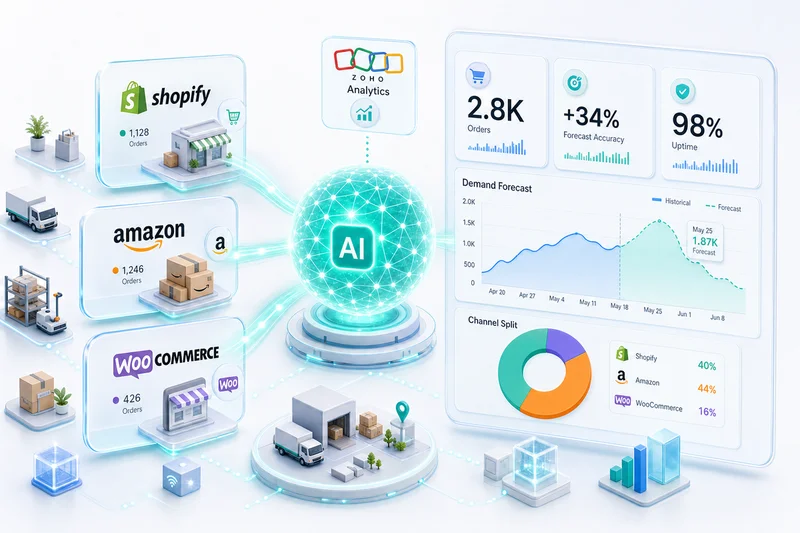
The technical setup is well-documented. The real challenge is getting the business logic right: how your specific operations should flow through the system, what edge cases matter for your product catalog, and how your team will actually use the data day to day. Zoho's AI layer — Zia-powered demand forecasting, anomaly detection, and automated analytics across Books and Inventory — only works well on clean, connected data. For a practical guide to where Zoho AI genuinely helps Shopify sellers in 2026 and where expert configuration is still the deciding factor, see How AI Is Changing eCommerce Operations in 2026.
Merchants who invest in a proper Shopify Zoho integration and get the architecture right from the start see results within the first month: faster reconciliation, fewer inventory errors, better customer visibility. Those who skip ahead to installation spend months patching problems that could have been prevented.
If you're figuring out how to integrate Zoho with Shopify and your store has outgrown spreadsheets, start with an ops audit. Understand where you are. Design where you need to be. Then build the integration that gets you there.
Also switching your accounting? See our QuickBooks to Zoho Books Migration Guide for the full process. Running on Shopify Plus? See how the Shopify Plus and Zoho integration differs for high-volume merchants. Migrating from WooCommerce to Shopify? See WooCommerce and Zoho integration for how the existing WooCommerce connectors are structured — the Zoho Inventory, Books, and CRM connectors each need to be rebuilt for Shopify when you switch storefronts.
Frequently Asked Questions
Shopify connects to the Zoho stack through Zoho Inventory, which acts as the integration hub for syncing orders, inventory, and customer data across Zoho Books and Zoho CRM. In Zoho Inventory (2026 UI), navigate to Settings, then Integrations, then Marketplaces — Shopify is listed there. Authorize with your Shopify store credentials, choose your store, and the sync starts immediately. For logic outside the native connector — routing orders by channel, applying custom tax rules, triggering conditional workflows — Zoho Flow handles that layer with Deluge scripting, keeping everything inside the Zoho ecosystem without third-party middleware.
Yes. Once the Shopify-Zoho Inventory integration is configured, new Shopify orders automatically create sales orders in Zoho Inventory and corresponding invoices in Zoho Books. The sync is near-real-time using webhooks, so orders, inventory decrements, and payment receipts flow through without manual intervention.
Yes. Zoho Books records both the invoice and the payment receipt for each Shopify order, which is critical for accurate double-entry accounting. Shopify Payments deposits are then reconciled against these payment receipts during bank reconciliation, keeping your receivables ledger clean and your cash position accurate.
The core Shopify integration involves four Zoho products working together: Zoho Inventory for stock management and order sync, Zoho Books for accounting and invoicing, Zoho CRM for customer lifecycle data, and Zoho Flow for custom automation logic. Zoho Inventory acts as the primary bridge, syncing order and product data between Shopify and the rest of the Zoho ecosystem. Zoho Flow handles any conditional logic or custom routing that falls outside the native connectors — channel-specific tax rules, multi-warehouse allocation, or post-purchase workflow triggers.
A basic Shopify-to-Zoho integration can be configured in 1 to 2 weeks, but a full implementation covering inventory sync, accounting rules, tax mapping, and CRM workflows typically takes 3 to 6 weeks. The timeline depends on your product catalog size, number of sales channels, and the complexity of your tax and fulfillment setup.
See exactly where your Shopify, Amazon, or WooCommerce ops are leaking — free.
Get a personalised eCommerce Ops Audit: inventory gaps, accounting leaks, and order-flow bottlenecks — with a Zoho fix roadmap. Delivered in 48 hours, at no cost.