Zoho Campaigns for eCommerce: BFCM Email Sequences and Year-Round Automation for Shopify and WooCommerce
BFCM is three weeks away. Shopify and WooCommerce sellers who win email during peak season have their sequences segmented, timed, and connected to live CRM data before Black Friday. This guide covers the five-send BFCM calendar, abandoned cart integration architecture, Zoho Campaigns vs Klaviyo pricing for 2026, and how Zoho One bundles your entire email and operations stack.
Email consistently generates 20–30% of eCommerce revenue for retailers running segmented, automated sequences. The gap between average and strong email programs is widest during Q4 — specifically in the three weeks before Black Friday. Sellers who build the right sequences, connected to live CRM data, before BFCM weekend are the ones capturing recovery revenue that everyone else leaves untouched.
Zoho Campaigns pulls from Zoho CRM rather than maintaining its own contact database. That architecture is exactly why it fits eCommerce operations already running on Zoho: your Shopify and WooCommerce purchase history becomes the foundation for every sequence, updated live, without exporting lists or managing duplicate contact databases.
This guide covers the BFCM five-send calendar, abandoned cart integration architecture, 2026 pricing versus Klaviyo, and how the Zoho CRM segmentation setup works across Shopify, WooCommerce, and Amazon. For a comprehensive overview of Zoho Campaigns pricing tiers and plan limits, see our full Zoho Campaigns review.
How Zoho Campaigns Fits Your Shopify and WooCommerce Stack
Zoho Campaigns is not a standalone email tool. It draws audience data from Zoho CRM, which is the practical reason to choose it over an independent email platform when your operations already run on Zoho.
The data flow:
- A Shopify or WooCommerce order is placed
- Order data syncs to Zoho CRM via the integration layer, creating or updating a customer contact with order details, revenue, and product information
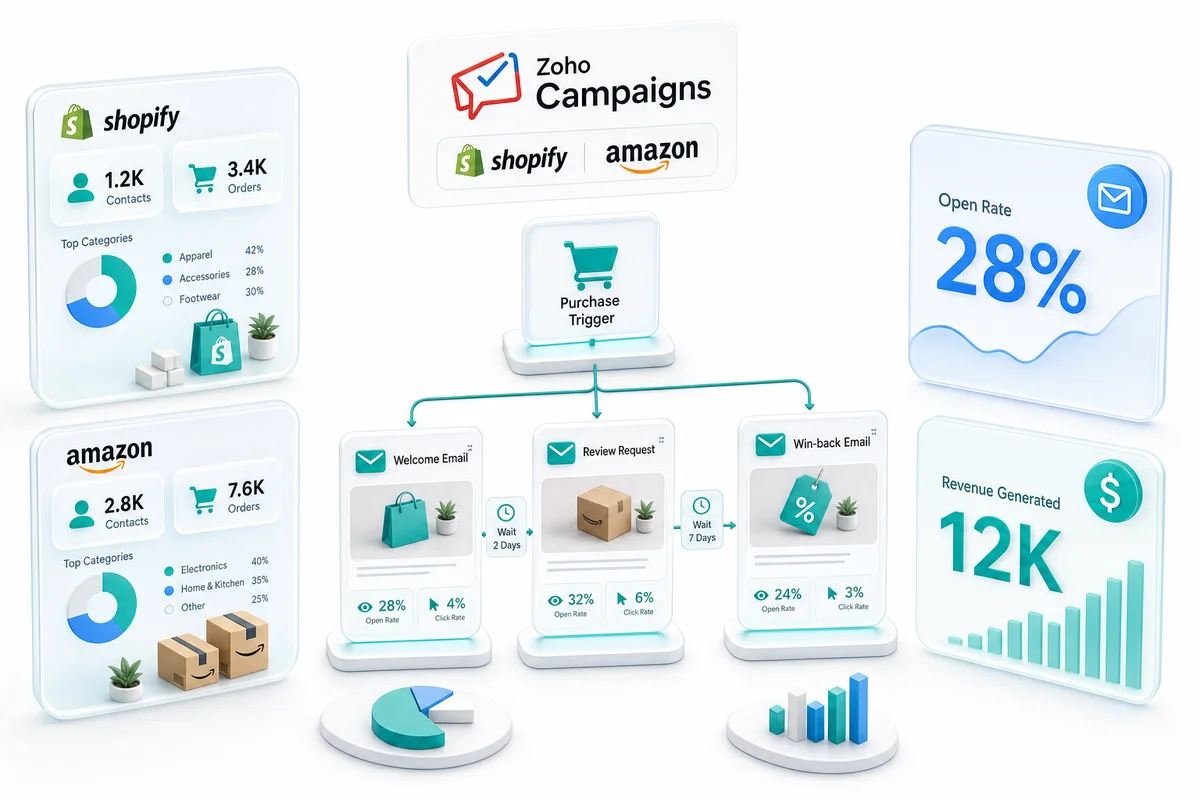
- Zoho Campaigns reads from Zoho CRM using lists, segments, and field-based criteria
- Campaign sequences trigger on CRM data changes: first purchase, 60 days inactive, lifetime value crossing a threshold, or an abandoned cart field update
Your email marketing lives inside the same system as your inventory, accounting, and order management. When a customer buys a specific product category in Shopify or WooCommerce, that appears in Zoho CRM and triggers the right Campaigns sequence automatically.
For the full picture of how Shopify data flows into Zoho, see our Shopify Zoho integration guide.
BFCM Email Calendar for Shopify and WooCommerce Sellers
BFCM 2026 runs November 27 (Black Friday) through November 30 (Cyber Monday). Three weeks of advance setup in Zoho Campaigns is enough time to build, QA, and schedule every sequence. Here is the five-send calendar that covers the peak window:
Email 1: VIP Early Access (November 10–12)
Target your highest-value customers with early deal access before the general list sees anything. In Zoho CRM, this is the segment above your VIP lifetime-value threshold, filtered to active buyers with a last order within 180 days. Subject lines that perform: "You get first look" and "Your BFCM early access." One clean offer. No urgency stack yet.
Email 2: Deal Preview to Full Engaged List (November 18–20)
Send to your full engaged list, excluding VIPs who already received the early-access version (or sending them a different variant). This builds anticipation. Tease two to three offers. Include a countdown to Black Friday. Shopify sellers can pull dynamic product recommendations from top sellers by revenue; WooCommerce sellers can do the same through product data synced to Zoho CRM.
Email 3: Black Friday Main Offer (November 27)
Your highest-volume send. Time it for when your audience opens: 6–8 AM local time works for most eCommerce lists. One primary offer above the fold, a secondary deal below, a clear expiry. For Shopify sellers, discount codes sync directly from Shopify Discounts. For WooCommerce, generate the coupon in WooCommerce and reference it in the email explicitly.
Email 4: Cyber Monday (November 30)
Either a different offer from Black Friday, or a last-chance version of the same deal. Segment by who clicked but did not convert in Email 3 — those contacts are your highest-priority Cyber Monday audience. Zoho Campaigns click activity syncs back to Zoho CRM, so this segment is available without any manual list manipulation.
Email 5: Post-BFCM Thank You and Upsell (December 2–3)
Send to everyone who purchased during the BFCM weekend. Two purposes: it reinforces the purchase decision and opens the first cross-sell conversation. Keep it short — a genuine thank you, one complementary product or category, one link back to the store. This email also resets the win-back timer: these customers move from BFCM-buyer status back to active in Zoho CRM.
Abandoned Cart Recovery During BFCM
Abandoned cart sequences require an integration layer for both Shopify and WooCommerce. Zoho Campaigns does not read cart events natively; a custom integration captures the cart webhook and creates or updates a Zoho CRM contact record with the abandoned cart field populated. Zoho Campaigns fires the recovery sequence based on that field change.
During BFCM, two adjustments matter:
Compress the trigger window. A standard abandoned cart sequence waits one to two hours before the first email. During BFCM, compress that to 30–45 minutes. Competition for attention is at its highest and the purchase decision window is shortest.
Swap in BFCM copy. "Your items may sell out before the deal ends" outperforms standard recovery copy during peak season. Build a BFCM template variant and activate it for the November 27–30 window. Revert to the standard template after Cyber Monday.
WooCommerce sellers have the same integration architecture as Shopify sellers: WooCommerce order and cart data flows through the Zoho integration layer into Zoho CRM, and Zoho Campaigns fires from the CRM field state. For how the abandoned checkout integration connects in WooCommerce specifically, see our WooCommerce Zoho CRM integration guide.
The Four Year-Round Sequences
Post-Purchase Welcome Sequence
The window immediately after a first purchase is the highest-value moment in eCommerce email. First-time buyers who receive a structured welcome sequence buy again at higher rates than those who receive only an order confirmation.
A Zoho Campaigns post-purchase sequence typically runs three to five emails over two to four weeks:
Email 1 (Day 1): Order confirmation arrives from Shopify or your fulfillment provider. Campaigns starts with the next send.
Email 2 (Day 3–5): Product care tips, usage guidance, or complementary product recommendations based on the category purchased. Personalization by product tag earns its keep here.
Email 3 (Day 10–14): Review request. One link. One ask.
Email 4 (Day 21–28): Soft cross-sell based on purchase history. Sellers running this in Zoho CRM and Campaigns use contact fields populated from Shopify or WooCommerce order tags to personalize it automatically.
Win-Back Sequence for Lapsed Customers
Customers who bought once and have not purchased again within 60–90 days are often the easiest untouched revenue opportunity. They already know the brand. The trigger in Zoho CRM is a contact with at least one order and a last purchase date older than 60 days. Zoho Campaigns enrolls that segment into a two-to-three-email sequence:
Email 1 (Day 60): Direct, short. An incentive if margin supports it, but message quality matters more than a discount.
Email 2 (Day 74): Product update or best-seller highlight. A reason to return tied to something new.
Email 3 (Day 88, final): Last-chance framing if using an incentive. Remove from the active list if there is no engagement — inactive contacts hurt deliverability.
The win-back trigger timing depends on your average repurchase cycle. For the complete RFM scoring setup in Zoho CRM that feeds these Campaigns journeys, see eCommerce Customer Retention with Zoho CRM.
High-Value Customer (VIP) Sequence
When a calculated lifetime-value field in Zoho CRM crosses your VIP threshold, Zoho Campaigns enrolls the customer into the VIP track automatically. VIP sequences are early-access and recognition sequences, not discount sequences. For the full tier configuration — Bronze through VIP custom fields, spend-threshold workflow rules, and the reorder trigger automation — see the Zoho CRM loyalty program guide for eCommerce.
Replenishment Sequence for Consumable Products
For beauty, supplements, coffee, and pet food sellers, replenishment sequences tend to produce the highest revenue-per-send of any automated email type. If your Shopify or WooCommerce orders include products customers buy on a 30–45-day cycle, that signal exists in Zoho CRM order history. Zoho Campaigns can trigger the reminder based on average days between orders, specific SKU purchased, and days since last order. This requires order data at the line-item level in Zoho CRM — something Zolify's eCommerce integrations capture from day one.
Zoho Campaigns × Zoho CRM: Contact Segmentation from Purchase Data
The segmentation that makes Zoho Campaigns effective for eCommerce comes entirely from Zoho CRM field quality. These six fields need to be correctly populated for any sequence to work as intended:
| CRM Field | Source | Used For |
|---|---|---|
| Total Orders | Shopify / WooCommerce order sync | First-buyer vs. repeat filter |
| Lifetime Value | Sum of all order values | VIP threshold trigger |
| Last Order Date | Most recent order timestamp | Win-back trigger timing |
| Product Tags Purchased | Order line-item tags | Category-based segmentation |
| Channel (Shopify / WooCommerce / Amazon) | Order source field | Channel-specific copy variants |
| Abandoned Cart Status | Cart webhook integration | Abandoned cart trigger |
When these fields are maintained accurately in Zoho CRM, every Zoho Campaigns segment reflects the actual state of your customer base rather than a stale export. A customer who purchased yesterday appears in the correct post-purchase sequence today. A customer who crossed the VIP threshold last week moves into that track without any manual list update.
For eCommerce sellers running Shopify and WooCommerce together, two order streams write to the same Zoho CRM contact database. Lifetime value must aggregate across both channels. Last-order date must reflect whichever storefront had the most recent transaction. Getting that architecture right before building sequences is what separates eCommerce email programs that grow from ones that plateau.
For how inventory load during BFCM affects operational planning alongside your email programs, see BFCM Inventory Planning for Shopify and Amazon. For how the full Zoho stack manages Q4 order volume in real time, see eCommerce Peak Season on Zoho: Managing Q4 Operations.
Segmentation Reference
| Segment | Criteria | Sequence |
|---|---|---|
| First-time buyers | Orders = 1 | Post-purchase welcome |
| Repeat buyers | Orders ≥ 2 | Loyalty and cross-sell |
| Lapsed customers | Last order > 60 days | Win-back |
| VIP customers | Lifetime value > threshold | VIP track |
| Replenishment candidates | Specific SKU + days since purchase | Replenishment reminder |
| BFCM VIP preview | LTV > threshold + active buyer | Early-access BFCM send (Nov 10–12) |
| BFCM clicked, did not buy | Email 3 click + no BFCM order | Cyber Monday priority |
| High-cart browsers | Abandoned cart field set | Abandoned cart (requires integration) |
For multi-channel sellers running Shopify, WooCommerce, and Amazon together, CRM-based segmentation works across all storefronts. A customer who bought on Amazon appears in the same Zoho CRM database as a Shopify or WooCommerce buyer: one unified audience, one email program, no channel silos. See how the Amazon side connects in our Amazon Zoho integration guide.
Zoho Campaigns vs. Klaviyo: 2026 Pricing
Most eCommerce sellers start the email platform conversation with Klaviyo. It is a strong standalone tool for Shopify. Here is how the 2026 pricing compares at typical eCommerce list sizes:
| Platform | Up to 5k contacts | Up to 25k contacts | CRM included? | Accounting included? |
|---|---|---|---|---|
| Klaviyo (Email plan) | ~$105/mo | ~$420/mo | No | No |
| Zoho Campaigns (Professional) | ~$18/mo | ~$62/mo | No (separate) | No (separate) |
| Zoho One (all apps, per user) | $37–42/user/mo | $37–42/user/mo | Yes | Yes |
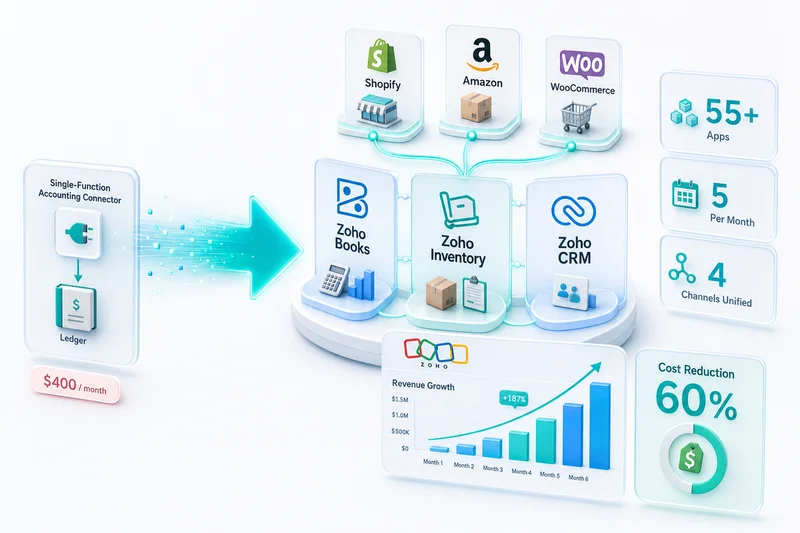
The standalone Zoho Campaigns comparison is compelling on cost alone. The Zoho One comparison is a different argument entirely. At $37–42 per user per month on annual billing, Zoho One includes Zoho Campaigns, Zoho CRM, Zoho Books, Zoho Inventory, Zoho Desk, and over 40 additional applications. For a Shopify or WooCommerce seller already paying for a separate CRM, an accounting platform, and an inventory tool, Zoho One replaces all of them — often at a lower total cost than Klaviyo alone.
There is no separate Klaviyo subscription overhead when Zoho Campaigns is bundled in Zoho One. And because Zoho Books handles revenue recognition across the same stack, Zolify's Chartered Accountant on staff ensures that every Campaigns-attributed sale maps correctly to the right accounting period. Campaign revenue does not become a reconciliation problem at quarter close.
The honest caveat: if you are starting fresh and your operation has no existing Zoho footprint, Klaviyo's eCommerce-native features are stronger out of the box. If you are building or expanding a Zoho-powered operations backend, Zoho Campaigns inside Zoho One is the financially logical choice at almost any list size.
For sellers migrating from Mailchimp, see our Mailchimp to Zoho Campaigns migration guide. For a direct side-by-side on post-purchase sequences and Shopify integration depth, see the Klaviyo vs Zoho Campaigns for eCommerce comparison.
What Zolify Sets Up for eCommerce Campaigns
Setting up Zoho Campaigns correctly for eCommerce requires three things in place before any sequence goes live: Shopify and WooCommerce order data flowing into Zoho CRM at the line-item level, contact records that capture lifetime value and product categories purchased, and field mappings that allow Campaigns to segment accurately.
The sequence and design work comes after that foundation. Across 100+ eCommerce implementations, sellers who skip the data architecture and jump straight to building email sequences find that their segments do not reflect reality, their triggers fire at the wrong time, and their reporting is unreliable.
Zolify's eCommerce marketing automation integrations ensure the Zoho CRM data Campaigns draws from is CA-reviewed and accounting-accurate. Every order flowing from Shopify or WooCommerce into Zoho CRM includes the fields your email sequences need: product purchased, order value, channel, and fulfillment status. As an Official Zoho Finance Partner with a Chartered Accountant on staff, we build this as part of the broader eCommerce operations setup, not bolted on afterward.
Book an eCommerce Ops Audit to discuss how Zoho Campaigns fits into your Shopify or WooCommerce operations stack.
Email marketing is one part of the wider Zoho eCommerce platform. For how Zoho Campaigns connects with inventory, accounting, CRM, and order management across all channels, see Zoho for eCommerce: The Complete Operations Platform Guide.
Frequently Asked Questions
Yes. Zoho Campaigns connects to Shopify through Zoho CRM. The Shopify-to-Zoho integration pushes customer records, order history, and purchase value into Zoho CRM, which Zoho Campaigns then uses as its audience source. You can segment by purchase frequency, total spend, product category purchased, and days since last order — all sourced from Shopify data flowing through Zoho CRM.
Zoho Campaigns does not read cart events directly from Shopify or WooCommerce. Abandoned cart recovery requires an integration layer that captures the cart webhook and creates or updates a contact record in Zoho CRM with the abandoned cart data. Zoho Campaigns then triggers the recovery sequence based on that field change. This requires custom integration work — it is not available out of the box without the integration layer. During BFCM, the trigger window should be compressed to 30–45 minutes instead of the standard 1–2 hours.
Klaviyo charges approximately $105 per month for up to 5,000 contacts and around $420 per month for 25,000 contacts (email only). Zoho Campaigns Professional runs approximately $18–$62 per month at those same contact counts. The more meaningful comparison is Zoho One: at $37–42 per user per month (billed annually), Zoho One includes Zoho Campaigns, Zoho CRM, Zoho Books, Zoho Inventory, and 40+ additional apps — replacing Klaviyo plus several standalone tools at a fraction of the combined cost.
A practical BFCM sequence runs five sends over three weeks: a VIP early-access email (Nov 10–12), a deal preview to the full list (Nov 18–20), a Black Friday main offer (Nov 27), a Cyber Monday follow-up (Nov 30), and a post-BFCM thank-you with upsell (Dec 2–3). Segments pull from Zoho CRM using purchase history, lifetime value, and last-order date. Cyber Monday priority targeting uses click-but-no-purchase behavior from the Black Friday send — available in Zoho CRM without any manual list export.
Yes, with the same architecture as Shopify and WooCommerce. Amazon order data syncs into Zoho CRM through a custom Zoho integration, creating or updating customer records with purchase history. Zoho Campaigns reads from Zoho CRM, so Amazon customers flow into the same audience segments as Shopify or WooCommerce buyers. For multi-channel sellers, this means a unified email marketing platform across all storefronts rather than separate tools per marketplace.
See exactly where your Shopify, Amazon, or WooCommerce ops are leaking — free.
Get a personalised eCommerce Ops Audit: inventory gaps, accounting leaks, and order-flow bottlenecks — with a Zoho fix roadmap. Delivered in 48 hours, at no cost.