Shopify Plus and Zoho: Building an Enterprise Operations Backend for High-Volume Merchants
Shopify Plus unlocks APIs and features unavailable on standard Shopify plans. Pairing it with Zoho One gives high-volume merchants a full enterprise operations stack without the SAP price tag.
Shopify Plus merchants typically reach the platform because standard Shopify hit a ceiling: API rate limits, limited storefront customization, no native B2B channel, no multistore management without expensive app stacks. Shopify Plus solves those problems on the storefront side. What it doesn't solve is the operations backend: where orders go after checkout, how inventory syncs across channels and warehouses, how accounting stays accurate at scale, and how B2B customer relationships get managed.
That's the gap Zoho fills. For Shopify Plus merchants, the relevant question isn't whether to connect Zoho. It's which Zoho products fit the operation and how to configure them for enterprise requirements.
Direct answer: Shopify Plus plus Zoho One is the standard configuration for high-volume merchants who need inventory, accounting, CRM, and analytics on one platform. The connection runs via API and requires eCommerce-specific configuration rather than generic Zoho defaults. For a standard Shopify Plus retail operation, implementation takes 8-12 weeks. B2B implementations with the native B2B channel run 12-16 weeks.
Shopify Plus vs standard Shopify: what changes for Zoho integration
At low order volume, both plans connect to Zoho the same way. The gap widens once you need B2B pricing, multiple storefronts, or 500+ orders per day without sync delays.
| Capability | Standard Shopify | Shopify Plus |
|---|---|---|
| API rate limit (REST) | 2 requests/sec | 4 requests/sec |
| API rate limit (GraphQL) | 1,000 cost units/sec | 2,000 cost units/sec |
| Storefronts | 1 | Up to 9 expansion stores |
| B2B / wholesale | App required ($30-80/mo) | Native B2B channel included |
| International markets | Basic | Shopify Markets with localized pricing |
| Checkout customization | Limited | Checkout Extensibility + Functions |
| Shopify Flow automations | Basic | Advanced triggers and conditions |
| Zoho integration complexity | Standard | Enterprise configuration required |
| Starting price | $79/mo | $2,500/mo |
For merchants on standard Shopify, a baseline Zoho Books and Zoho Inventory setup handles most requirements. Shopify Plus creates additional configuration requirements in every layer: higher API throughput, multi-store inventory across organizations, B2B pricing tiers in Zoho CRM, Shopify Markets accounting in Zoho Books, and custom workflows connecting Shopify Flow to Zoho.
What Shopify Plus adds to the integration picture
Basic order and inventory sync works the same on both plans. The extra complexity comes from four Shopify Plus features that have no standard-plan equivalent.
Higher API rate limits
Standard Shopify gives 2 API calls per second (REST). Shopify Plus gives 4 calls per second. For merchants doing 1,000+ orders per day, the higher limits keep real-time sync reliable. At 500+ orders per hour, standard Shopify API limits create queue backlogs that delay inventory updates and financial posting. Shopify Plus eliminates that ceiling. For why point-to-point middleware tools tend to hit this limit before native integrations do, see our guide to Shopify Zoho integration without Zapier.
Multistore management with Shopify Markets
Shopify Plus lets you run up to 9 expansion stores from one admin. In 2026, Shopify Markets is the primary mechanism for international expansion: a single store presenting localized pricing, currencies, and checkout to buyers in different regions. For Zoho, Shopify Markets creates specific accounting requirements — each currency creates a foreign exchange accounting obligation in Zoho Books. Multi-currency clearing accounts, realized and unrealized FX gain/loss, and base-currency reporting all need configuration before go-live. For the full accounting treatment, see our multi-currency eCommerce accounting guide for Zoho Books.
Native B2B channel
Shopify Plus includes a native B2B channel with separate customer access, custom pricing tiers, net payment terms (Net 15/30/60), and purchase order matching. This replaces the old wholesale channel and adds more B2B-specific features including company accounts, location-based pricing, and B2B checkout customization. For Zoho CRM, the B2B channel is where the most complex requirements sit: purchase order matching, credit limit enforcement, account-based pricing, and B2B billing workflows that standard Shopify doesn't support.
Shopify Flow and Checkout Functions
Shopify Plus includes Shopify Flow for workflow automation and Checkout Functions for custom checkout logic. For Zoho integration, Flow handles pre-Zoho steps: tagging high-value orders for priority fulfillment, triggering loyalty workflows, or flagging orders that need manual review before syncing. Checkout Functions handle custom pricing, discount logic, and payment method filtering that would otherwise require separate app spend.
Zoho products for Shopify Plus merchants
Not every Shopify Plus merchant needs all of Zoho. Here's what maps to which requirements.
| Requirement | Zoho Product |
|---|---|
| Order and transaction accounting | Zoho Books |
| Inventory across multiple locations and channels | Zoho Inventory |
| B2B wholesale customer management | Zoho CRM |
| Customer support connected to order data | Zoho Desk |
| Multi-store reporting and analytics | Zoho Analytics |
| Custom portals, approval workflows, B2B apps | Zoho Creator |
| Email and SMS marketing by customer segment | Zoho Campaigns |
| Subscription billing for recurring orders | Zoho Billing |
Zoho One bundles all of these at $37-90/user/month, which is usually more cost-effective than purchasing individually once you need more than three products.
The core integration: Shopify Plus to Zoho Books and Inventory
For accounting and inventory, the integration works like this.
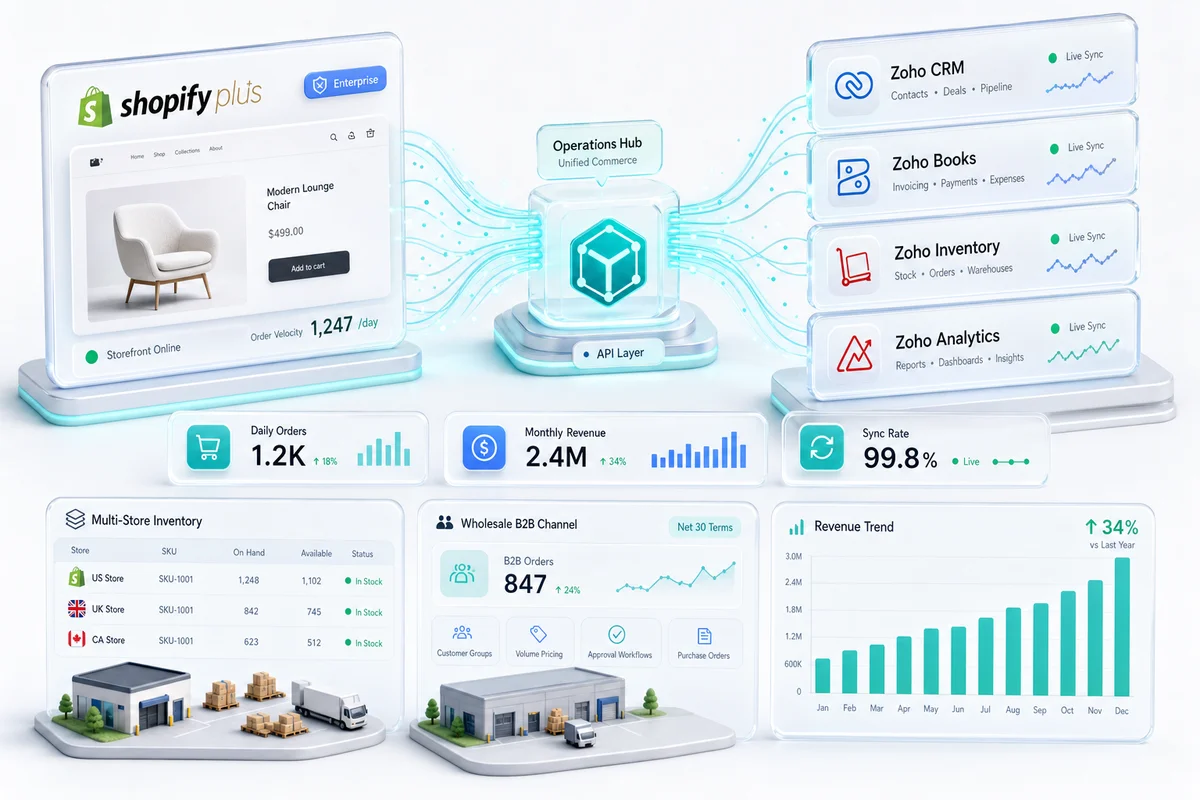
Orders sync from Shopify to Zoho Inventory when placed. Zoho Inventory creates a sales order, triggers picking, and updates inventory levels across configured locations. When the order fulfills, Zoho Books records the revenue.
Payments post to Zoho Books with payment gateway fees separated. Shopify Payments, PayPal, and other gateways each have distinct fee structures that need specific chart of accounts mapping.
Refunds reverse correctly: inventory returns to stock, revenue reverses, and gateway fees post to the correct account (refund processing fees differ from original transaction fees and need separate treatment).
Multi-currency for international expansion stores posts exchange-rate-adjusted amounts to Zoho Books. If you have expansion stores in GBP, EUR, or CAD, Zoho Books handles the conversion and foreign currency accounting without bolt-on apps.
The difference between a generic Shopify-Zoho integration and an eCommerce-grade one is whether those flows handle edge cases correctly from day one. Returns with partial refunds, split shipments, gift card redemptions, and subscription renewals each carry specific accounting logic. That logic needs to be built into the setup, not discovered post-launch. For Shopify Markets merchants, international payout reconciliation adds another layer: each currency settlement needs to reconcile against the corresponding Zoho Books clearing account. For the full Zoho Books configuration Shopify Plus requires at enterprise scale — multi-location inventory accounts, gift card liabilities, multi-currency clearing accounts, and deferred revenue for subscriptions — see our Shopify Plus enterprise accounting guide.
B2B with Shopify Plus and Zoho CRM
Standard Shopify orders don't carry credit terms, purchase orders, or account-based pricing. The Shopify Plus B2B channel does, and Zoho CRM is how you manage that complexity at scale.
Account setup: B2B buyers in Shopify Plus have company accounts with custom pricing tiers, location-based pricing, and approved payment methods. In Zoho CRM, those companies exist as account records with associated contacts, purchase history, credit limits, and open invoice data pulled from Zoho Books. In 2026, Shopify B2B supports company-level quantity rules and minimum order thresholds. These map to Zoho CRM price books so buyers see the same pricing in both systems without manual sync.
Order flow: When a B2B buyer places an order, Zoho CRM updates the account's open order value. If a purchase order number was submitted, it matches against the Shopify order. Net payment terms (Net 15, Net 30, Net 60) create receivables in Zoho Books with the correct due date. Overdue invoices trigger Zoho CRM follow-up tasks automatically via Zoho Flow.
Credit management: Credit limits set in Zoho CRM can trigger review workflows in Shopify Plus when a B2B buyer approaches their limit. That coordination requires Zoho Creator for the custom logic connecting both systems. For merchants with large B2B buyer bases, Zoho Creator handles the approval routing that Shopify and Zoho CRM alone can't automate.
For B2B eCommerce sellers using Shopify Plus, this configuration replaces separate ERP systems that carry $50,000+/year in licensing costs. For a complete guide to designing the deal stages, custom B2B fields, multi-tier price books, and credit approval routing in Zoho CRM for wholesale account acquisition on Shopify Plus, see the B2B wholesale sales pipeline guide for Zoho CRM.
Reporting across stores
Shopify Plus analytics cover one store at a time and don't connect to Zoho data. For multi-store merchants, understanding profitability (which store is growing, where inventory turns fastest, which products return most often) requires pulling data across systems.
Zoho Analytics connects to Zoho Books, Zoho Inventory, and Shopify directly via API. A multi-store reporting setup in Zoho Analytics gives you:
- Revenue and margin by store and by channel
- Inventory turnover by SKU across all locations
- Return rate by product, store, and channel
- COGS accuracy by channel (critical for multi-channel sellers also on Amazon or WooCommerce)
- Cash flow projections based on current order pipeline and net payment terms on open B2B invoices
- Shopify Markets performance by region (which markets are growing, which are margin-dilutive due to FX)
This replaces standalone BI tools or the manual spreadsheet work most Shopify Plus merchants default to as they scale. For what Zoho Analytics can do for eCommerce specifically, see our Zoho Analytics for eCommerce reporting guide. For merchants selling across Shopify Plus, Amazon, and WooCommerce simultaneously, our guide to multi-channel inventory management with Zoho covers how Zoho Inventory unifies stock across all channels so analytics and accounting stay accurate.
What implementation looks like for Shopify Plus
A Shopify Plus to Zoho One implementation runs 8-16 weeks depending on scope.
Discovery (1-2 weeks): Mapping order flows, multi-store structure, B2B channel requirements, current accounting setup, and integration points. For Shopify Plus merchants with prior systems (QuickBooks, a legacy ERP, spreadsheet-based workflows), this phase identifies what migrates and what gets replaced.
Configuration and build (4-8 weeks): Zoho product configuration, API integration development, chart of accounts design with CA review, and custom logic for Shopify Plus-specific requirements (B2B channel, multi-store inventory, Shopify Markets FX accounting, Flow trigger integrations).
Testing (2-3 weeks): End-to-end testing with real transaction data across all stores and channels. Edge case identification and resolution before go-live.
Launch and stabilization (2-3 weeks): Go-live with post-launch support covering the initial period when unusual transaction types hit the live system.
For Shopify Plus merchants going live heading into peak season, timing matters. A launch before September gives three or more months of stabilization time before BFCM. For how to prepare inventory buffers and Zoho forecasting before Black Friday, see our BFCM inventory planning guide for Shopify and Amazon sellers.
For cost ranges by scope, see Zoho eCommerce implementation cost: real numbers from 100+ projects.
When to use Zoho One vs individual products
Most Shopify Plus merchants start with Zoho Books and Zoho Inventory, then add products as the operation gets more complex. The decision points are pretty consistent.
Zoho CRM makes sense once you have 20+ B2B company accounts, or when retention and upsell are active revenue drivers (not just aspirational ones).
Zoho Analytics pays off once you're running multiple storefronts, selling across Shopify Plus and Amazon and WooCommerce, or want Shopify Markets regional data connected to actual margin, not just revenue by country.
Zoho Creator is for the stuff that doesn't fit anywhere else: custom B2B portals, large-order approval routing, 3PL integrations. If you're asking whether you need it, you probably don't yet.
Zoho Campaigns handles lifecycle email when that's managed in-house. For Shopify Plus merchants already on Klaviyo, the question is whether Zoho Campaigns matches your segmentation complexity. For most mid-market merchants, it does. For high-volume B2C with complex flows, that's worth testing before committing.
Zolify's experience with Shopify Plus
Zolify has completed 100+ Zoho eCommerce implementations, including Shopify Plus merchants across apparel, health and wellness, specialty retail, and B2B wholesale. Our Shopify Plus implementations always include a CA (Chartered Accountant) reviewing the chart of accounts before go-live, test reconciliation against real transaction data, and post-launch support through the stabilization period.
As an Official Zoho Finance Partner, we have direct Zoho support channel access when edge cases require Zoho's engineering team (including Shopify Markets accounting edge cases that don't surface until after launch). For merchants evaluating a Shopify Plus to Zoho migration, our Shopify and Zoho solution page details the full integration scope.
Book a free eCommerce Ops Audit and we'll map out the specific configuration for your Shopify Plus operation, including which Zoho products you actually need vs which are optional at your current scale.
Frequently Asked Questions
Shopify Plus gives access to APIs and features unavailable on standard plans: the native B2B channel with custom pricing and net terms, Multipass for SSO, Checkout Extensibility for custom logic, Shopify Flow automations, higher API rate limits (4 req/s vs 2), and up to 9 expansion stores with Shopify Markets. For Zoho integration, this means configuring B2B account management in Zoho CRM, handling multi-store inventory in Zoho Inventory, multi-currency accounting for international expansion stores, and managing higher order volumes without API throttling.
Yes. Zoho Inventory connects to Shopify Plus the same way it connects to standard Shopify, but Shopify Plus merchants typically need multi-location inventory management across stores, warehouses, and fulfillment centers. Zoho Inventory handles this natively. If you also sell on Amazon FBA, that inventory connects to the same Zoho Inventory system so stock levels are accurate across all channels.
Yes, and this is one of the strongest use cases for the combination. Shopify Plus's native B2B channel gives buyers a separate ordering portal with custom pricing, net payment terms, and purchase order matching. Zoho CRM connects to that channel to track B2B accounts, deal history, credit limits, and post-purchase relationships. Net payment terms create payables in Zoho Books with correct due dates. The combination replaces ERP tools that cost $50,000+ annually for comparable functionality.
Shopify Plus implementations sit at the more complex end of the range: $12,000-30,000 for a full Zoho One implementation, depending on the number of channels, whether the B2B channel is included, pricing logic complexity, and whether data migration from a prior system is required. Implementation time runs 8-16 weeks. Our Zoho eCommerce implementation cost guide has the full range breakdown.
At minimum, you need Zoho Books and Zoho Inventory for a complete Shopify Plus integration covering accounting and inventory. Zoho One makes sense if you also need Zoho CRM for B2B channel management, Zoho Analytics for multi-store reporting, Zoho Creator for custom portals or approval workflows, or Zoho Desk for post-purchase support connected to order data. For a standard retail-only Shopify Plus merchant, Books plus Inventory covers the core. Add products as operations complexity grows.
See exactly where your Shopify, Amazon, or WooCommerce ops are leaking — free.
Get a personalised eCommerce Ops Audit: inventory gaps, accounting leaks, and order-flow bottlenecks — with a Zoho fix roadmap. Delivered in 48 hours, at no cost.