Zoho CRM for eCommerce: Turn One-Time Buyers Into Repeat Customers
Most eCommerce sellers treat CRM as a B2B tool. Zoho CRM connected to Shopify, Amazon, or WooCommerce gives you purchase history, lifetime value data, and post-purchase automation that your storefront's native analytics don't support across channels.
Zoho CRM for eCommerce connects your storefronts (Shopify, Amazon, WooCommerce, eBay, Etsy) into a single customer record, calculates accurate lifetime value across all channels, and runs post purchase automation that your storefronts can't coordinate on their own. For sellers running multiple channels and processing 200+ orders a month, it closes the gap between fragmented storefront reports and the retention campaigns that drive repeat purchases.
BFCM 2026 is behind you. Twelve months of customer data is now sitting in separate systems: Shopify analytics, Amazon Seller Central, WooCommerce order reports. The customers who bought from you on multiple channels appear in all of them, counted once each, worth nothing in combination. January is when that changes, or it doesn't.
If someone bought from your Shopify store in March and your Amazon listing in November, Zoho CRM shows both purchases under one contact. Your CLV figure is accurate. Your win-back timing is right. Your Q1 re-engagement campaigns go to the right people at the right time.
Most eCommerce sellers don't use a CRM. They run Shopify analytics for Shopify customers, rely on Amazon Seller Central for Amazon buyers, and keep WooCommerce order data in WooCommerce. The same customer exists in all three systems with no connection. That fragmentation costs money in repeat purchase rates, and Q1 is when you either fix it or carry it into another year.
TL;DR: Zoho CRM for eCommerce unifies customer purchase history across Shopify, Amazon, WooCommerce, eBay, and Etsy. It provides lifetime value tracking, post purchase automation, and customer segmentation that individual storefront analytics don't support. January is the best implementation window: clean year-start, BFCM data available for import, and Q2 volume picks up fast enough to give you a real deadline. Most sellers benefit once they're processing more than 200 orders a month or running more than one storefront.
How Zoho CRM compares to storefront analytics
The gap is clearest in a direct comparison:
| Capability | Shopify or Amazon standalone | Zoho CRM connected to your storefronts |
|---|---|---|
| Customer data scope | One platform only | All channels unified under one contact |
| Lifetime value | That platform's orders only | True LTV across Shopify, Amazon, WooCommerce, eBay, Etsy |
| Cross-channel customer identity | Not supported | Matched by email and phone across all storefronts |
| Post-purchase automation | Platform-specific, often TOS-restricted | Any trigger, any channel, runs automatically |
| BFCM/seasonal segmentation | 30/90-day history on that platform only | Full RFM across all purchase history combined |
| Win-back campaigns | Basic or not supported | Automated, triggered by days since last purchase, any channel |
| Accounting integration | Manual export required | Live sync to Zoho Books: orders flow directly |
The comparison above assumes at least two channels. Shopify-only and below 200 orders a month, you can probably manage without CRM. Add Amazon, WooCommerce, or eBay (or push past that volume) and fragmentation starts costing you in repeat purchase rates.
Zoho CRM vs Salesforce and HubSpot: 2026 pricing for eCommerce sellers
For eCommerce sellers, the CRM comparison isn't about feature parity. It's whether the platform was built for the retention workflows eCommerce actually needs. Salesforce and HubSpot are B2B pipeline tools adapted for eCommerce. Zoho CRM was built with storefront connectivity as a first class use case. For eCommerce sellers who also run a B2B wholesale channel — with deal stages, price books, credit approval routing, and quote-to-order workflows for wholesale account acquisition — the B2B wholesale sales pipeline guide for Zoho CRM covers the complete pipeline configuration.
| Zoho CRM | Salesforce Sales Cloud | HubSpot Sales Hub | |
|---|---|---|---|
| Entry-level paid tier | Standard: ~$20/user/month | Starter: ~$25/user/month | Starter: ~$20/month (2 seats) |
| Mid-tier (most relevant) | Professional: ~$35/user/month | Professional: ~$100/user/month | Professional: ~$500/month (5 seats) |
| Enterprise tier | Enterprise: ~$50/user/month | Enterprise: ~$165/user/month | Enterprise: ~$1,200+/month |
| Shopify/WooCommerce native connectors | Yes, included | Third-party via AppExchange | Limited, third-party required |
| Zoho Books/Inventory integration | Native, no middleware | Not available | Not available |
| eCommerce post-purchase automation | Built-in via Zoho Campaigns | Requires Marketing Cloud add-on | Separate Marketing Hub subscription |
| CLV custom fields for eCommerce | Supported, configurable | Supported | Supported |
| Multi-channel customer deduplication | Email plus phone matching | Email matching | Email matching |
For a 5-person eCommerce team, Salesforce Professional runs around $500/month before add-ons. HubSpot Professional is $500/month and requires a separate Marketing Hub subscription for the post purchase automation eCommerce actually needs. Zoho CRM Professional for the same team is around $175/month, with Zoho Campaigns available as a standalone add-on or included at the Zoho One tier.
The cost difference at scale is real. Zoho's native connections to Zoho Books and Zoho Inventory keep CRM data and financial data in sync without custom middleware. Salesforce and HubSpot require third-party connectors or custom API work to reach the same result.
For a detailed comparison on eCommerce-specific workflows, the Zoho CRM vs Salesforce comparison covers automation, pricing, and total cost of ownership. The Zoho vs HubSpot comparison covers how the two platforms differ for marketing automation and which fits which business type.
What your storefronts can't tell you
Every major eCommerce platform has customer analytics. Shopify shows you which customers ordered most, what they bought, and when they last purchased, for Shopify orders only. Amazon has customer order history, visible to Amazon, not directly to you. WooCommerce has order reports, for WooCommerce orders.
The problem compounds with channel growth. A customer who bought on Shopify in January and on eBay in March exists in two separate systems with no connection. Your Shopify analytics says they bought once. Your eBay data says they bought once. They're the same person, and your combined view of their value is wrong.
Beyond data fragmentation, the retention tools built into storefronts don't reach across channels. Shopify's email marketing handles basic post purchase flows for Shopify customers. Amazon restricts seller communication with buyers significantly. WooCommerce requires additional plugins for automated sequences. None of them cross over to each other. For Amazon FBA sellers specifically — connecting Seller Central to Zoho CRM via SP-API, building insert card opt-in flows, and running TOS-compliant post purchase sequences — see the Amazon and Zoho integration guide.
What Zoho CRM adds for eCommerce
A unified customer record across channels
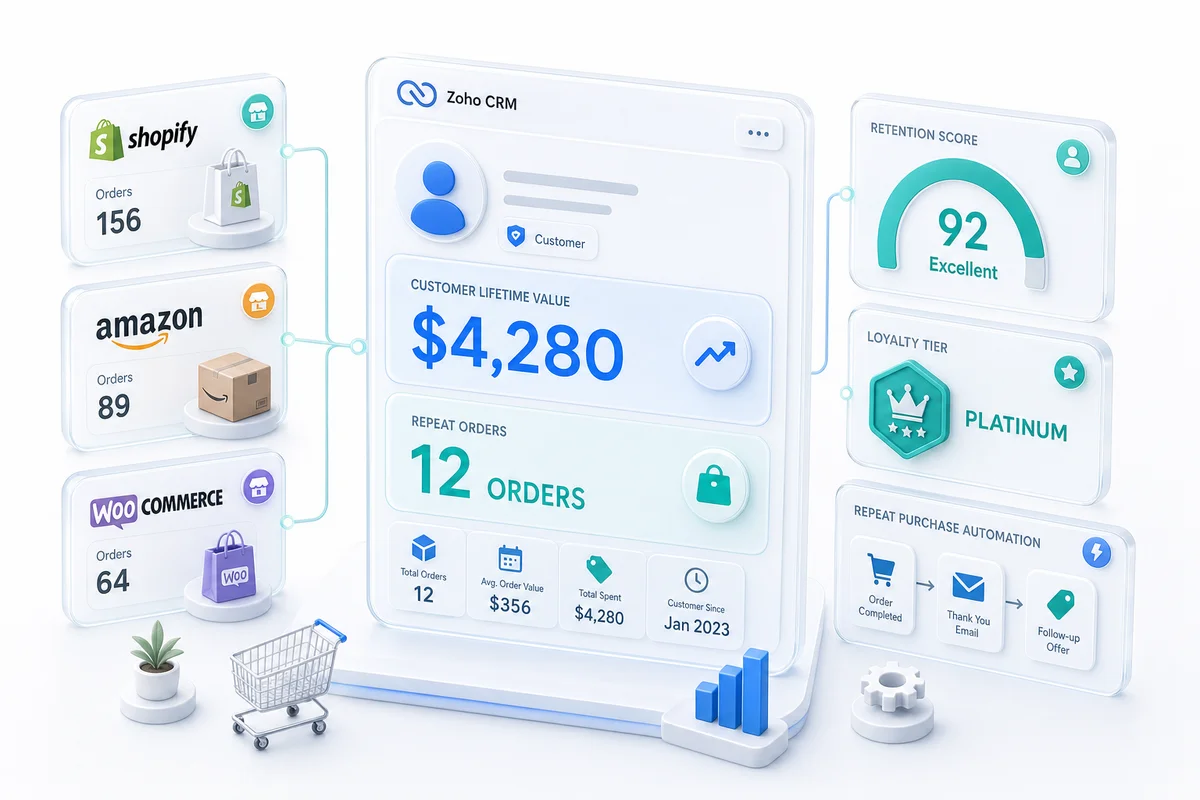
When Zoho CRM is connected to your storefronts, every customer has one record regardless of where they purchased. An order on Shopify, a purchase on Amazon, and a return on eBay all attach to the same contact. The customer record shows:
- Total lifetime value across all channels
- Order history with product categories, values, and dates
- Channel attribution: which platform acquired them, which platforms they return to
- Last purchase date and purchase frequency
- Fulfilment status and support history (connected to Zoho Desk for eCommerce)
This is data no individual platform can produce because no individual platform sees the whole picture.
Post purchase automation that actually works
Zoho CRM connects to Zoho Campaigns for email automation. Post purchase sequences trigger on order data, not on the channel the order came from. A customer who buys a specific product category gets the relevant follow-up sequence regardless of whether that purchase happened on Shopify or WooCommerce.
Post purchase automations Zolify clients run through Zoho CRM:
| Automation | Trigger | Purpose |
|---|---|---|
| Review request | 7 days after delivery confirmed | Collect social proof |
| Product education sequence | 3 days after first purchase in a category | Reduce support tickets, increase satisfaction |
| Cross-sell sequence | 14 days after purchase | Surface relevant complementary products |
| Replenishment reminder | X days after typical repurchase cycle | Capture predictable repeat purchases |
| Win-back campaign | 90 days since last purchase | Reactivate dormant customers |
| High-value customer outreach | CLV crosses defined threshold | Prioritise relationship investment |
These automations run on their own. The list gets worked based on purchase data, not based on someone going into Shopify's customer list and manually tagging accounts. For a practical guide to building RFM segments, win-back flows, and post purchase sequences in Zoho CRM, see eCommerce Customer Retention with Zoho CRM. For the BFCM-specific cohort layer — tagging first-time holiday buyers before November 27, configuring workflow triggers, and running a 30-day Campaigns journey built for price-triggered buyers — BFCM customer retention in Zoho CRM covers the full setup.
Customer segmentation for targeted campaigns
With unified purchase data in Zoho CRM, you can segment customers in ways that individual platform filters don't support:
- Customers who bought in the last 30 days but never bought in a specific product category
- Customers who spent over $500 lifetime but haven't purchased in 60 days
- Customers acquired through Amazon who also purchased on Shopify (cross-channel buyers often have higher CLV)
- Customers who returned a product (follow up differently than customers who didn't)
Zoho CRM's segmentation feeds into Zoho Campaigns directly. A segment defined in CRM becomes an audience for an email campaign without exporting and re-importing contact lists. For a detailed breakdown of Zoho Campaigns plans and pricing, see our Zoho Campaigns review. If you're deciding between Zoho Campaigns and Klaviyo for your eCommerce stack, our Zoho Campaigns review and pricing guide covers plans, features, and what to expect for eCommerce post-purchase sequences.
Setting up Zoho CRM for eCommerce
Connecting storefronts
Zoho CRM connects to Shopify, WooCommerce, and other platforms via API integration. The connection pulls order data into CRM as deals or as custom records depending on your workflow preference. The data fields to map on setup:
- Customer email as the unique identifier for deduplication
- Order value, product category, and order date on each purchase record
- Delivery status from the fulfilment system
- Channel source (Shopify, Amazon, WooCommerce, eBay, Etsy) on each order
Deduplication logic matters here. If a customer used different email addresses on different platforms, the integration needs a matching strategy. Using email as the primary key catches most duplicates; phone number matching as a secondary key catches more.
One thing to scope before Q1 ramp-up: Zapier-based Shopify-Zoho connections handle low-volume setups reasonably well but tend to fail under sale-period spikes. Partial payments, refund splits, and rate limits are the common breaking points. Shopify-Zoho integration: where Zapier breaks down for growing stores covers the specific failure modes and what a direct API connection handles differently.
Why January is the right moment to start
January is the cleanest implementation window for Zoho CRM. Q4 volume has settled. Your team has bandwidth. The BFCM data you just collected is available to import directly. Starting in January means:
- A clean year-start for reporting (no split-period CRM data from a mid-year go-live)
- BFCM 2026 customer records importable from day one for win-back and retention setup
- Enough lead time to have automations running before Q2 volume picks up
- Setup happens outside a live sale period
The same logic applies to Zoho Books. Sellers considering both systems together can read Why January Is the Best Month to Start Zoho Books for Your eCommerce Business: the clean year-start reasoning and historical data import sequence are nearly identical on the accounting side.
Custom fields for eCommerce CLV tracking
Standard Zoho CRM contact fields don't include eCommerce-specific metrics. Add custom fields for:
- Total lifetime value (calculated from all connected channels)
- Total order count
- Average order value
- First purchase date
- Last purchase date
- Primary channel (where most purchases come from)
- Product category affinity (most frequently purchased category)
These fields update automatically as new orders sync. Zoho CRM's workflow rules maintain the calculated totals and update total lifetime value each time a new order comes in.
Zoho Analytics for deeper reporting
Zoho CRM stores the data; Zoho Analytics surfaces the patterns. Connect Zoho Analytics to Zoho CRM for:
- Cohort analysis: how customers acquired in different months retain over time
- Channel CLV comparison: are Amazon customers worth more than Shopify customers over 12 months?
- Product category CLV: which product categories attract the highest-value repeat customers?
- Repurchase rate by segment: what percentage of first-time buyers make a second purchase within 90 days?
This reporting tells you where to invest in acquisition and which products attract the best repeat customers. The Zoho Analytics for eCommerce guide covers the full setup: connecting Books, Inventory, and CRM into the channel P&L and LTV dashboards described above.
What to do with your BFCM 2026 data in Q1
BFCM just finished. The richest customer dataset of your year is sitting in siloed platform reports. Pull it into Zoho CRM now, not at some point later.
First-time buyers from BFCM 2026 are at their highest churn risk right now. You have 30 to 60 days to convert them into repeat customers. Sellers who already have CRM running are working those sequences automatically. If you don't, those customers are going quiet.
BFCM data in Zoho CRM opens up segment views that no individual storefront can produce on its own.
Segments that span a full year of purchase history
Win-back targets: Customers who bought in BFCM 2025 but didn't return for BFCM 2026. Why not? Product mismatch, price sensitivity, or simply no re-engagement campaign. Zoho CRM lets you answer the question. January is when you run the analysis and act on it.
High-CLV cohort: Customers who bought in BFCM and then made another purchase in December. These are your best buyers. The outreach window is open now; it closes when January quiets down.
Lapsed from BFCM 2026: Customers who purchased in November but haven't returned. The 60-day mark is approaching. A re-engagement email sent in January outperforms the same email sent in March, when competing for attention against spring promotions.
Post-BFCM sequences for second-purchase revenue
First-time BFCM buyers are worth far more if they make a second purchase within 30 days. The sequence Zolify configures for eCommerce clients in this scenario:
- Day 3 after delivery confirmed: product education email for the category they purchased
- Day 10: cross-sell recommendation based on what high-CLV customers bought alongside this product
- Day 30: replenishment reminder if the product has a typical re-order cycle
- Day 60: win-back offer if no second purchase has occurred
You don't manage a list. The sequence runs automatically for every BFCM buyer across Shopify and WooCommerce. Amazon buyers who also purchased on Shopify get included because they share the same CRM record.
For the inventory side of Q1 planning after BFCM, the Zoho Inventory reorder points guide covers how to set dynamic reorder thresholds aligned with the demand signals your CRM is now capturing.
When the investment makes sense
Zoho CRM adds operational overhead: setup, ongoing maintenance, automation monitoring. The ROI threshold varies by business, but most eCommerce sellers benefit once they hit one of these conditions:
- Processing more than 200 orders a month and wanting to improve repeat purchase rates
- Running more than one storefront and needing a single customer view
- Selling products with clear repurchase cycles (consumables, seasonal goods) where automated reminders produce measurable revenue
- Having a meaningful portion of revenue from high-value customers who warrant direct outreach
- Sitting on BFCM 2026 customer data across Shopify, Amazon, and WooCommerce with no way to run unified Q1 re-engagement campaigns
Below those thresholds, your storefront's native tools are probably sufficient. Above them, siloed customer data leaves repeat purchase revenue on the table. Q1 is when that's easiest to fix.
Zolify has connected Zoho CRM to Shopify, Amazon, WooCommerce, eBay, and Etsy setups across 100+ eCommerce implementations. The integration includes unified customer record setup, custom CLV fields, post purchase automation, and Zoho Analytics reporting. As an Official Zoho Finance Partner with a Chartered Accountant on staff, every implementation covers how order data flows into the accounting side, so CRM data and financial data stay consistent.
If you want the accounting stack pre-integrated alongside CRM, Zoho Finance Plus for eCommerce sellers covers how Books, Inventory, Expense, and Subscriptions work together as a single bundled plan: useful context before deciding whether to build out individual apps or start from the Finance Plus tier. For eCommerce sellers who also manage a wholesale channel, Zoho CRM handles the full B2B acquisition pipeline: deal stages, RFQ management, multi-tier price book quoting, credit approval routing, and automated account activation in Zoho Inventory and Zoho Books. The B2B wholesale sales pipeline guide for Zoho CRM covers the complete setup from prospect to active wholesale account.
Part of every implementation review covers sales tax: when orders sync from CRM-connected storefronts into Zoho Books, each transaction's tax needs to land in the correct per-jurisdiction liability account, not a single aggregated payable. eCommerce Tax Accounting Software: What Actually Solves the Problem covers how Zoho Books handles multi-state sales tax for Shopify, Amazon, and WooCommerce sellers.
If you're running more than one channel and want a unified view of customer value heading into Q1 2027, get an eCommerce ops audit and we'll walk through the setup for your specific storefront stack.
Frequently Asked Questions
Yes, once you're past early-stage volume. At low order counts, your storefront's customer data is sufficient. Once you're processing hundreds of orders a month across multiple channels, or once you want to segment customers by purchase history, lifetime value, or product category, a CRM becomes necessary. Zoho CRM connects to Shopify, Amazon, WooCommerce, eBay, and Etsy, so all customer data lands in one system regardless of which channel the purchase came through.
Shopify's customer profiles cover Shopify purchases only. If the same customer buys from you on Amazon and on Shopify, Shopify doesn't know they're the same person. Zoho CRM unifies customer records across channels, calculates real lifetime value from all purchase sources, and supports automation across all channels: a post-purchase sequence triggered by any purchase, not just Shopify ones. Zoho CRM also supports manual outreach and sales pipeline management for high-value customers, which Shopify doesn't.
Zoho CRM connects to Shopify via API integration, either through Zoho's native Shopify connector or a custom integration built for your specific data requirements. When a customer places an order on Shopify, their contact record in Zoho CRM updates with the new order, the product category, the order value, and the fulfilment status. You can then trigger CRM workflows based on order data: a cross-sell sequence after a specific product purchase, a review request sequence after delivery confirmation, or a win-back campaign after 90 days of inactivity.
For multi-channel eCommerce sellers, Zoho CRM is typically the most cost-effective option. Salesforce Sales Cloud Professional runs around $100/user/month and doesn't include native eCommerce storefront connectors. HubSpot Sales Hub Professional starts at $500/month and is optimised for B2B pipeline management rather than eCommerce retention automation. Zoho CRM Professional costs around $35/user/month and includes native connectors for Shopify, WooCommerce, and Zoho's own inventory and accounting stack — no middleware required.
Yes. With purchase data from Shopify, Amazon, WooCommerce, eBay, and Etsy flowing into Zoho CRM, you can calculate total lifetime value per customer across all channels. Zoho CRM supports custom fields for CLV, total orders, average order value, and last purchase date. Zoho Analytics connects to Zoho CRM for deeper reporting: cohort analysis by acquisition channel, CLV by product category, repurchase rates by segment. This level of customer intelligence is not available from individual storefront analytics.
See exactly where your Shopify, Amazon, or WooCommerce ops are leaking — free.
Get a personalised eCommerce Ops Audit: inventory gaps, accounting leaks, and order-flow bottlenecks — with a Zoho fix roadmap. Delivered in 48 hours, at no cost.