Multi-Channel Inventory Management: How to Sync Shopify, Amazon, and WooCommerce Without Spreadsheets
The oversell is the nightmare every multi-channel seller eventually lives through: Shopify sells the last unit, Amazon sells it too, and your FBA stock doesn't update for another hour. Here's how to fix it.
Multi-channel inventory management means keeping stock counts accurate across Shopify, Amazon, WooCommerce, eBay, and Etsy simultaneously, from one system, not five. If you're already selling on two or more channels, you've probably hit the core problem: each platform keeps its own count, and those counts drift from reality the moment order velocity picks up. The fix isn't faster spreadsheet updates. It's a single inventory hub that all channels read from and write to.
For a broader look at how inventory software fits your overall eCommerce stack, see our eCommerce inventory management software guide.
TL;DR: 34% of eCommerce sellers now operate on two or more marketplaces, and sellers on three or more channels see 104% higher GMV (Mirakl 2026 Seller Report, 2026). The multi-channel sellers who scale without inventory chaos use a single hub, not native channel tools or spreadsheets, connected to every platform. Zoho Inventory, configured correctly, is that hub.
The multi-channel inventory problem nobody talks about
34% of eCommerce sellers now sell on two or more marketplaces, and that number keeps climbing (Mirakl 2026 Seller Report, 2026). The problem these sellers share isn't a lack of tools. It's that every platform (Shopify, Amazon, WooCommerce) was built to own inventory, not share it. That design assumption is the root cause of every oversell, every drift, and every reconciliation nightmare.
The oversell: when two channels sell the same unit simultaneously
You have 3 units in stock. A Shopify customer buys 2. Forty seconds later, before that sale syncs to Amazon Seller Central, an Amazon customer buys 2. You've now sold 4 units you don't have. This isn't an edge case. It's the predictable outcome of any setup where inventory updates run on timed sync intervals.
Most platform-native tools sync every 15 to 60 minutes. During a flash sale or Prime Day spike, that window is wide enough to create oversells on every high-demand SKU. We've watched this exact scenario play out after a Shopify flash sale depleted stock before the Amazon sync caught up: cancelled Amazon orders, negative seller metrics, and a customer service backlog that took days to clear.
The drift: when your stock counts diverge from reality
Oversells are the dramatic version of the problem. Drift is the slow version, and it's harder to catch. Your WooCommerce admin shows 47 units. Your physical count shows 31. The gap? A return processed in WooCommerce but not restocked in the warehouse count, a manual adjustment made in one channel but not the others, and an FBA shipment that arrived but wasn't reconciled.
We've audited WooCommerce operations where inventory drifted from actual warehouse stock by 20–30% because manual updates lagged by hours during high-volume periods. By month-end, the numbers were wrong enough that a full physical count was the only way to reset. For a structured approach to running that count in Zoho Inventory — freezing stock levels, assigning location-based count sheets, and reconciling variances without halting live orders — see Year-End Inventory Count in Zoho Inventory: A Step-by-Step Guide for eCommerce Sellers.
Drift compounds. You can't trust any count without a full audit. And full audits take time you don't have.
The reconciliation nightmare: hours of manual work every month
When stock counts diverge, someone has to fix them. That means downloading stock reports from each platform, comparing them line by line, tracing each discrepancy back to a transaction, and manually correcting the numbers. For a 200-SKU catalog across three channels, monthly reconciliation takes 4 to 8 hours. That time grows with catalog size and anything unusual (a sale event, a supplier shipment, a return spike).
If reconciliation takes 6 hours a month at your current scale, it'll take 18 once you add a third channel and double the SKU count. That's not a sustainable back-office model.
The 3PL problem: stock in multiple locations without unified tracking
Many mid-size eCommerce sellers split inventory between FBA warehouses (Amazon), their own warehouse or 3PL (Shopify and WooCommerce), and sometimes a second 3PL for regional fulfillment. Each location holds real inventory. Each channel may draw from a different pool.
Without a system that tracks inventory by location and channel simultaneously, you can't tell whether a stockout is total or just location-specific. You might have 50 units at your 3PL and show "out of stock" on Amazon because your FBA stock hit zero and nobody noticed until orders started failing. For the mechanics of building that unified view — multi-location warehouse structure in Zoho Inventory, bi-directional 3PL stock sync, and channel-based order routing rules — see the 3PL Zoho Inventory integration guide.
Why spreadsheets break for multi-channel inventory
Spreadsheets seem like a reasonable bridge between platforms. They break in predictable ways, and the failure threshold is lower than most sellers expect.
Manual updates that can't keep pace with order velocity
A spreadsheet requires a human to update it. Humans update it when they remember, when they have time, or when something visibly breaks. During high-volume periods, updates fall behind. By the time someone catches up, the numbers are already wrong enough to have caused problems.
Three channels means three sources of orders hitting the same inventory pool. Keeping a spreadsheet current across all three in real time isn't realistic above 50 orders per day. Past 200 SKUs or 500 orders per month, the manual update cycle is a full-time job that still produces inaccurate numbers.
No native connection to your sales channels
A spreadsheet can't receive a Shopify webhook. It can't pull an Amazon inventory update. It can't push a stock count change to WooCommerce when an order ships. Every piece of data in or out of a spreadsheet requires a human to put it there. Fine for 10 products selling 5 times a day. Doesn't work at any meaningful eCommerce scale.
Zero visibility into FBA stock vs own-warehouse stock
Amazon FBA and your own warehouse are functionally separate inventory pools. If you have 100 units total (40 at FBA and 60 at your warehouse) you need to know which is which to fulfill orders correctly and restock accurately. A spreadsheet can track both columns, but updating them requires knowing which location each unit moved through, which requires warehouse records that are themselves accurate. That chain of manual dependencies is where errors creep in.
Three approaches to multi-channel inventory management
Sellers tackling multi-channel ecommerce management tend to move through three approaches, roughly in order. Understanding where each one breaks determines how far you need to go.
Platform-native tools: each silo has its own count
Shopify admin manages Shopify inventory. Amazon Seller Central manages Amazon inventory. WooCommerce manages its own. At low volume and low SKU count, this works because the channels don't interact frequently enough to cause visible problems.
The moment you run a promotion driving simultaneous orders across channels, or add a third channel, the cracks show. Shopify inventory and Amazon Seller Central don't talk to each other. There's no native sync. You're either updating manually or using a third-party app that syncs on a schedule, and when order velocity spikes, scheduled syncs don't keep pace.
Standalone inventory software: better, but still disconnected from finance
Linnworks, Sellbrite, and Sellerchamp solve the cross-channel sync problem better than native tools. They connect to multiple channels, maintain a central inventory count, and push updates when orders arrive. For sellers whose primary problem is overselling, they help.
The gap is that they're inventory tools, not operations platforms. When a sale happens, inventory updates. But COGS doesn't automatically update in your accounting system. Returns processed in one channel may not flow back to the inventory count. Purchase orders from suppliers live in a separate tool. You've solved the oversell problem and created a data-between-systems problem instead.
Zoho Inventory as multi-channel hub: one source of truth for inventory and finance
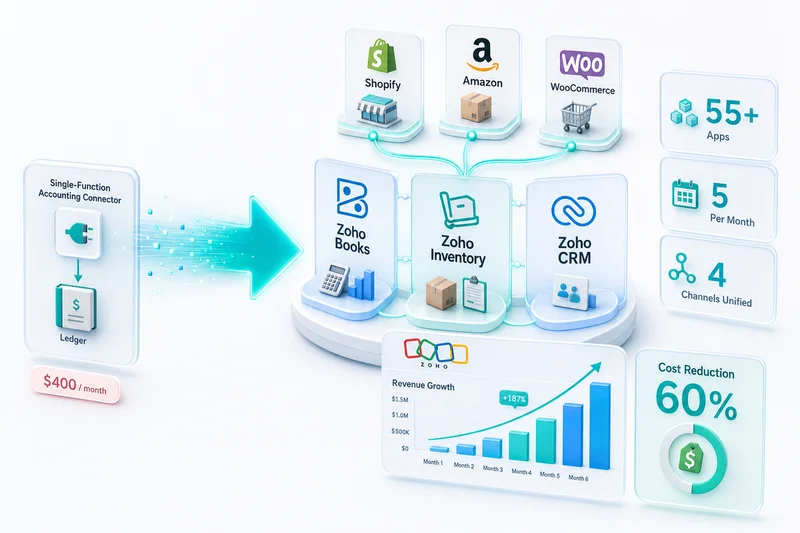
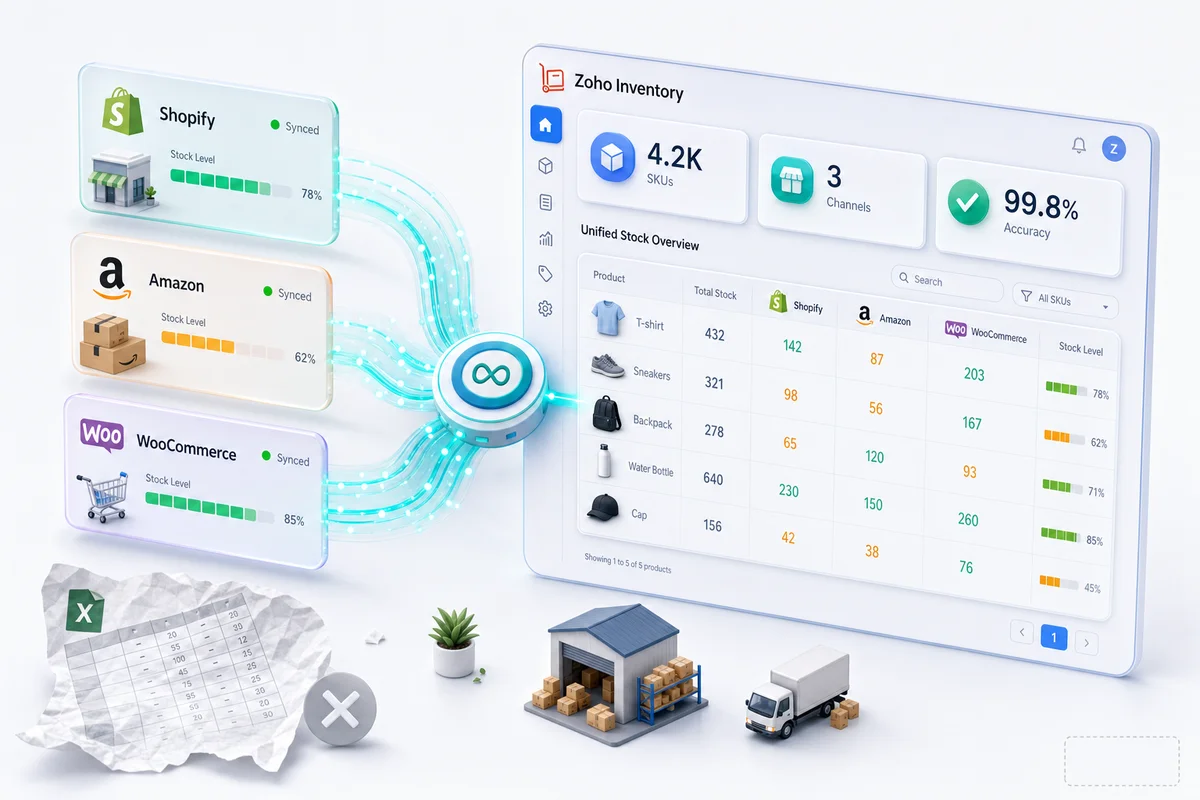
Zoho Inventory connects to Shopify, Amazon, WooCommerce, eBay, and Etsy natively. Orders from every channel pull into Zoho Inventory. Stock counts update when orders arrive and when fulfillments ship. The same count pushes back out to every connected channel.
What sets Zoho Inventory apart from standalone tools is that it's native to the Zoho ecosystem. When a sale records in Zoho Inventory, Zoho Books updates automatically: COGS records, revenue recognizes, the invoice creates. There's no separate accounting integration to build or maintain. Inventory and finance share one database.
For a breakdown of how Zoho Inventory handles this across Shopify, Amazon, and WooCommerce — including FBA warehouse separation, SKU mapping, and reorder logic — see our Zoho Inventory multi-channel guide for Shopify, Amazon, and WooCommerce.
How Zoho Inventory handles multi-channel sync
Zoho Inventory's connectors run on event-driven architecture, not scheduled batch syncs. According to Zoho's documentation, orders flow through native API connections, so the stock update happens when the order happens, not 15 minutes later. That distinction matters during peak periods when order velocity is high and sync windows are exactly when oversells occur.
Native Shopify connector: orders pull, stock pushes
When a customer places a Shopify order, it appears in Zoho Inventory automatically. Stock decrements. The updated count pushes back to Shopify. The connection is event-driven, so updates happen when orders happen, not on a 15-minute timer.
Shopify variants, bundles, and composite products map to their Zoho Inventory equivalents. A Shopify bundle sale deducts the correct quantities from each component item, not just the bundle SKU. For the full picture of what the Shopify connection covers, see our Shopify-Zoho integration guide. If you're evaluating a full implementation, our Shopify-Zoho integration services outline what the engagement covers from channel audit to go-live.
Amazon Seller Central integration: FBA stock + merchant-fulfilled
Amazon inventory is split by fulfillment type. FBA stock sits in Amazon's fulfillment centers. Merchant-fulfilled stock ships from your own warehouse. Zoho Inventory tracks both separately, so you always know which pool is which and what each can fulfill.
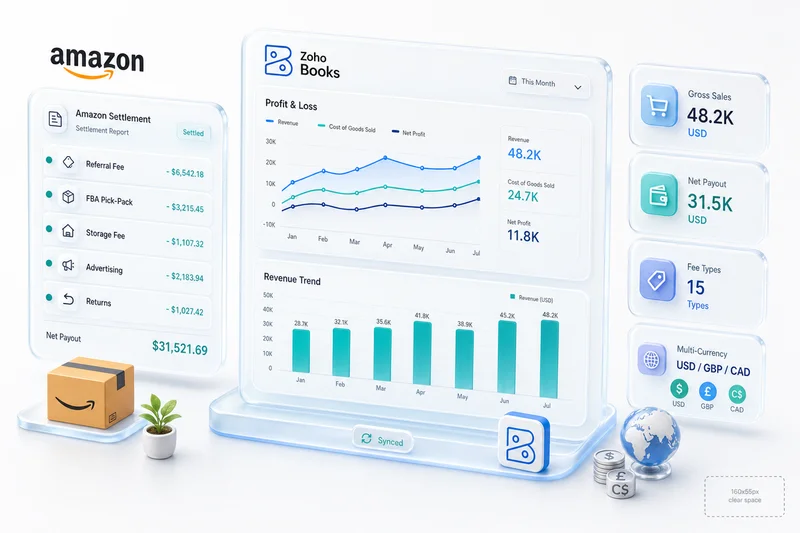
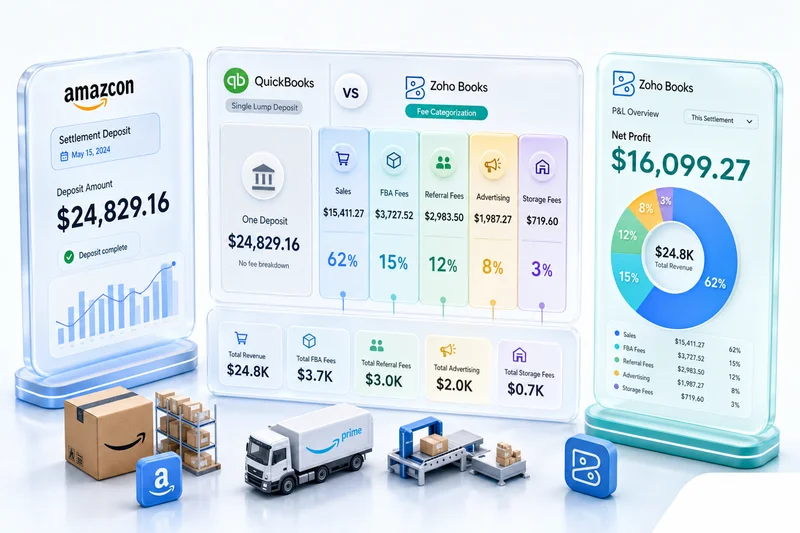
FBA shipments (the process of sending inventory to Amazon's fulfillment network) can be created and tracked in Zoho Inventory. When FBA stock receives at an Amazon warehouse, the inventory position updates. When FBA sells and ships, COGS records in Zoho Books. For a complete breakdown of the Amazon-Zoho connection, including ASIN mapping, FBA shipment tracking, and settlement reconciliation, see our Amazon-Zoho integration guide. For the accounting side specifically — settlement reconciliation, fee categorization, and month-end close — our Amazon seller accounting guide covers how Zoho Books handles the financial picture. If you're evaluating full implementation scope, our Amazon-Zoho integration services outline what the engagement covers.
WooCommerce two-way sync: orders and inventory
WooCommerce's stock management was built for a single store, not a catalog shared with other channels. Zoho Inventory takes over as the source of truth. Orders from WooCommerce pull in, inventory decrements, and the updated count pushes back to WooCommerce. Returns processed on WooCommerce restock the inventory in Zoho.
The WooCommerce to Zoho integration guide covers how orders, inventory, and accounting connect across the WooCommerce stack, including variable products and subscription orders that generic connectors typically mishandle.
eBay and Etsy: same catalog, different channel listings
eBay and Etsy tend to be secondary channels for most sellers, not the primary revenue driver, but meaningful volume. Their inventory updates are often lowest priority, which makes them the channels where oversells happen first when stock is tight.
With Zoho Inventory, the same catalog object serves every channel. An eBay listing, a Shopify product, and an Etsy listing all point to the same inventory item. A sale on any channel decrements the same count and pushes the update to every other channel simultaneously.
Q4 and BFCM: when multi-channel inventory problems become expensive
The problems described above — oversells, drift, reconciliation gaps — exist year-round. Q4 makes them expensive. Most Shopify and Amazon sellers generate 30 to 40% of annual eCommerce revenue in the final quarter, and order velocity during BFCM weekend runs 8 to 12 times above the September baseline. The same sync delay that causes a minor inconvenience at normal volume produces hundreds of cancelled orders during a Black Friday spike.
Reorder points built for September fire too late in November
A reorder point calibrated to a typical daily velocity of 15 units triggers a purchase order when stock drops to around 75 units. At BFCM, the same SKU might sell 130 units in a single day. The trigger fires — but stock is already depleted before the supplier ships. The problem is not the logic. The input, daily velocity, is wrong for the season.
Before October ends, every top-10 SKU by revenue needs a BFCM-specific reorder point calculated against Q4 supplier lead times (which run longer than spring) and estimated BFCM daily velocity. Zoho Inventory stores reorder points at the item level and separates them by warehouse, so FBA and non-FBA stock carry independent reorder triggers. Updating these in October takes less than an hour. Missing the window costs weeks of recovery.
The FBA inbound deadline most multi-channel sellers miss
Amazon restricts FBA inbound shipments roughly two weeks before Black Friday to manage fulfillment capacity. Stock not in Amazon's fulfillment network by early November will not arrive in time for BFCM. For sellers who split inventory between FBA (Amazon orders) and their own warehouse or 3PL (Shopify and WooCommerce orders), this deadline is the single failure point most multi-channel operations discover too late.
A BFCM-ready Zoho Inventory configuration covers seasonal reorder points by channel, channel-specific safety reserves that prevent Shopify from drawing on stock committed to FBA, composite item setup for BFCM bundles, and purchase order automation calibrated for Q4 lead times. For a complete BFCM inventory planning walkthrough — including the exact reorder point formula and a readiness checklist — see our BFCM inventory planning guide for Shopify and Amazon sellers.
What Zolify's multi-channel inventory setup looks like
Setting up Zoho Inventory for multi-channel operations isn't just connecting APIs. The channel connections are the easy part. The configuration underneath (how SKUs map across platforms, how warehouses route orders, how reorder automation accounts for velocity) determines whether inventory stays accurate at volume. Across 100+ eCommerce implementations, the configuration work is where most DIY setups fall short.
Channel mapping: SKUs, variants, and bundles across all channels
Different channels handle product variants differently. Amazon uses ASINs and FNSKUs. Shopify uses variant IDs. WooCommerce uses product and variation IDs. eBay uses item IDs. Mapping these to a canonical SKU in Zoho Inventory, so a sale on any channel reliably decrements the right item, takes careful configuration.
Bundles and kits add complexity. If you sell a bundle on Shopify but its components as individual items on Amazon, the inventory deduction needs to understand that relationship. Zoho Inventory handles composite items natively, but the configuration has to reflect your actual product structure.
We've configured multi-channel inventory for operations ranging from 50 SKUs on two channels to 800+ SKUs across five. The mapping step takes longer than any technical integration. Get it wrong and a Shopify bundle sale deducts the wrong component, and those errors propagate silently until a stockout makes them visible.
Warehouse configuration: FBA, own-warehouse, 3PL in one view
Zoho Inventory supports multiple warehouses with separate stock positions. FBA stock, your own warehouse, and a 3PL location each get their own warehouse record. Stock in each location is visible separately and in aggregate.
For each channel, you configure which warehouse fulfills orders. Amazon FBA orders fulfill from the FBA warehouse. Shopify orders fulfill from your own warehouse or 3PL. WooCommerce orders route based on rules you set: stock level, geography, or SKU category. Reorder points work by location: when FBA stock drops below your reorder threshold for a given SKU, Zoho Inventory can trigger a purchase order and a transfer to Amazon's fulfillment network.
In a typical three-channel implementation we configure, the seller has four warehouse records in Zoho Inventory: FBA East, FBA West, the primary 3PL, and a returns processing location. Each channel has priority routing rules, with automatic overflow to the next warehouse when primary stock runs low. Order routing errors that previously required manual intervention multiple times per week drop to zero once the warehouse and routing configuration is correct.
Reorder automation by channel sales velocity
Static reorder points break for seasonal products and for SKUs whose velocity varies a lot across channels. A product selling 5 units per day on Amazon in Q4 and 1 per day in Q2 needs different reorder behavior in each period. Fixed reorder points either leave you overstocked in slow periods or understocked when velocity picks back up.
Zoho Inventory tracks sales velocity by channel and adjusts reorder behavior based on rolling averages. For high-velocity SKUs or sellers with predictable seasonal patterns, that automation prevents both stockouts and excess inventory holding costs.
Buffer stock per channel: the numbers that matter
Buffer stock looks different for each channel because the replenishment loops have different lead times. A uniform safety buffer across FBA, Shopify, and WooCommerce will either over-protect slow channels or under-protect the ones that actually need coverage.
A configuration we deployed for a 300-SKU, three-channel seller in Q3 2026 shows how the math works in practice. The seller's top 40 SKUs by revenue got channel-specific reorder points:
- Amazon FBA: 21-day buffer on each SKU. The arithmetic: 14 days for Amazon to receive and process a new inbound shipment, plus 7 days transit from the supplier. At 15 units per day per SKU on FBA, that's 315 units minimum maintained at or in-transit to Amazon's fulfillment network for each high-velocity item.
- Shopify (own 3PL): 10-day buffer. The 3PL ships same-day on orders received before 2pm, and the supplier can restock the 3PL in 7 days. At 10 units per day per SKU on Shopify, the buffer is 100 units per SKU.
- WooCommerce (same 3PL pool as Shopify): We set a channel-specific reserve of 15% of the shared 3PL stock for WooCommerce, encoded in Zoho Inventory's warehouse allocation rules. When Shopify promotions run and draw heavily on shared stock, WooCommerce doesn't go out of stock because the reserve prevents over-allocation.
The result during a September promotional event that drove 4x normal velocity: no channel-level stockouts. Reorder triggers fired correctly for FBA with enough lead time to keep Amazon stock continuous through the event.
In Zoho Inventory, these channel-specific buffers live in item-level reorder point settings, separated by warehouse. Updating all 40 SKUs for Q4 took under two hours. Without that structure, updating seasonal reorder points across three channels in a spreadsheet would take a full day and still miss edge cases.
The finance link: inventory movements update COGS in Zoho Books automatically
This is the difference between a standalone inventory tool and Zoho Inventory inside the Zoho ecosystem. When a sale ships from Zoho Inventory, Zoho Books records the COGS automatically. When a return restocks, the inventory value and accounting entry both update. Your gross margin per channel is always current, not because someone ran a reconciliation report, but because every inventory movement has a corresponding financial entry. The valuation method Zoho Books uses to calculate those COGS entries — FIFO or weighted average — determines your per-unit cost and affects both gross margin and year-end tax position; see FIFO vs Weighted Average: Inventory Valuation for eCommerce Sellers in Zoho Books for how each method plays out across a multi-channel operation.
We migrated a Shopify + Amazon + WooCommerce seller from Linnworks to Zoho Inventory. Their biggest gain wasn't sync reliability (Linnworks already handled that well enough). It was the accounting connection. For the first time, they could look at a P&L and see actual COGS by channel without waiting for month-end reconciliation. Inventory and finance had always been two separate pictures. The Zoho ecosystem made them one. The finance team recovered roughly 12 hours per month they'd been spending on manual COGS calculations.
The eCommerce inventory management software guide covers Zoho Inventory alongside the other platforms sellers evaluate. For sellers evaluating the broader Zoho app stack (how Inventory, Books, CRM, and Analytics connect as one platform) the Zoho for eCommerce guide covers the full picture. For Q4-specific configuration planning, including BFCM reorder points, FBA inbound deadlines, and seasonal safety reserves, see our BFCM inventory planning guide. For Q1 planning after the holiday rush — auditing post-BFCM positions, resetting reorder points to baseline velocity, and building spring purchase orders — see the Q1 eCommerce inventory planning guide for Zoho Inventory.
Get a multi-channel inventory assessment
If you're managing inventory in spreadsheets, losing hours to monthly reconciliation, or dealing with oversells across channels, an assessment is the right starting point.
Zolify is an Official Zoho Authorized Partner with a Chartered Accountant on staff. We've completed 100+ eCommerce implementations across Shopify, Amazon, WooCommerce, eBay, and Etsy. A multi-channel inventory implementation includes:
- Channel audit: mapping every active sales channel, every SKU, every variant, every bundle, and every fulfillment location before anything connects
- Zoho Inventory configuration: warehouses, composite items, channel mappings, reorder rules, and fulfillment routing
- Finance integration: Zoho Books configured so inventory movements produce correct accounting entries from day one, with a chart of accounts built for your specific channel mix
- Testing with real transaction data, not demo data: we test with actual orders from each channel to confirm every SKU, variant, and bundle resolves correctly before go-live
- Ongoing support: monthly inventory reconciliation, exception handling, and configuration updates as your channel mix changes
The setup takes 4 to 8 weeks for a three-channel operation with under 300 SKUs. Larger catalogs, more channels, 3PL involvement take longer.
See our multi-channel eCommerce operations services to start.
Frequently Asked Questions
Multi-channel inventory management is the practice of keeping stock counts accurate across multiple sales channels (Shopify, Amazon, WooCommerce, eBay, Etsy) from a single system. The goal is one accurate count that updates in real time across every channel when orders arrive or inventory moves. Without it, each platform maintains its own count, and those counts diverge.
Use a central inventory hub connected to both platforms. Zoho Inventory connects natively to Shopify and Amazon Seller Central. When an order arrives on either channel, inventory decrements in Zoho and the updated count pushes to the other channel immediately. This removes the sync delay that causes oversells when each channel checks its own internal stock.
Inventory counts diverge when each channel manages stock independently instead of reading from a shared count. Common causes: sync delays that let orders arrive faster than updates propagate, manual adjustments made in one channel but not others, returns restocked in one system but not reflected elsewhere, and FBA shipments that arrive at Amazon but are not reconciled against the expected count. The fix is removing the per-channel inventory count entirely and replacing it with a single database all channels write to.
For sellers operating across Shopify, Amazon, and WooCommerce who need inventory connected to accounting, Zoho Inventory is the strongest fit in 2026. It has native connectors to all three platforms, tracks FBA and merchant-fulfilled stock separately by warehouse, and ties every inventory movement directly to Zoho Books for automatic COGS recording. That means no manual reconciliation between inventory and finance at month-end. Standalone options like Linnworks handle channel sync well but leave the inventory-to-accounting gap open. The right choice depends on whether you are solving the oversell problem alone or the oversell-and-finance problem together.
Zoho Inventory has native integrations for Shopify, Amazon Seller Central, WooCommerce, eBay, and Etsy. It also connects to multiple warehouses, 3PLs, and Amazon FBA simultaneously, so inventory across all fulfillment locations rolls up into a single view. Each channel's orders and stock updates flow through native API connections, not third-party middleware, which reduces sync latency and eliminates a potential failure point in the data chain.
See exactly where your Shopify, Amazon, or WooCommerce ops are leaking — free.
Get a personalised eCommerce Ops Audit: inventory gaps, accounting leaks, and order-flow bottlenecks — with a Zoho fix roadmap. Delivered in 48 hours, at no cost.