Amazon Seller Accounting with Zoho Books: The Complete Guide
Complete guide to setting up Zoho Books for Amazon seller accounting. Covers 15+ fee types, settlement reconciliation, FBA inventory tracking, and chart of accounts mapping for accurate P&L reporting.
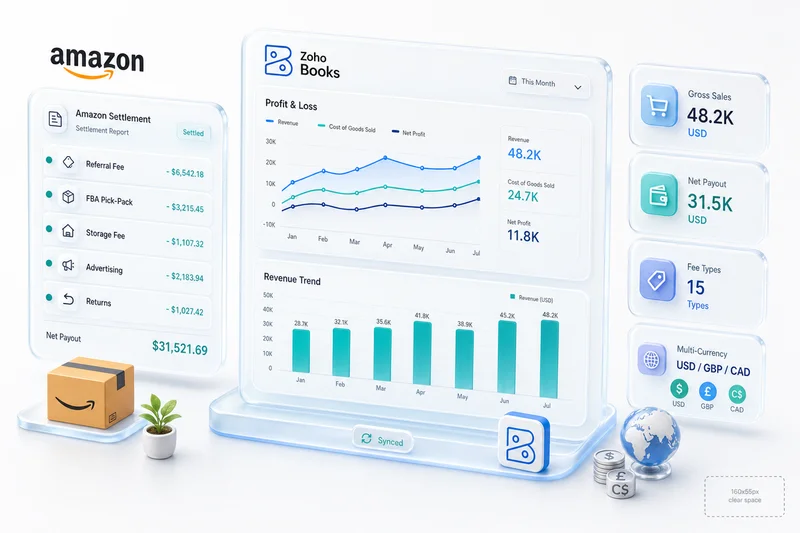
Amazon sellers face an accounting problem most small businesses never encounter: a single settlement report can contain 15 or more distinct fee line items, and each one demands its own account mapping. Get this wrong and your profit margins are fiction. Get it right and you'll know exactly what every SKU, every marketplace, and every fulfillment channel actually costs you.
This guide covers how to set up Zoho Books specifically for Amazon seller accounting, from chart of accounts design through automated reconciliation. It's based on patterns refined across 100+ eCommerce accounting implementations, with a Chartered Accountant reviewing every chart of accounts mapping before anything goes live. Zolify is an Official Zoho Finance Partner specializing in eCommerce operations — not general Zoho consulting.
Explore Zolify's eCommerce operations on Zoho, covering accounting, inventory, and CRM for online sellers on one integrated platform. For a full overview of how these apps connect across the eCommerce stack, see the Zoho for eCommerce guide. For an operator's perspective on where Zoho Books implementations fail Amazon sellers, covering the four miscategorization patterns that produce wrong financials even when the integration is running, see what Zoho Books does right for Amazon sellers.
TL;DR: Amazon sellers pay 30-35% of revenue in combined fees across 15+ line item categories (Jungle Scout, 2025). Zoho Books handles this complexity with deeper account hierarchies, multi-currency support, and native Zoho Inventory integration, at roughly half the cost of QuickBooks plus third-party add-ons. The key is getting the chart of accounts right before you automate anything.
Why is Amazon seller accounting uniquely complex?
Amazon's fee structure creates accounting complexity that Shopify, WooCommerce, or eBay simply can't match. According to Jungle Scout's State of the Amazon Seller Report, 2025), the average Amazon seller pays 30-35% of revenue in combined Amazon fees. That's not one line item. It's spread across referral fees, FBA fulfillment, storage, advertising, and a dozen other deductions that hit your settlement before you ever see a deposit.
Amazon sellers pay 30-35% of revenue in combined platform fees across 15+ distinct categories, according to Jungle Scout's 2025 State of the Amazon Seller Report. Most accounting setups collapse these into a single expense line, destroying the granularity needed for SKU-level profitability analysis.
Most sellers dump all of this into a single "Amazon Fees" expense account. That's a problem. You can't improve what you can't measure. And when your accountant files taxes against one lumped expense line, you lose deduction granularity and management insight at the same time.
<!-- [PERSONAL EXPERIENCE] --> > We've seen sellers overpaying on long-term storage fees for months without realizing it, simply because those fees were buried inside a catch-all account. Splitting them out immediately revealed $4,000/month in avoidable costs on one client's account.
For a deeper look at how FBA's structural differences affect your books — settlement timing, reimbursement classification, Q4 storage spikes, and revenue recognition at order date versus settlement date — see our Amazon FBA accounting guide.
15+ fee types that hit every settlement
Each of these needs its own account or sub-account in Zoho Books:
Revenue items - Product sales - Shipping credits - Gift wrap credits - Promotional rebates (negative)
Fee items - Referral fees (typically 8-15% depending on category) - FBA pick and pack fees - FBA weight handling fees - Monthly storage fees - Long-term storage fees (items stored 271+ days) - Closing fees (media categories) - High-volume listing fees - Refund administration fees
Advertising deductions - Sponsored Products cost - Sponsored Brands cost - Sponsored Display cost
Other adjustments - FBA inventory reimbursements - A-to-Z guarantee claims - Chargeback fees - FBA removal/disposal fees
That's 18 distinct line item categories. Miss any of them and your cost of sales is wrong.
FBA reimbursements and inventory adjustments
FBA reimbursements are among the most mishandled items in Amazon accounting. When Amazon loses or damages your inventory, they owe you a reimbursement. According to GETIDA (2024), the average FBA seller is owed 1-3% of annual revenue in unclaimed reimbursements.
These reimbursements aren't revenue. They're inventory recovery — an offset against cost of goods sold or an other income item, depending on how your accountant classifies them. In Zoho Books, we map these to a dedicated "FBA Inventory Reimbursements" account under Other Income. Visible in reporting, separate from operational revenue.
Inventory adjustments from Amazon's fulfillment center processing need tracking too. Units found, units lost, units damaged in warehouse: each changes your inventory valuation. If you're running Zoho Inventory alongside Zoho Books, these adjustments flow through as stock adjustments, not journal entries. For FBA sellers running high-velocity events like Amazon Prime Day, the same Zoho Inventory connection handles demand forecasting, FBA inbound shipment sizing, and post-event overstock reconciliation that keeps the IPI score intact and the books accurate. The Amazon Prime Day inventory planning guide for Zoho Inventory covers the full 8-week preparation cycle for FBA and FBM sellers.
Learn how FBA inventory management with Zoho Inventory handles stock adjustments, lost units, and fulfillment tracking for Amazon sellers.
Multi-currency and international marketplaces
Selling on Amazon.co.uk, Amazon.de, or Amazon.co.jp? Each marketplace settles in its local currency. According to Statista, 2025), Amazon's international segment generated $142.7 billion in net sales in 2024, with a growing share of third-party sellers operating across multiple regions.
Zoho Books handles multi-currency natively. You set a base currency and add foreign currencies as needed. Each settlement import maps to the correct currency, and Zoho converts at the settlement date exchange rate. This avoids the common mistake of using a monthly average rate, which creates discrepancies during reconciliation.
For VAT-registered sellers in the UK or EU, you'll also need to track output VAT by marketplace. Zoho Books supports multiple tax authorities, so you can configure UK VAT, German USt, and other schemes in parallel.
For sellers on Amazon UK, Amazon EU, or Amazon Canada who receive foreign currency disbursements, the accounting setup goes beyond just enabling currencies. Our multi-currency eCommerce accounting guide covers both approaches to Amazon currency conversion (ACCS versus local currency accounts), how to configure per-currency bank accounts in Zoho Books, and how realized FX gain/loss posts when settlements arrive at a different rate than the invoice date.
Why do most Amazon sellers use QuickBooks, and why is Zoho Books a better fit?
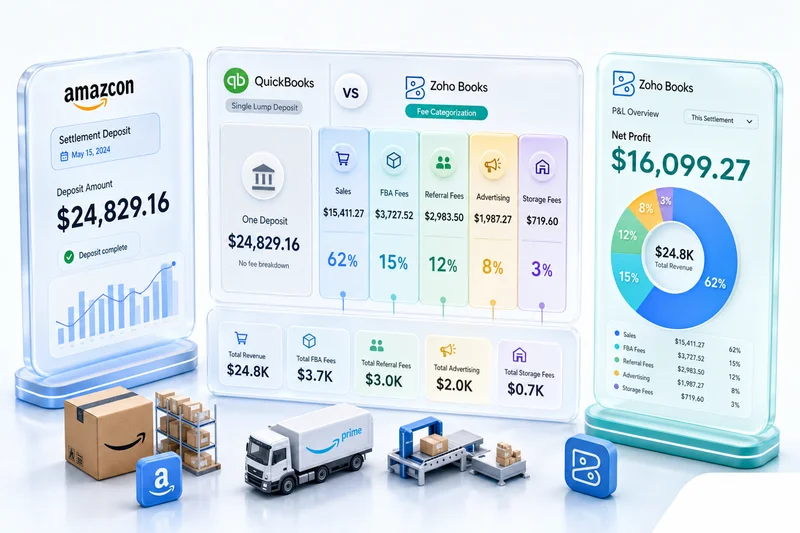
QuickBooks Online holds roughly 80% market share among US small businesses, per IBISWorld (2025). Amazon sellers default to it because their accountant already uses it. But QuickBooks wasn't designed for multi-channel eCommerce, and the gaps show up fast.
QuickBooks holds approximately 80% market share among US small businesses (IBISWorld, 2025), yet its flat chart of accounts structure and per-user pricing model make it a poor fit for Amazon sellers managing 18+ fee categories across multiple marketplaces.
The core issue is integration depth. QuickBooks connects to Amazon only through third-party bridge apps — an added cost of $19-69/month and another point of failure in your data pipeline. With Zoho Books, you get native connections to Zoho Inventory (which has a direct Amazon Seller Central integration), Zoho Flow for automation pipelines, and Deluge scripting for custom logic. Total cost of ownership runs lower, and you're not depending on third-party middleware.
There's a subtler problem too. QuickBooks' chart of accounts structure is flatter, making it harder to build the 18+ account hierarchy Amazon sellers need. Zoho Books supports a deeper account tree, sub-accounts, and custom fields that map cleanly to Amazon's fee taxonomy. We've configured sellers with 30+ Amazon fee accounts in Zoho Books, something that gets unwieldy in QuickBooks' interface.
QuickBooks also charges per user, which adds up when your accountant, bookkeeper, and operations manager all need access. Zoho Books includes more users at lower plan tiers, and the Professional plan costs a fraction of QuickBooks Online Plus with per-user add-ons.
| Feature | Zoho Books | QuickBooks Online |
|---|---|---|
| Amazon order sync | Native via Zoho Inventory | Third-party app ($19–69/month extra) |
| Sub-account depth | Unlimited | Limited hierarchy |
| Multi-currency | Native | Native |
| Multi-channel tracking | Native tracking categories | Limited |
| Automation scripting | Deluge (built-in) | No equivalent |
| Users included (mid-tier) | 3 users | Per-user pricing |
| eCommerce integrations | Shopify, Amazon, eBay, WooCommerce native | Requires connectors for most |
Does QuickBooks work for Amazon sellers? Yes. Is it the best tool for the job? Based on our experience across multiple channels and marketplaces, it isn't, particularly once you're selling on Amazon, Shopify, and eBay simultaneously.
For a full breakdown, read our Zoho vs QuickBooks comparison. For an eCommerce-specific cost breakdown including plan tiers and the connector tax Shopify and Amazon sellers often miss, see Zoho Books vs QuickBooks for eCommerce Sellers.
How do you set up Zoho Books for Amazon seller accounting?
Getting Zoho Books ready for Amazon isn't a default install. According to Zoho's own documentation, 2025), Zoho Books supports 18 standard account types and unlimited sub-accounts. That flexibility matters. You'll need it to build an Amazon-specific chart of accounts that your accountant can actually work with.
Zoho Books supports 18 standard account types with unlimited sub-accounts (Zoho, 2025), providing the structural depth Amazon sellers need to map 15+ fee categories into a chart of accounts that produces accurate gross margin calculations.
The setup has three phases: chart of accounts design, settlement reconciliation workflow, and sales tax configuration. Get the chart of accounts right first. Everything else depends on it. For a broader Zoho Books configuration walkthrough beyond Amazon-specific setup, see our Zoho Books setup guide for accountants.
Chart of accounts for Amazon fee categories
Here's the chart of accounts structure our team uses for Amazon sellers on Zoho Books. Our Chartered Accountant reviews every mapping to make sure the classification produces accurate gross margins, not just technically correct books.
<!-- [ORIGINAL DATA] --> > This account structure comes from 100+ Amazon seller implementations. The key decision — classifying Amazon fees under Cost of Sales rather than Operating Expenses — is based on our CA's analysis of how referral and FBA fees behave as variable unit costs.
Revenue accounts (income) - 4000 - Product Sales - Amazon FBA - 4001 - Product Sales - Amazon FBM - 4010 - Shipping Income - Amazon - 4020 - Gift Wrap Income - Amazon - 4030 - Promotional Rebates (contra-revenue)
Cost of sales (COGS) - 5000 - Cost of Goods Sold - Amazon - 5010 - Amazon Referral Fees - 5020 - FBA Pick and Pack Fees - 5021 - FBA Weight Handling Fees - 5030 - FBA Monthly Storage Fees - 5031 - FBA Long-Term Storage Fees - 5040 - Amazon Closing Fees - 5050 - Refund Administration Fees - 5060 - FBA Removal/Disposal Fees
Advertising expenses (operating expense) - 6100 - Amazon Sponsored Products - 6101 - Amazon Sponsored Brands - 6102 - Amazon Sponsored Display - 6110 - Amazon Advertising - Other
Other income - 7000 - FBA Inventory Reimbursements - 7010 - Amazon Adjustments - Other
Other expense - 8000 - A-to-Z Guarantee Claims - 8010 - Amazon Chargeback Fees
The key design decision: Amazon fees go under Cost of Sales, not Operating Expenses. Referral fees and FBA fees are directly tied to each unit sold. They're a variable cost of revenue, not overhead. Your gross margin should reflect what it actually costs to sell through Amazon.
<!-- [UNIQUE INSIGHT] --> > A technically working integration can still produce misleading financials if the account classification is wrong. We've seen generic Zoho consultants map referral fees as operating expenses, which inflates gross margin by 15-20 percentage points and gives sellers a false picture of unit economics. Having a Chartered Accountant review the mapping before go-live — not just a Zoho admin — prevents this.
[IMAGE: Zoho Books chart of accounts showing Amazon fee hierarchy, search terms: accounting chart of accounts software dashboard]
Settlement reconciliation workflow
Amazon pays sellers every 14 days (or daily on the accelerated disbursement program). Each settlement comes with a detailed report.
Start by pulling the V2 settlement report from Amazon Seller Central under Reports > Payments > Date Range Reports. Use the flat file format (.csv) because it's easier to parse programmatically.
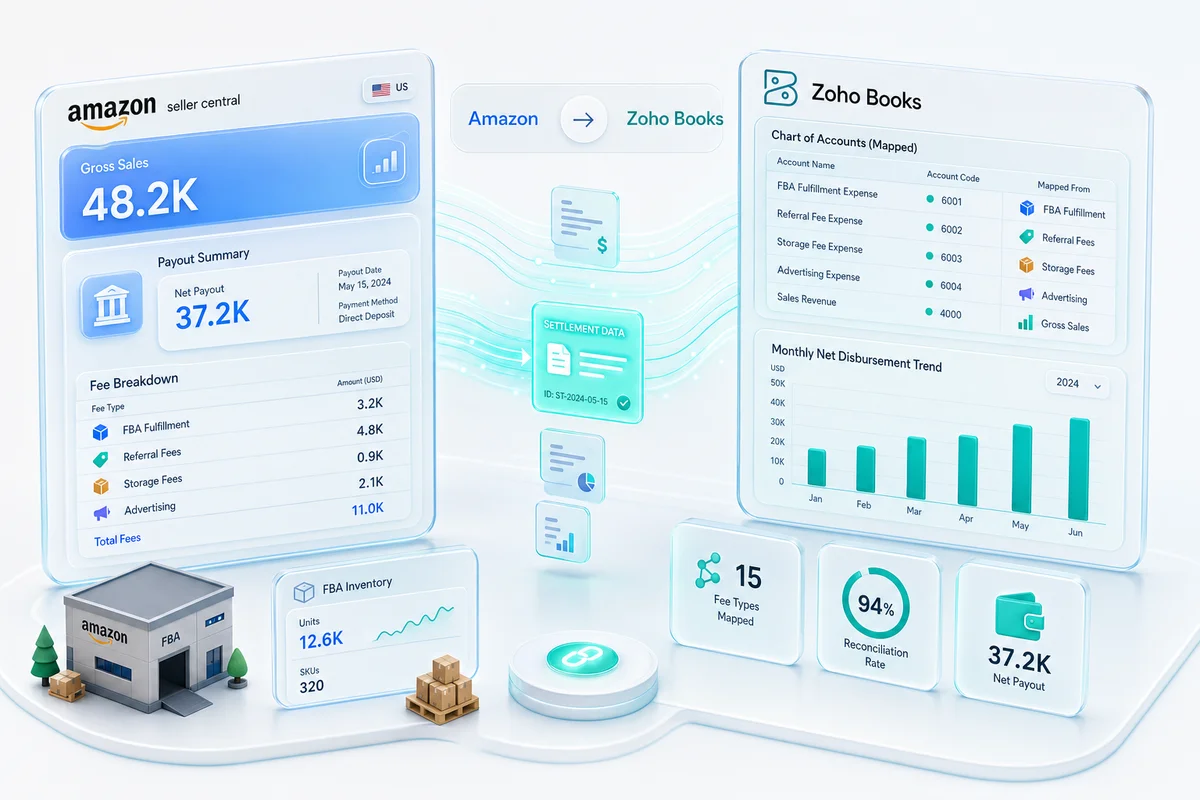
Next, map the columns to your Zoho accounts. Each row in the settlement report has an amount-type and amount-description that maps to a specific Zoho Books account. The mapping table should match the chart of accounts above.
For manual workflows, create a compound journal entry in Zoho Books that debits and credits each account per the settlement summary. For automated workflows (covered in the next section), this happens via Zoho Flow or a Deluge script.
Then reconcile the bank deposit. The net settlement amount should match the bank deposit within a few cents (currency rounding). In Zoho Books, match the bank transaction to the settlement journal entry during bank reconciliation.
If the deposit doesn't match, check for held reserves, retroactive fee adjustments, or timing differences on refunds. Amazon's settlement report includes a "previous reserve amount" and "current reserve amount" that explains most discrepancies.
Run this workflow every settlement cycle. Don't let settlements stack up. A two-month backlog of unreconciled Amazon settlements is painful to untangle. For a step-by-step walkthrough of marketplace fee reconciliation across Amazon, Shopify, and other channels in Zoho, see our eCommerce marketplace fee reconciliation guide.
Sales tax and marketplace facilitator rules
Sales tax on Amazon is simpler than it used to be. As of 2026, all US states with sales tax have marketplace facilitator laws, meaning Amazon collects and remits sales tax on your behalf. According to the Tax Foundation, 2025), all 45 states (plus DC and Puerto Rico) with a general sales tax have enacted marketplace facilitator laws.
But "simpler" doesn't mean "simple." You may still owe use tax on inventory transferred to FBA warehouses. If you ship FBM (Fulfilled by Merchant) orders, you may owe sales tax in states where you have nexus but Amazon isn't the facilitator. And if you sell on other channels (Shopify, eBay, Etsy) you need to track your own nexus obligations separately.
In Zoho Books, configure your tax settings to reflect what Amazon collects versus what you owe. Don't double-count Amazon-collected tax as your liability. That's a common mistake that inflates your sales tax payable balance. For a deeper look at configuring eCommerce sales tax inside Zoho Books — including nexus tracking, automated tax rules, and multi-state reporting — see our eCommerce sales tax software guide for Zoho.
Amazon Payments also issues a 1099-K for your gross payment volume each year, which will not match your Zoho Books revenue — that discrepancy is expected, but it needs to be documented. The 1099-K reporting guide for Amazon sellers in Zoho Books covers why the totals differ and how to structure your chart of accounts to make the reconciliation straightforward.
How does Zolify automate your Amazon-to-Zoho Books setup?
Manual settlement imports work for low-volume sellers, but they don't scale. According to Amazon's 2024 SMB Impact Report, the average US-based Amazon seller processes over 4,000 orders per year. At that volume, manual journal entries for each settlement cycle create bottlenecks and errors.
The average US Amazon seller processes over 4,000 orders annually (Amazon SMB Impact Report, 2024). At that volume, manual settlement reconciliation breaks down. Zolify's implementation approach combines Zoho Inventory for order-level data with custom Deluge scripts for settlement-level fee reconciliation.
Zolify's implementation uses three native Zoho tools together: Zoho Inventory, Zoho Flow, and Deluge scripting. Combined with custom Amazon SP-API integrations, they eliminate manual data entry for settlement processing.
Learn more about Amazon-Zoho integration, the architecture Zolify builds for sellers across FBA, FBM, and multi-channel operations.
Zoho Inventory for FBA + FBM stock management
Zoho Inventory connects directly to Amazon Seller Central via API. It pulls orders, syncs stock levels, and tracks shipments for both FBA and FBM fulfillment models. Since Zoho Inventory and Zoho Books share the same database (when integrated), sales orders in Inventory automatically create invoices in Books.
This is the backbone of the automation. When an Amazon order comes into Zoho Inventory:
- An invoice is created in Zoho Books with the correct revenue account
- COGS is calculated based on your average cost or FIFO method
- Inventory quantities update across all warehouses (including FBA)
The limitation: Zoho Inventory's Amazon integration handles orders and inventory, but it doesn't break out Amazon's fee deductions at the granularity you need. For that, you need settlement-level processing.
Custom automation via Zoho Flow and Deluge
Zoho Flow is a no-code automation platform that connects apps via triggers and actions. For Amazon accounting, Zolify builds a workflow that works like this:
A new settlement file lands in a designated Google Drive or Dropbox folder. Zoho Flow parses the CSV settlement report, aggregates amounts by fee type, creates a compound journal entry in Zoho Books via API, tags the journal entry with the settlement ID and date range, and sends a Slack or email notification to the bookkeeper for review.
This eliminates 80-90% of the manual work. The bookkeeper's job shifts from data entry to review and exception handling.
For sellers processing more than $500K/year in Amazon revenue, we typically build custom Deluge functions that run inside Zoho Books. Deluge can parse settlement files, apply mapping rules, create journal entries, and flag anomalies — all without leaving the Zoho ecosystem.
<!-- [PERSONAL EXPERIENCE] --> > We've found the most reliable approach is a hybrid: Zoho Inventory handles order-level data, while a custom Deluge function handles settlement-level fee reconciliation. Trying to do everything through one path creates gaps. The order-level data gives you SKU profitability; the settlement-level data gives you accurate cash reconciliation.
For sellers who want a repeatable monthly accounting rhythm — close dates, reconciliation checkpoints, reporting cadence — our Amazon monthly bookkeeping guide for Zoho Books lays out the full monthly workflow that Zolify uses with Amazon clients.
Multi-channel P&L by marketplace
Selling on Amazon US, Amazon UK, Shopify, and eBay? You need a P&L that breaks out performance by channel. Zoho Books supports this through tracking categories (sometimes called cost centers or dimensions).
Set up a tracking category called "Sales Channel" with values for each marketplace: Amazon US, Amazon UK, Amazon DE, Shopify, eBay, Wholesale, etc. Apply the tracking category to every revenue and expense transaction. This gives you a P&L filterable by channel without maintaining separate books.
According to Digital Commerce 360, 2025), US eCommerce sales reached $1.2 trillion in 2024. Sellers operating across multiple channels need this visibility to decide where to allocate inventory and ad spend.
[CHART: Bar chart, Amazon fee breakdown by category (referral, FBA fulfillment, storage, advertising, other) as percentage of revenue, source: Jungle Scout 2025]
What can Amazon + Zoho do beyond accounting?
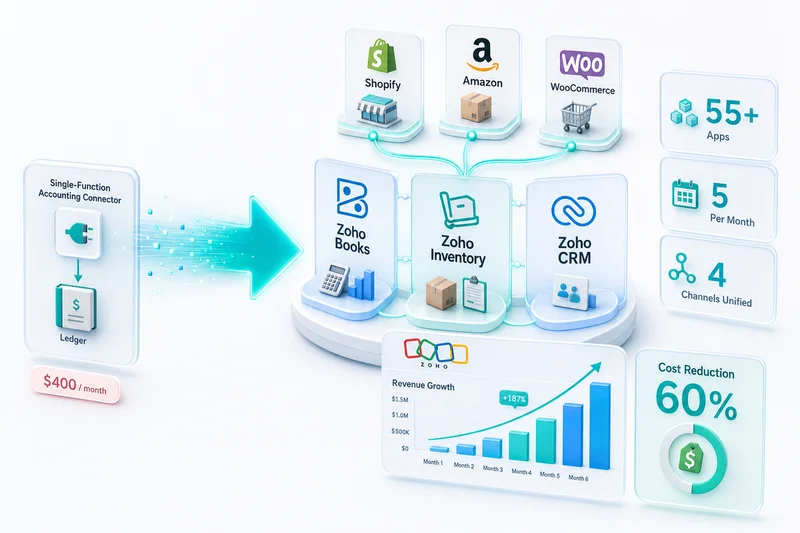
The accounting setup is your starting point, but Zoho's ecosystem goes well beyond books and invoices. According to Zoho's corporate overview, 2025), the platform includes 55+ applications across sales, marketing, support, and operations. For Amazon sellers, two stand out: Zoho CRM and Zoho Analytics.
Zoho's ecosystem includes 55+ integrated applications (Zoho, 2025). For Amazon sellers, connecting Zoho Books with Zoho CRM and Zoho Analytics transforms granular fee data into customer lifetime value calculations and cross-channel profitability dashboards.
Zoho CRM for Amazon customer data
Amazon guards buyer data carefully. You don't get email addresses for FBA orders. But for FBM orders, warranty registrations, and off-Amazon touchpoints, you can build a customer database in Zoho CRM.
Why does this matter for accounting? Customer lifetime value. When Zoho CRM data links to Zoho Books transaction history, you can calculate the actual LTV of customers acquired through Amazon versus Shopify versus wholesale. That informs advertising budget allocation at the channel level. For the accounting setup that tracks Amazon advertising spend by type in Zoho Books — Sponsored Products, Sponsored Brands, and DSP — and reconciles ACoS against expense reports, see the Amazon BFCM advertising guide for Zoho Books.
Zoho Analytics for cross-channel reporting
Zoho Analytics pulls data from Zoho Books, Zoho Inventory, Zoho CRM, and external sources (including Amazon Advertising API) into a single reporting layer. Build dashboards showing:
- Gross margin by SKU by marketplace
- Advertising Cost of Sales (ACoS) alongside accounting COGS
- Inventory turnover by fulfillment channel (FBA vs. FBM vs. warehouse)
- Cash flow forecasting based on settlement timing
This is where the granular chart of accounts pays off. If you lumped everything into "Amazon Fees," your analytics layer has nothing to work with. Split it into 18 accounts, and you can build reports that actually drive decisions.
<!-- [UNIQUE INSIGHT] --> > Most Amazon seller accounting guides stop at "get your books right." The real value of structured accounting data is what you do with it downstream. An accurate chart of accounts in Zoho Books isn't just for tax compliance. It feeds the analytics that tell you which SKUs to double down on and which to liquidate. That's why we treat the chart of accounts as a strategic asset, not a setup checkbox.
See how Zoho Analytics for eCommerce turns your chart of accounts into SKU-level profitability and channel performance dashboards.
Get your Amazon operations on Zoho: start with an ops audit
Setting up Zoho Books for Amazon seller accounting isn't a one-afternoon project. Between chart of accounts design, settlement reconciliation, tax configuration, and automation pipelines, there are dozens of decisions that affect financial accuracy.
The common mistake is treating this as a software setup problem. It isn't. It's an accounting design problem that happens to involve software. That's why having a Chartered Accountant involved in the mapping decisions — not just a Zoho admin — produces better results. Generic Zoho consultants configure for any vertical. They rarely understand Amazon's fee taxonomy at the level your financials require.
Here's what we'd recommend as a starting point:
- Export your last 3 settlement reports from Amazon Seller Central. These show which fee types you actually encounter.
- List every sales channel you operate (Amazon, Shopify, eBay, Etsy, wholesale). This determines your tracking category setup.
- Document your current accounting pain points. Where do reconciliation issues show up? Which reports are missing?
If you want a structured approach, Zolify offers an eCommerce operations audit that maps your Amazon seller workflows to the right Zoho configuration, covering chart of accounts, automation, and reporting. As an Official Zoho Finance Partner with a Chartered Accountant on staff and 100+ eCommerce implementations completed, we focus specifically on eCommerce accounting — not general Zoho consulting. It's the fastest path to financials you can actually trust.
Coming from QuickBooks or Xero? See our QuickBooks to Zoho Books Migration Guide or Xero to Zoho Books Migration Guide for the full switching process. For why FBA sellers specifically outgrow generic accounting software — settlement parsing, 15+ fee categorization, and COGS at SKU level — see Amazon accounting software for FBA sellers.
Frequently Asked Questions
Build a chart of accounts that maps Amazon's 15+ fee categories to individual sub-accounts — referral fees, FBA fulfillment, storage, advertising, and reimbursements each get their own line. Then connect Zoho Inventory to pull order-level data from Seller Central, and configure settlement import rules to automate the bi-weekly reconciliation cycle. Zolify has a Chartered Accountant on staff who reviews every account mapping before go-live, because generic account structures consistently produce inflated gross margins.
Yes. Zoho Books' unlimited sub-account hierarchy covers all 18 Amazon fee categories: referral fees, FBA pick-and-pack, weight handling, monthly storage, long-term storage, closing fees, refund administration, removal and disposal fees, and all advertising deductions. FBA reimbursements map to a dedicated Other Income account rather than operational revenue, so they don't distort gross margin or cost-of-sales figures when you run product profitability reports.
Amazon pays every 14 days (or daily on the accelerated program). Download the V2 settlement flat file from Seller Central, map each amount-type row to its Zoho Books account, then create a compound journal entry for the settlement total. Match the net deposit in your bank feed using Zoho Books' bank reconciliation rules. For sellers processing multiple settlements per month, Zolify builds Zoho Flow workflows that automate the CSV parsing and journal entry creation — cutting the monthly reconciliation window from hours to minutes.
Zoho Books is the strongest fit for Amazon sellers who need deep fee visibility and multi-channel P&L. Its unlimited account hierarchy handles all 18 Amazon fee categories cleanly, its native Zoho Inventory integration eliminates third-party connector costs, and its tracking categories let you run a single P&L that breaks out Amazon, Shopify, eBay, and wholesale without maintaining separate books. QuickBooks works, but it requires middleware for Amazon data and its flatter account structure makes 18-category fee mapping unwieldy in practice.
Yes, when your chart of accounts is set up correctly and Zoho Inventory is connected for COGS tracking. Map referral fees, FBA fulfillment costs, advertising, and reimbursements to the item level rather than lumping them into a single fee account. Zoho Books' reporting then surfaces true gross margins per SKU. Connect Zoho Analytics to overlay advertising spend from the Amazon Ads API against unit economics — that's where per-product profitability becomes actionable.
See exactly where your Shopify, Amazon, or WooCommerce ops are leaking — free.
Get a personalised eCommerce Ops Audit: inventory gaps, accounting leaks, and order-flow bottlenecks — with a Zoho fix roadmap. Delivered in 48 hours, at no cost.