Monthly Bookkeeping for Amazon Sellers Using Zoho Books: A Step-by-Step Workflow
Amazon pays every 14 days, deducts 15+ fee types before settlement, and processes sales tax in 46+ states - so standard bookkeeping advice produces wrong books. This is the actual 7-step monthly close workflow for Amazon sellers in Zoho Books, covering gross sales recording, fee separation, settlement reconciliation, COGS, and P&L review.
Amazon's payment structure makes standard monthly bookkeeping almost impossible to do correctly without understanding how settlements work. Deposits arrive every 14 days, not monthly. They bundle two weeks of sales. They contain 15 or more fee types already deducted. And they cross calendar month boundaries in a way that creates timing problems every single close.
Zoho Books doesn't know any of that unless you configure it to handle Amazon's specific structure.
Direct answer: Monthly Amazon bookkeeping in Zoho Books follows a 7-step process: download settlement reports from Seller Central, record gross product sales and returns, book Amazon fees by category (referral, FBA fulfillment, FBA storage, subscription), record advertising separately, reconcile settlement disbursements via a clearing account, update COGS, and review the P&L. The common error - booking net settlement deposits as revenue - understates gross sales, buries 30-40% of fee expense, and causes your books to not match your 1099-K. Each monthly close takes 45-90 minutes once the chart of accounts is structured correctly.
Why Amazon makes standard bookkeeping advice wrong
Standard bookkeeping: invoice a customer, collect payment, deposit hits the bank, record revenue. Amazon doesn't work that way. A customer orders on January 15. Amazon processes the payment, deducts its referral fee (typically 8-15%), ships from its FBA fulfillment center (deducting fulfillment fees), and bundles that order with hundreds of others into a settlement that disburses on January 28. The deposit in your bank account is not what customers paid.
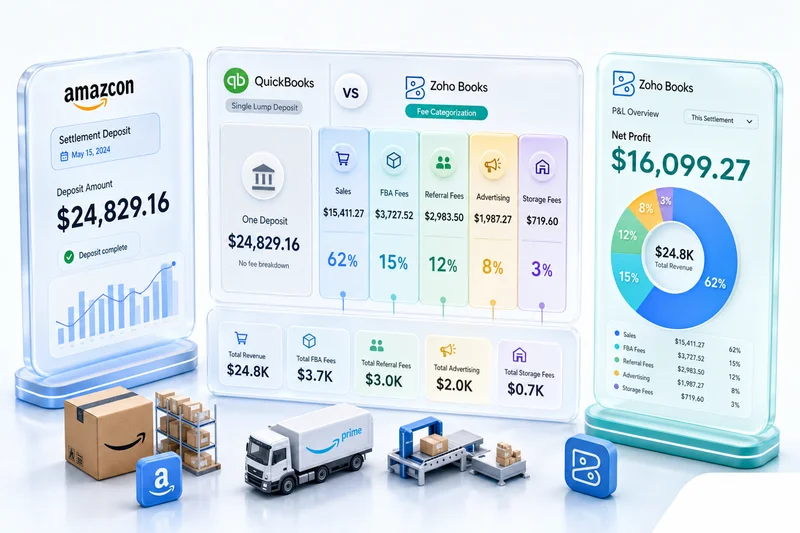
Amazon's 1099-K reports gross sales to the IRS - what customers paid before any fees. If your Zoho Books revenue reflects net settlement deposits instead of gross sales, the two numbers don't match. At $500,000 in annual Amazon sales, with combined fees of 30%, that's a $150,000 discrepancy that your accountant will find eventually, and correcting it retroactively costs more than setting it up correctly.
Before you start: the Zoho Books accounts your Amazon setup needs
A correct Amazon bookkeeping setup in Zoho Books requires accounts that a standard chart of accounts doesn't include. Before running your first month-end close, confirm these exist:
Income accounts:
- Sales Revenue: Amazon (gross product sales before fees)
- Returns and Allowances: Amazon (refunds and buyer-returned orders)
- Shipping Revenue: Amazon (if you charge for shipping on non-Prime listings)
Asset accounts:
- Amazon Clearing Account (Other Current Asset - absorbs settlement timing)
Cost of Sales accounts:
- Cost of Goods Sold: Amazon
- Referral Fees: Amazon (Amazon's commission: typically 8-15% by category)
- FBA Fulfillment Fees: Amazon (per-unit pick, pack, ship)
- FBA Storage Fees: Amazon (monthly cubic footage charges)
- FBA Long-Term Storage Fees: Amazon (units stored 365+ days)
- FBA Inbound Shipping: Amazon (cost to ship inventory into FBA warehouses)
Operating Expense accounts:
- Professional Seller Subscription: Amazon ($39.99/month)
- Sponsored Products Advertising: Amazon
- Sponsored Brands Advertising: Amazon
- Sponsored Display Advertising: Amazon
- Multi-Channel Fulfillment Fees: Amazon (if using FBA for non-Amazon orders)
Liability accounts:
- Sales Tax Payable: Amazon (for the few states where you still owe remittance beyond Amazon's marketplace facilitation)
The complete recommended structure is in the eCommerce chart of accounts guide for Zoho Books. For FBA sellers, a CA review of this structure before go-live is worth the investment - the inbound shipping capitalization and storage fee categorization are the entries most commonly set up incorrectly.
Step 1: Download settlement reports from Seller Central
In Amazon Seller Central, go to Reports > Payments > All Statements. Download every settlement report with a transaction date falling within your accounting month.
For a calendar-month close, you'll typically need two or three settlement reports. Settlements occur every 14 days and rarely align with month boundaries, so one settlement will span the end of the prior month into the current month, and one will span the current month into the following month.
Each settlement is a flat file with individual transaction lines. The columns that matter:
- Transaction Type: Order, Refund, Order_Fee, Other_Fee, FBA_Inbound_Transportation_Fee, Subscription_Fee, and others
- Posted Date: When the transaction was posted to your account (use this for period cutoff)
- Amount: Net amount of the line item (can be negative for fees)
Export both the summary and the transaction detail for each settlement. The summary gives you totals; the detail gives you the line-by-line data needed to categorize fees accurately and handle period cutoffs correctly.
Step 2: Record gross sales and returns in Zoho Books
Filter the settlement detail to transaction type "Order" with Posted Date within the accounting month. Sum the Principal column for gross sales. Identify all Refund transaction types posted in the same period and sum those separately.
Monthly journal entry for Amazon revenue:
| Account | Debit | Credit |
|---|---|---|
| Amazon Clearing Account | Gross Sales Total | - |
| Sales Revenue: Amazon | - | Gross Sales Total |
| Returns and Allowances: Amazon | Refunds Total | - |
| Amazon Clearing Account | - | Refunds Total |
After this entry, your income accounts show gross sales minus returns - what customers paid, not what Amazon deposited. For operations under roughly 150 orders per month, creating individual sales receipts in Zoho Books per Amazon order is manageable. Above that, monthly aggregate journal entries produce the same result with less manual work.
Shipping credits (charged to customers for shipping) go to Shipping Revenue: Amazon. Promotional rebates from Amazon-funded promotions show as negative adjustments to the Principal and should reduce gross sales, not create a separate income line.
Step 3: Book Amazon selling fees
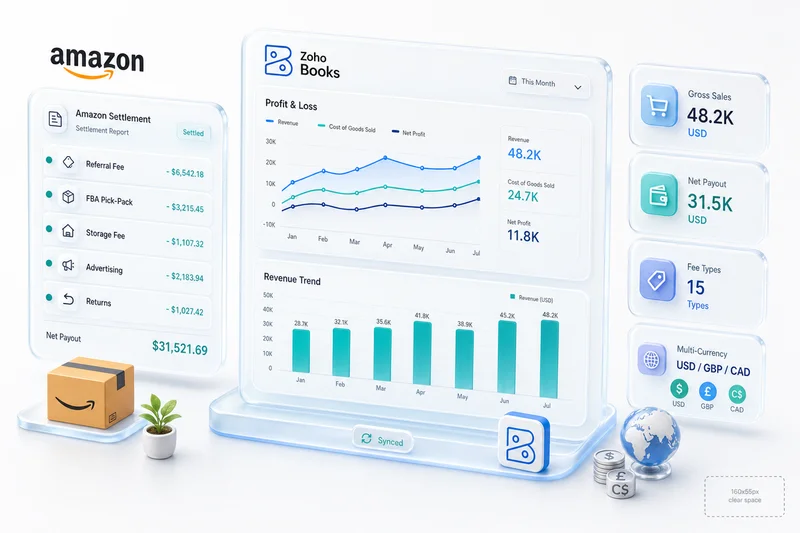
Amazon's selling fees require individual accounts to produce meaningful margin analysis. Grouping all fees into a single "Amazon fees" account makes it impossible to evaluate which cost component (fulfillment, storage, referral) is compressing your margin in a given category.
Referral fees: Amazon's commission on each sale, deducted before settlement. Rates vary by category: approximately 8% for consumer electronics, 15% for most general merchandise, up to 45% for Amazon Device Accessories. Filter settlement lines to transaction type "Commission" and sum the absolute values.
FBA fulfillment fees: Per-unit charges for Amazon to pick, pack, and ship from its fulfillment centers. Rates depend on size tier and weight. Amazon's current FBA fee schedule shows rates by tier. Filter to transaction type "FBAPerUnitFulfillmentFee."
FBA storage fees: Monthly charges for cubic footage in Amazon fulfillment centers. Rates jump roughly 3x in October and hold there through December; that's Amazon's peak season surcharge. For sellers carrying inventory into BFCM, the October bill already reflects peak pricing before the first holiday order ships. Long-term storage fees (units stored 365+ days) are assessed in February and August. Worth auditing before October: sending aged stock into the peak window triples the holding cost.
Professional Seller subscription: $39.99/month, appears as a transaction type "Subscription_Fee" in the settlement detail.
Journal entry for Amazon fees:
| Account | Debit | Credit |
|---|---|---|
| Referral Fees: Amazon | Total Referral Fees | - |
| FBA Fulfillment Fees: Amazon | Total Fulfillment Fees | - |
| FBA Storage Fees: Amazon | Total Storage Fees | - |
| Professional Seller Subscription: Amazon | $39.99 | - |
| Amazon Clearing Account | - | Total of All Fees |
The clearing account credit reduces the clearing account balance by the amount of fees Amazon has already deducted.
Step 4: Record advertising spend separately
Amazon advertising is charged to your account separately from product sales and fees. Sponsored Products, Sponsored Brands, and Sponsored Display are billed either by deduction from your next settlement or directly to a credit card if the settlement balance is insufficient.
Download the advertising invoice from Seller Central > Advertising > Billing. The invoice shows total spend by campaign type for the billing period.
Journal entry for advertising spend:
| Account | Debit | Credit |
|---|---|---|
| Sponsored Products Advertising: Amazon | SP Spend | - |
| Sponsored Brands Advertising: Amazon | SB Spend | - |
| Sponsored Display Advertising: Amazon | SD Spend | - |
| Amazon Clearing Account | - | Total Ad Spend (if deducted from settlement) |
| Accounts Payable or Credit Card | - | Total Ad Spend (if billed separately) |
Keeping advertising in separate accounts lets you calculate Advertising Cost of Sale (ACoS) per campaign type in Zoho Analytics and evaluate whether spend on each format is producing return worth the cost.
Step 5: Reconcile settlement disbursements to the bank feed
Amazon disburses approximately every 14 days. For a monthly close, you'll have 2 disbursements arriving during the month (plus a third started in the current month that won't disburse until early next month).
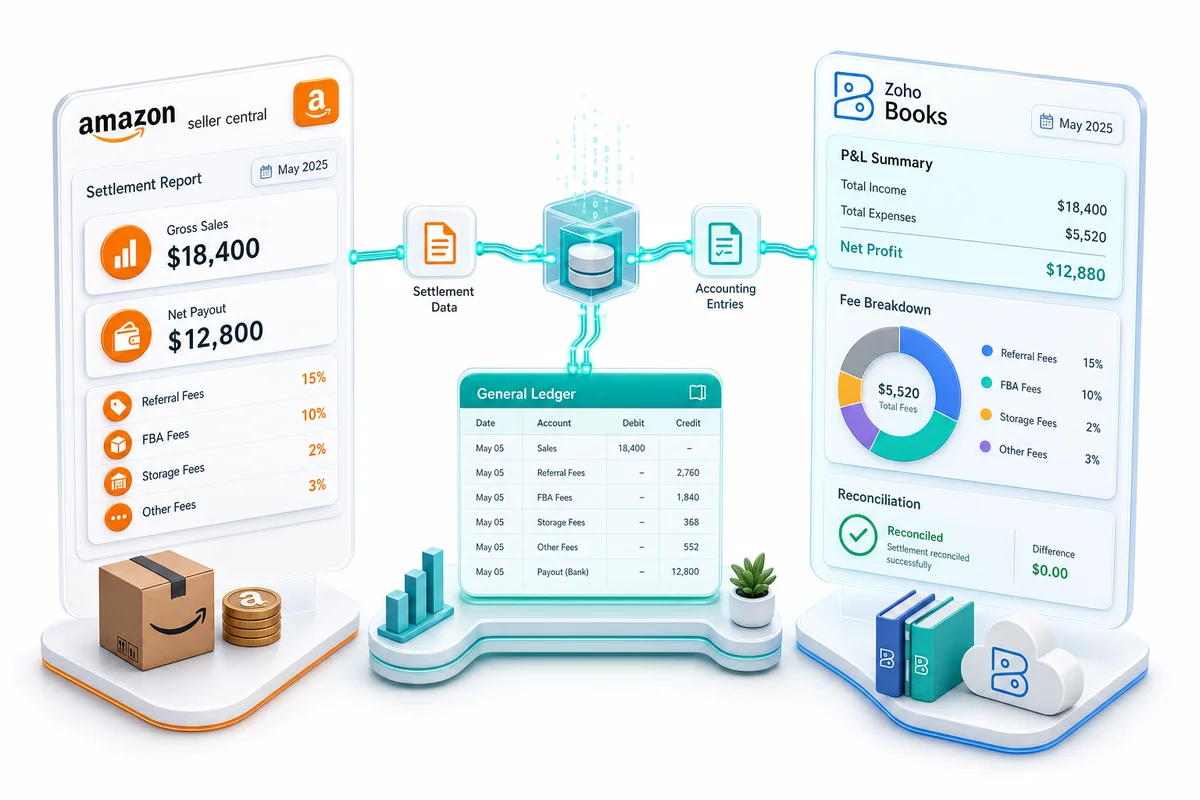
The Amazon Clearing Account resolves the timing mismatch. All Amazon transaction entries from steps 2-4 post to the clearing account. Settlement disbursements in your bank are matched against the clearing account balance rather than against individual transaction entries.
Month-end reconciliation:
- Sum all clearing account entries for the period (gross sales, returns, fees, advertising)
- Match each actual bank disbursement to its corresponding clearing account credit
- The clearing account balance at month end should equal approximately 7 days of sales - Amazon's rolling reserve before disbursement
If the clearing account doesn't balance after matching all disbursements, the gap is either an unrecorded transaction or a fee type not yet categorized. Check the settlement detail for transaction types not accounted for (chargebacks, Amazon Business fee credits, FBA disposal fees) and add the relevant accounts.
FBA reimbursements — credits for lost or damaged inventory and fee corrections — are a separate transaction type in the settlement detail that frequently goes unrecorded. For the full walkthrough on how to record the reimbursement lines from Amazon settlement report in Zoho Books, including dedicated account setup, journal entries for each reimbursement type, and the 18-month audit process, see the FBA reimbursements guide.
Step 6: Update COGS for units sold
FBA sellers have a COGS complexity that standard bookkeeping setups miss: Amazon ships from its fulfillment centers, so COGS should reflect the cost of units shipped, including the cost to get inventory into FBA (inbound shipping costs).
If inventory is tracked in Zoho Inventory and linked to your Amazon setup, COGS posts automatically when sales are recorded. For aggregate journal entry setups, pull units sold from the settlement report and apply your cost per unit:
| Account | Debit | Credit |
|---|---|---|
| Cost of Goods Sold: Amazon | Total COGS | - |
| Inventory Asset | - | Total COGS |
For sellers using FIFO costing, COGS comes from the oldest inventory cost layer. For Average Cost, it's the weighted average cost per unit at time of sale. Zoho Inventory handles both methods natively with automatic COGS posting when inventory tracking is enabled.
FBA sellers should also capitalize inbound shipping costs into inventory - the cost to ship a unit from your warehouse to an Amazon fulfillment center is part of the unit's landed cost, not a period expense. Expensing it directly understates inventory value and overstates operating expenses.
The vendor bills behind these inbound costs (freight invoices, prep service charges, and Amazon inbound placement fees) run through a separate AP cycle alongside the monthly close. The eCommerce AP automation guide for Zoho Books covers how to structure FBA inbound costs as vendor bills with 3-way PO matching and approval workflows, so the landed cost calculation stays inside Zoho Books rather than a spreadsheet.
FBA reimbursements and COGS
When Amazon reimburses for lost or damaged FBA inventory, two accounting events happen at the same time. Amazon credits your account (an income recovery). Inventory you paid for has also been removed from its fulfillment centers without a sale (an inventory write-down). Getting only one side right leaves COGS wrong.
The journal entry needs both:
| Account | Debit | Credit |
|---|---|---|
| Amazon Clearing Account | Reimbursement Amount | - |
| Inventory Write-Down: FBA | Cost Basis of Lost Units | - |
| Inventory Asset | - | Cost Basis of Lost Units |
| FBA Reimbursement Recovery | - | Reimbursement Amount |
If the reimbursement exceeds your unit cost, the surplus is a recovery gain. If it falls short (which happens when Amazon uses estimated proceeds rather than your actual landed cost), the gap is a write-down loss.
This matters more in Q4: higher handling volume means more lost and damaged events, and the 18-month lookback window means Q4 losses from the prior year are still claimable through Seller Central. For account setup, claim process, and the audit procedure that finds reimbursements Amazon owes but hasn't issued, see the FBA reimbursements guide for Zoho Books.
Step 7: Review the P&L and close
Before locking the month, run the Profit and Loss report in Zoho Books and check these figures:
Gross revenue (Zoho) vs Amazon Seller Central gross sales: Should match within return timing differences. A consistent gap in one direction typically means net settlement deposits are being recorded as revenue rather than gross sales.
Referral fees as a percentage of gross sales: Should approximate Amazon's published rate for your primary category mix. If the percentage is significantly off, referral fees may be routing to the wrong account or some settlements were processed without the fee entries.
FBA fees per unit sold: Divide total FBA fulfillment fees by units sold for the month. Should be close to Amazon's current fulfillment fee for your primary size tier. A number that's too high usually means FBA storage fees landed in the fulfillment fee account.
Advertising as a percentage of revenue: Compare total advertising expense in Zoho Books to the advertising billing invoice from Seller Central. These should match exactly. A discrepancy means either the ad invoice wasn't recorded or the ad spend was double-counted.
The December close follows this same 7-step workflow with additional year-end tasks. For the full sequence — including 1099-K reconciliation, COGS finalization, and period locking across all channels — see the eCommerce year-end accounting checklist for Zoho Books.
How Amazon's reserve system creates close complexity
Amazon holds a rolling reserve - approximately 7 days of sales - before each disbursement. This means the last settlement of any month disburses in the first week of the following month, and the last week of sales is always in transit at month end.
For the P&L, this doesn't create a problem: you record revenue when earned (accrual basis), regardless of when Amazon disburses. For cash flow analysis, the reserve amount appears as the clearing account balance at month end - cash earned but not yet deposited.
Sellers who check bank deposits against Seller Central gross sales will always find a gap roughly equal to one week of revenue at any given month end. That gap is the reserve, not a bookkeeping error.
Building a simple tracking sheet that records each settlement's start date, end date, and disbursement date makes month-end reconciliation repeatable. Without it, you reconstruct the timing from scratch every close.
Q4 bookkeeping: what changes October through December
October isn't just busier. The accounting changes in three ways that need setup adjustments, not just more entries.
Storage fees. Amazon's October-December storage rates run roughly 3x the January-September baseline. The October bill already reflects peak pricing, even though peak season hasn't started. Budget for this in September, not after the October close arrives as a surprise.
Ad spend billing. Sponsored Products, Brands, and Display budgets tend to increase 2-5x heading into Black Friday and Cyber Monday. High-spend periods also change how advertising gets billed: when the ad charge exceeds the current settlement balance, Amazon switches from settlement deduction to direct credit card billing. That changes the credit side of the advertising journal entry from Amazon Clearing Account to Accounts Payable or your card account. Miss this billing switch and the clearing account won't reconcile.
Settlement transaction types. Q4 brings fee types that rarely appear the rest of the year: deal fees for Lightning Deals and Prime Exclusive Discounts, coupon redemption fees, and BFCM promotional adjustments as separate line items. Run your chart of accounts against Amazon's current settlement transaction type list before November volume hits.
If you're building Amazon inventory positions in October to cover BFCM demand, the BFCM inventory planning guide for Shopify and Amazon on Zoho Inventory covers the reorder point configuration that needs to change before seasonal velocity arrives. Once Q4 is in motion, the Q4 eCommerce operations guide for Zoho covers live triage for inventory sync failures, settlement delays, and Zoho Desk queue management under peak load.
Multi-channel fulfillment and its bookkeeping impact
If you use Amazon FBA to fulfill orders from your Shopify or WooCommerce store - Amazon's Multi-Channel Fulfillment (MCF) service - those fulfillment fees appear in your Amazon account but relate to non-Amazon sales. Book MCF fees to a separate account (Multi-Channel Fulfillment Fees: Amazon) so you can see the true cost of non-Amazon orders filled through FBA without mixing it into your Amazon marketplace fulfillment costs.
Mixing MCF fees with FBA marketplace fees inflates your Amazon cost structure and understates the true cost of operating your Shopify or WooCommerce channel. For multi-channel sellers, the Amazon and Zoho integration guide covers how to route MCF transactions correctly when Amazon acts as a fulfillment backend for other storefronts.
What Zolify's Amazon implementations include
Zolify has completed 100+ eCommerce implementations including Amazon + Zoho Books setups across single and multi-channel operations. For Amazon clients, the standard engagement includes a CA review of the chart of accounts before go-live, test reconciliation against a full settlement cycle of real Amazon transaction data, and documentation of the specific monthly workflow for each client's category mix and fee structure.
Most Amazon sellers who reach out have been recording net settlement deposits as revenue for 12-36 months. Reconstructing that history requires re-downloading every settlement report for the period and re-posting every transaction - more expensive than building it correctly at the start. As an Official Zoho Authorized Partner, Zolify has direct Zoho support access for the edge cases that standard configuration doesn't handle.
A free eCommerce Ops Audit includes a review of your current Amazon-to-Zoho Books setup, the accounts being used, and the reconciliation method, to identify where the gaps are before they compound further. The complete Amazon seller accounting guide for Zoho Books covers the full chart of accounts mapping and initial configuration in detail.
Frequently Asked Questions
Amazon sellers should reconcile at least monthly, but the 14-day settlement cycle makes bi-monthly reconciliation (matching each settlement as it arrives) more manageable for high-volume operations. The monthly workflow covers recording gross sales, booking all fee categories, matching settlements to the bank feed, updating COGS, and verifying advertising spend. Sellers running 1,000+ orders per month benefit from reconciling each settlement report as it's released rather than accumulating two months of transactions. The monthly close then becomes a P&L review and variance check rather than a data entry session.
Zoho Books does not have a native Amazon Seller Central integration that automatically pulls settlement reports and categorizes them into your chart of accounts. The practical options are: a custom API integration built for your Amazon account and Zoho Books chart of accounts (handles fee categorization, clearing account logic, and COGS automatically); Zoho Flow automations that watch for settlement data and create journal entries; or manual monthly entry using the 7-step workflow. The custom integration approach handles the 15+ fee types, cross-month settlement timing, and FBA inventory tracking automatically. The manual approach works for lower-volume operations but requires a well-structured chart of accounts to produce accurate books.
Record Amazon revenue at gross sales amount - the sum of all 'Order' transaction lines in your settlement report - not at the net settlement disbursement. Create an Amazon Clearing Account as an Other Current Asset in Zoho Books to absorb the timing difference between when sales are recorded and when settlements disburse. All Amazon transaction entries (sales, returns, fees, advertising) post to the clearing account. Actual bank deposits are matched against the clearing account balance. Booking the net settlement deposit directly as revenue understates gross sales, hides all fee expense inside the revenue line, and causes your books to not match your Seller Central dashboard or your 1099-K.
The minimum chart of accounts for Amazon in Zoho Books includes: Sales Revenue: Amazon (income), Returns and Allowances: Amazon (contra-income), Amazon Clearing Account (other current asset), Cost of Goods Sold: Amazon (cost of sales), Referral Fees: Amazon (cost of sales), FBA Fulfillment Fees: Amazon (cost of sales), FBA Storage Fees: Amazon (cost of sales), Professional Seller Subscription: Amazon (operating expense), Sponsored Products Advertising: Amazon (operating expense), and Sales Tax Payable: Amazon (liability, for states where you still remit). FBA sellers should also add FBA Inbound Shipping as a cost-of-sales account capitalized into inventory to track the full landed cost of goods. Without separate fee accounts, gross margin by category is impossible to calculate correctly.
The most common cause is recording the net settlement disbursement as revenue instead of gross product sales. Amazon's Seller Central Business Reports show gross sales before any fees. If you book the net settlement deposit, your Zoho Books revenue will be lower than Seller Central's figures by exactly your total fees for the period - often 25-40% lower for FBA sellers, where referral fees plus FBA fees typically represent 30-40% of gross revenue. A second cause is settlement timing: settlements that started in the prior month and disbursed in the current month include revenue from the previous period. Using a clearing account and matching settlement lines by Posted Date resolves both issues. If neither explains the discrepancy, verify whether refunds are routing to Returns and Allowances (contra-revenue) rather than back to Sales Revenue.
See exactly where your Shopify, Amazon, or WooCommerce ops are leaking — free.
Get a personalised eCommerce Ops Audit: inventory gaps, accounting leaks, and order-flow bottlenecks — with a Zoho fix roadmap. Delivered in 48 hours, at no cost.