eCommerce Sales Tax Software: How Zoho Books Handles Multi-State Compliance
Zoho Books handles multi-state sales tax for eCommerce sellers through tax groups, liability accounts, and Shopify or Amazon integrations. For sellers with nexus in under 15 states, it does the job without a dedicated compliance tool. Here's how to configure it correctly.
Zoho Books handles multi-state sales tax for eCommerce sellers through tax groups, liability accounts, and platform integrations with Shopify and Amazon. For sellers with nexus in fewer than 15 states and straightforward product taxability, it handles the job without a dedicated compliance tool. For larger operations, Zoho Books works as the accounting record while TaxJar or Avalara handles rate lookup and filing.
The 2018 South Dakota v. Wayfair ruling changed the stakes permanently. Every US state with a sales tax can now require out-of-state sellers to collect and remit it once they cross a threshold, typically $100,000 in sales or 200 transactions in a calendar year.
For Amazon sellers, Shopify merchants, and multi-channel operators, that means tracking nexus obligations across 45 taxing states. Not a theoretical concern. A real compliance obligation that needs a system behind it.
This guide covers how to configure Zoho Books correctly, what it handles automatically, and where you need to make judgment calls or bring in a dedicated compliance tool.
If you are also setting up Zoho Books for your full eCommerce accounting stack, our Shopify-Zoho integration guide covers how Shopify's tax collection connects to Zoho Books accounting.
Why eCommerce sales tax is different from regular business tax
A brick-and-mortar store in one state deals with one state's sales tax rules. An eCommerce seller shipping nationally deals with every state where they have nexus, and nexus rules have expanded significantly since 2018.
Economic nexus thresholds
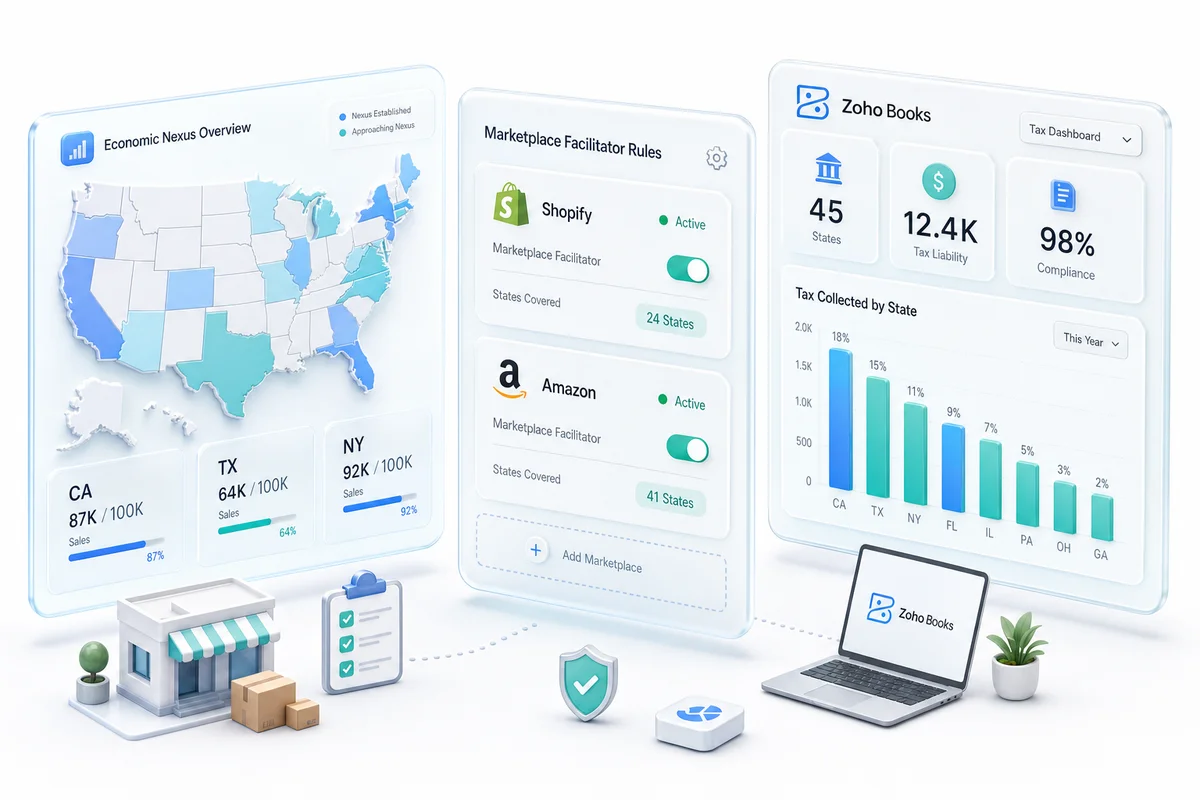
Economic nexus is triggered by sales activity in a state, not physical presence. Most states set the threshold at $100,000 in sales or 200 separate transactions in a calendar year. Cross that threshold and you are legally required to register for a sales tax permit and collect tax on orders shipped to that state.
According to the Sales Tax Institute's economic nexus guide, 46 states plus Washington DC have economic nexus laws following the Wayfair decision. For a seller doing $2 million in annual revenue distributed across 35 states, this is not an edge case. It is a filing obligation that compounds with growth.
BFCM is when many Shopify sellers first breach thresholds in new states. A seller doing steady $1.5 million in annual sales nationally might cross $100,000 in Texas or Florida during Q4 from a combination of holiday orders alone. At that point, the obligation starts January 1 of the following year, but you need to register before you start collecting. November is not a good time to discover this.
Marketplace facilitator laws
Amazon and Shopify have absorbed part of this compliance burden. As marketplace facilitators, they are legally required to collect and remit sales tax on behalf of sellers in most states. For sellers operating exclusively through Amazon FBA, marketplace facilitator coverage is substantial.
But it is not complete. Marketplace facilitator laws vary by state. Some cover only Amazon FBA orders, not FBM. If you run a direct-to-consumer website alongside your Amazon presence, those DTC sales require separate compliance tracking. Selling on multiple platforms means you need to reconcile who collected what, for which state, against your own compliance obligations.
Product taxability rules
Sales tax rates are not the only variable. Taxability rules differ by state. Clothing is exempt in several states. Food products are exempt in many, but prepared food is taxable. Software and digital goods are taxable in some states and exempt in others.
If you sell across product categories (physical goods, digital downloads, or subscription software), your tax configuration needs to handle product-level taxability, not just location-based rates.
How Zoho Books handles sales tax configuration
Zoho Books approaches sales tax through tax rates, tax groups, and tax exceptions applied at the transaction level.
Setting up tax rates and tax groups
In Zoho Books, you create individual tax rates (for example, California state rate: 7.25%) and combine them into tax groups that apply to transactions. Tax groups can apply manually to individual invoices or automatically based on customer location rules.
For a Shopify or Amazon seller with nexus in multiple states, you create tax groups for each nexus state. Each group combines the state rate plus applicable county or city rates for your primary shipping destinations.
This requires more setup than a dedicated compliance platform, but it is sufficient for businesses with defined nexus in a limited number of states and relatively simple product taxability rules. Sellers with nexus in 30+ states or complex product taxability will find this approach becomes unwieldy; more on that below.
Importing Shopify tax data into Zoho Books
When Shopify collects sales tax on an order, the tax amount passes to Zoho Books with each order sync. In Zoho Books, that amount should map to a dedicated sales tax liability account in your chart of accounts, not a revenue account.
The setup that matters most is making sure your Zoho Books tax accounts match how Shopify reports tax. Shopify can report tax broken down by jurisdiction or as a combined total. Your Zoho Books chart of accounts needs a matching structure.
To make this concrete: a Shopify store doing $180,000 in Q4 sales across California, Texas, and Florida will produce three separate jurisdiction totals in Shopify's tax report. If Zoho Books has a single "Sales Tax Payable" account with no state-level breakdown, you cannot reconcile those reports directly against your filing obligations. The account structure needs to match from day one.
A mismatch means your Zoho Books sales tax liability report shows a different figure than your Shopify tax report. When you go to file, you are working from conflicting data. Our Chartered Accountant reviews this mapping for every implementation; catching it before the first order processes is far simpler than reconciling months of transactions afterward.
Amazon marketplace facilitator adjustments
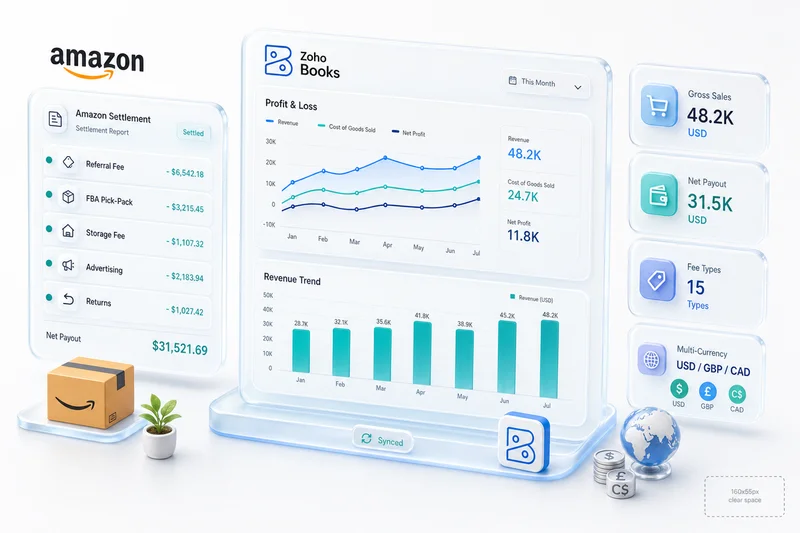
Amazon remits sales tax directly to states on your behalf. Your settlement report shows the tax Amazon collected, but you are not remitting it; Amazon is.
In Zoho Books, Amazon's marketplace facilitator tax collections should be recorded as pass-through amounts that do not inflate your own sales tax liability.
Here is what this looks like in practice: a seller with $400,000 in annual Amazon FBA revenue might see $28,000 in sales tax collected by Amazon across their settlement reports for the year. If your Zoho Books reconciliation treats that $28,000 as liability you owe, your quarterly filings will show a significant overpayment. That is Amazon's obligation to the states. Your filing obligation covers only the tax from your own DTC website, any FBM orders in states Amazon does not cover, and other channels where you are the direct seller.
We cover Amazon settlement reconciliation in detail in our Amazon seller Zoho Books accounting guide.
Multi-state nexus: what you need to track in Zoho Books
Once you have nexus in a state, you are obligated to collect tax on all taxable orders shipped there. Zoho Books' tax liability report gives you a running total of tax collected by state, which is the input for your state tax filings.
Zoho Books tax liability reporting
Zoho Books generates tax liability reports showing tax collected by tax rate or tax group over any date range. For a multi-state seller, this means you can pull a report for any quarter showing California sales tax collected, Texas sales tax collected, and so on.
The tax liability report can be filtered by tax agency, time period, and transaction type. This output matches what most state revenue departments need for quarterly or annual filing.
Nexus threshold monitoring
Zoho Books tracks tax collected but does not tell you when you have crossed a nexus threshold in a new state. That monitoring is a separate task: either manual tracking of sales by state or a dedicated nexus monitoring tool integrated into your workflow.
Once you register in a new state and have your permit number, add that state's tax group to Zoho Books and apply it to future orders from that state. Most states provide the current combined rate (state plus applicable local rates) in their registration materials.
International VAT and GST for cross-border sellers
For eCommerce sellers shipping outside the US, VAT and GST add another compliance layer.
Zoho Books supports UK VAT (standard 20%, reduced 5%, zero-rated), EU VAT by country, Australian GST (10%), and Canadian HST/GST/PST rates. You configure the applicable rates in Zoho Books tax settings and assign them to international customer groups or locations.
For Shopify merchants using Shopify Markets, Shopify handles VAT collection for EU and UK orders above the registration threshold. Those VAT amounts need to flow through to Zoho Books with clear separation between VAT you collected directly and VAT the marketplace collected on your behalf.
Australian GST for cross-border digital services applies to overseas sellers with AUD 75,000 or more in Australian sales annually. If you sell software, digital downloads, or online courses into Australia, this is worth checking against your Zoho Books sales data.
For sellers in Canada operating across provinces, the GST/HST/PST structure varies significantly; some provinces have harmonized tax (HST) while others have separate provincial and federal rates. Zoho Books handles the rate configuration, but the registration requirements are province-specific.
International sellers also face a parallel accounting challenge alongside VAT compliance: foreign currency settlements create FX gain/loss entries that need their own account structure in Zoho Books. Our multi-currency eCommerce accounting guide covers how to configure Zoho Books for GBP, AUD, and EUR settlements from Shopify and Amazon, including how VAT and currency conversion interact at reporting time.
Zoho Books vs TaxJar vs Avalara: which fits your compliance needs
This is the question that comes up most during implementations. Here is how to think through it.
| Zoho Books (native) | TaxJar | Avalara | |
|---|---|---|---|
| Rate lookup | Manual setup per state | Automatic | Automatic |
| Nexus monitoring | Not included | Included | Included |
| Filing automation | Not included | AutoFile add-on | Included |
| Shopify/Amazon integration | Via Zoho connector | Direct API | Direct API |
| Best for | Under 15 nexus states | 15-50 nexus states | 50+ states, complex products |
| Approximate annual cost | Included in Zoho Books | $19-$99/month | Custom pricing |
TaxJar and Avalara both integrate with Zoho Books through API. In practice, Zoho Books stays as the accounting record and handles your P&L, balance sheet, and cash flow reports. The compliance platform handles rate calculation, nexus monitoring, and filing. They are not competing systems; they work alongside each other.
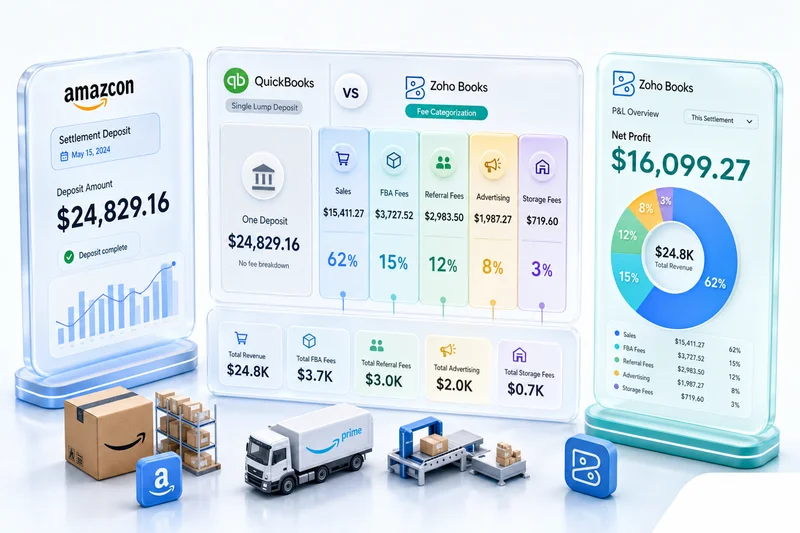
For a deeper look at how Zoho Books compares to other accounting tools in the eCommerce context, see our Zoho Books vs QuickBooks for eCommerce sellers guide.
If you are evaluating dedicated tax compliance software specifically, eCommerce sales tax accounting software: what actually solves the problem covers the full landscape of dedicated compliance tools and when each one fits.
When Zoho Books is enough and when you need a dedicated tax platform
Zoho Books handles sales tax well for businesses that:
- Have nexus in fewer than 15 states
- Sell products with straightforward taxability rules
- Have staff or a CA managing compliance monitoring
- Can invest time in proper initial configuration
For larger sellers or those with complex product taxability, dedicated platforms like TaxJar, Avalara, or Vertex automate rate lookup, nexus monitoring, and filing. These integrate with Zoho Books through API or file import. Zoho Books remains your accounting record; the compliance platform handles the calculation layer.
Sellers that automate compliance typically cut manual filing time by 60 to 80% versus manual calculation, based on Avalara's published benchmarks. For businesses processing 5,000+ orders per month across multiple states, that automation pays for itself within months.
As an Official Zoho Finance Partner with a CA on staff and 100+ eCommerce accounting implementations behind us, we help businesses assess whether Zoho Books' native tax handling fits their compliance needs or whether a TaxJar or Avalara integration is the right call for their volume and complexity.
A practical setup checklist for Zoho Books sales tax
If you are implementing Zoho Books for an eCommerce business, here is what needs to happen before the first sales tax transaction processes:
- List every state where you have physical presence or have crossed the economic nexus threshold and confirm your registration status in each.
- For each nexus state, look up the current combined state plus county plus local rate for your primary shipping destinations. Rates change, so set a reminder to audit them annually.
- Group the rates for each state into a named tax group in Zoho Books and apply the correct group to customer records and transaction defaults for that state.
- If any products you sell are exempt in specific states, create exemption rules in Zoho Books for those product-state combinations.
- Create a sales tax payable account in your chart of accounts and make sure all tax transactions post there, not to revenue accounts.
- Run one month of transactions and compare Zoho Books' tax liability report against your Shopify tax report or Amazon settlement data. Any discrepancy needs to be traced before you rely on Zoho Books for filing.
For the full chart of accounts structure that supports this, and the eCommerce-specific account hierarchy underneath it, see our eCommerce accounting software guide.
How Zolify approaches sales tax configuration
When we implement Zoho Books for eCommerce clients, sales tax configuration is part of the chart of accounts design phase, not a step added afterward.
Our CA on staff reviews each client's nexus position: where they have physical presence, which states they have crossed economic nexus thresholds in, and which platforms act as marketplace facilitators for which state obligations. From there we configure tax rates, groups, and accounts to match the actual compliance picture.
For sellers migrating from QuickBooks or Xero, we map existing sales tax categories to Zoho Books equivalents and validate that historical figures reconcile before going live. For new setups, we start with a design that anticipates growth into additional states without requiring a complete reconfiguration later.
The common failure mode, across more than 100 eCommerce implementations, is always the same: either the chart of accounts was set up without dedicated tax liability accounts, or platform data is syncing to a revenue line instead of a liability account. Both are fixable. Both are much easier to prevent on day one than to untangle six months later.
Book a consultation to discuss your sales tax setup as part of your full eCommerce accounting implementation.
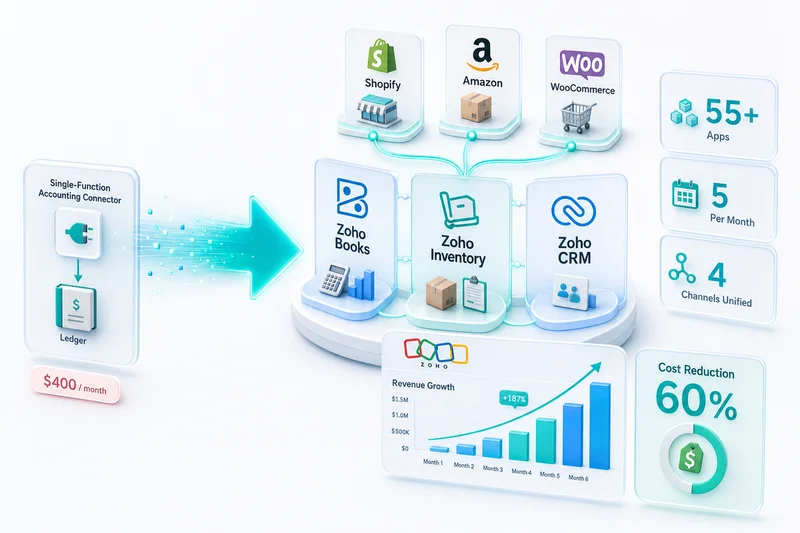
Sales tax compliance is one component of the broader Zoho eCommerce platform. For how Zoho Books connects with inventory, CRM, and multi-channel operations across Shopify, Amazon, WooCommerce, eBay, and Etsy, see Zoho for eCommerce: The Complete Operations Platform Guide.
Frequently Asked Questions
Zoho Books applies tax rates based on the tax group assigned to each customer or transaction. It does not automatically look up the correct rate for each order based on shipping location the way dedicated platforms like TaxJar do. You configure the rates and rules in Zoho Books, and the system applies them consistently. For multi-state sellers with complex rate lookups or frequent nexus changes, a TaxJar or Avalara integration alongside Zoho Books is more practical.
Shopify collects sales tax based on customer location and passes the tax amount to Zoho Books with each order sync. In Zoho Books, that tax amount should post to a sales tax liability account, not a revenue account. The key setup step is aligning your Zoho Books tax accounts with your Shopify tax settings before orders start flowing through. A mismatch means your Zoho Books liability report will differ from Shopify's tax report.
Yes. Zoho Books supports UK VAT, EU VAT (country-by-country rates), Australian GST, and Canadian GST/HST/PST. You configure the applicable rates in Zoho Books tax settings, assign them to international customer records, and the correct tax posts to each transaction automatically.
Amazon collects and remits sales tax on your behalf in most US states. In Zoho Books, Amazon's marketplace facilitator tax collections should be recorded as a pass-through amount, not as tax liability you are responsible for remitting. The settlement reconciliation workflow needs to reflect this distinction: Amazon-collected tax reduces your net revenue on the settlement, but it does not create a liability you need to file separately.
If you have nexus in more than 15 states, sell products with complex taxability rules (digital goods, clothing, food categories), or process more than 5,000 orders per month across multiple platforms, a dedicated compliance platform saves significant manual work. TaxJar and Avalara both integrate with Zoho Books. Zoho Books remains your accounting record; the compliance platform handles rate lookup, nexus monitoring, and filing.
See exactly where your Shopify, Amazon, or WooCommerce ops are leaking — free.
Get a personalised eCommerce Ops Audit: inventory gaps, accounting leaks, and order-flow bottlenecks — with a Zoho fix roadmap. Delivered in 48 hours, at no cost.