eCommerce Accounting Software: How to Choose the Right Platform for Your Online Business
Zoho Books, QuickBooks, and Xero compared for multi-channel sellers — platform-by-platform picks for Shopify, Amazon, WooCommerce, eBay, and Etsy, plus a year-end close checklist.
The short answer: For multi-channel sellers on Shopify, Amazon, WooCommerce, eBay, or Etsy, Zoho Books is the strongest fit. QuickBooks works for US single-channel sellers whose CPA requires it. Xero suits international sellers with simple inventory.
Most eCommerce sellers end up on QuickBooks because their CPA uses it, or on spreadsheets because they haven't outgrown them yet. Both work at low volume. At 200+ orders a month across two or more platforms, both start creating problems that are hard to untangle.
U.S. eCommerce sales hit $1.23 trillion in 2025, up 5.4% year over year, now accounting for 16.4% of total retail (U.S. Census Bureau, 2026). Yet 51% of small businesses with fewer than 20 employees still don't use accounting software at all. 30% rely on spreadsheets and 21% use nothing (SMB Group, 2024).
If you sell on Shopify, Amazon, WooCommerce, eBay, or Etsy, your accounting needs look nothing like a local service business. Marketplace fees fragment your revenue. Multi-channel inventory creates COGS complexity. Sales tax rules span 51 jurisdictions. Returns distort your P&L. The software that works for a dentist's office won't cut it for a $2M Shopify and Amazon operation.
Below: what eCommerce accounting software actually does, the five platforms sellers use, how to choose by channel, and a year-end checklist for closing out cleanly.
For a Shopify-specific breakdown, see how Zoho Books compares to QuickBooks for Shopify sellers. For a full view of how Zoho handles eCommerce operations end-to-end, see the Zoho for eCommerce guide.
What is eCommerce accounting software?
eCommerce accounting software records financial transactions for online stores and multi-channel sellers: orders, fees, refunds, inventory costs, and tax liabilities. It produces the reports (P&L, balance sheet, cash flow) that a business owner or CPA needs to operate, file taxes, and understand margins by channel.
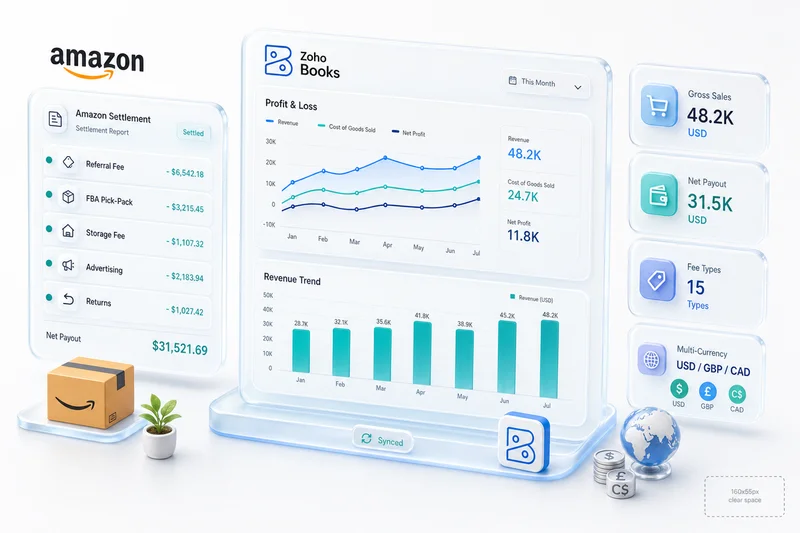
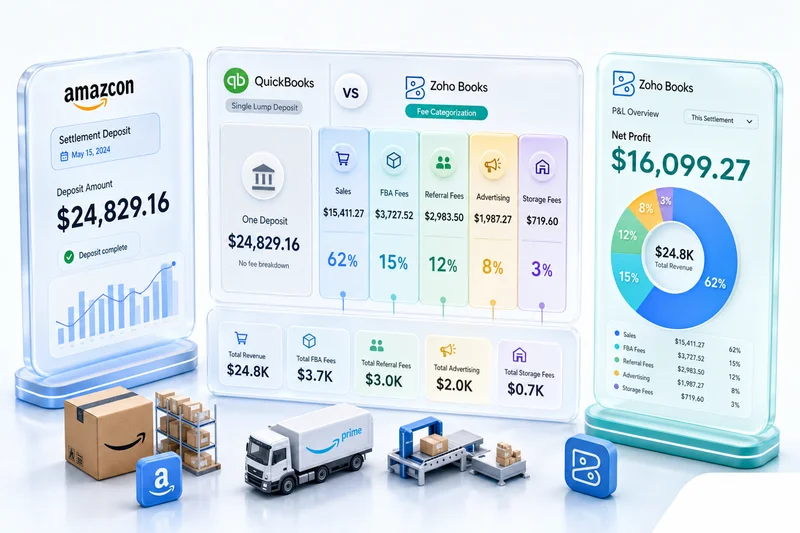
It differs from standard small-business accounting software in one way that matters: it must handle marketplace-specific data. A Shopify settlement is not a simple bank deposit. An Amazon biweekly payout bundles referral fees, FBA fees, advertising costs, refund adjustments, and storage charges into a single number. Software that can't parse those automatically forces someone to reconcile them by hand.
Who needs dedicated eCommerce accounting software:
- Sellers processing 100+ orders per month on any platform
- Sellers on two or more channels (Shopify plus Amazon, for example)
- Any seller with physical inventory and real COGS to track
- Sellers with multi-currency transactions or international fulfillment
If you're doing fewer than 50 orders a month on one platform with no inventory, Wave or any standard small-business tool is sufficient. Past that threshold, the eCommerce-specific capabilities start to matter.
Best eCommerce accounting software in 2026: quick picks
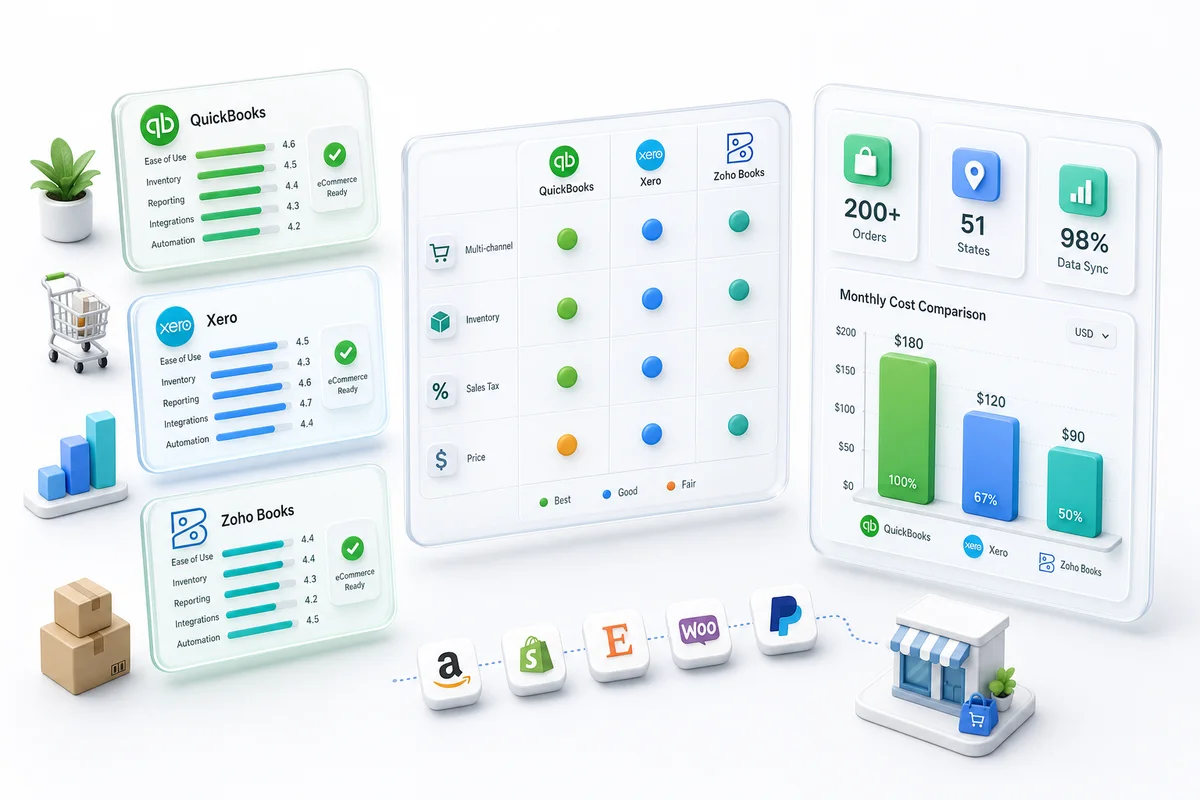
For multi-channel sellers on Shopify, Amazon, WooCommerce, eBay, or Etsy, Zoho Books is the strongest fit. At $50/month (Professional plan), it includes native inventory, multi-currency, and direct integration with Zoho Inventory and Zoho CRM — without the third-party connector apps QuickBooks and Xero require.
Top 5 picks for 2026:
- Zoho Books — best for multi-channel eCommerce (Shopify, Amazon, WooCommerce, eBay, Etsy)
- QuickBooks Online — best for US single-channel sellers with CPA compatibility requirements
- Xero — best for international sellers and digital-product businesses with simple inventory
- FreshBooks — best for service businesses with occasional product sales
- Wave — best free option for side hustles under 50 orders/month
Sellers who need accounting, inventory, and billing without CRM can start with Zoho Finance Plus, which bundles Books, Inventory, Expense, and Subscriptions per organisation. Sellers who need a full operations stack pay $37/user/month for Zoho One, which bundles 50+ apps in one login.
Full comparison for 2026, including year-end close support:
| Platform | Best for | Monthly price | Native inventory | Marketplace sync | Year-end close support |
|---|---|---|---|---|---|
| Zoho Books | Multi-channel sellers: Shopify, Amazon, WooCommerce, eBay, Etsy | $50/mo (Professional) | Yes, via Zoho Inventory | Native, no connectors | Strong: channel P&L, AP automation, CA-reviewed close |
| QuickBooks Online | US single-channel sellers, CPA compatibility | $115/mo (Plus) | Limited (Plus plan only) | Third-party apps $20-50/mo | Good: widely supported by CPAs, but connector sync gaps |
| Xero | International sellers, digital products, subscriptions | $47/mo (Growing) | Basic only | Third-party apps | Good: strong bank reconciliation, weak on multi-channel COGS |
| FreshBooks | Service businesses with occasional product sales | $33/mo (Plus) | None | None | Poor: not built for multi-channel eCommerce |
| Wave | Side hustles, under 50 orders/month | Free | None | None | Poor: no inventory, no marketplace integrations |
TL;DR: Most eCommerce sellers default to QuickBooks (62% market share) or spreadsheets (30% of small businesses). Neither handles marketplace fee separation, multi-channel inventory COGS, or 51-state sales tax well. Zoho Books at $50/mo with native inventory and CRM integration is the strongest fit for sellers doing 200+ orders/month across multiple platforms (Zoho Books Pricing, 2026).
What makes eCommerce accounting different from regular business accounting?
91% of businesses say manual data wrangling has hurt their productivity, and 85% say it's hurt profitability (Intuit Business Solutions Survey, 2024). For eCommerce sellers, the problem is worse because the data is more complicated than what a typical business generates.
A consulting firm sends an invoice, records the payment, moves on. An eCommerce seller processes an order that touches payment processing fees, platform commissions, shipping costs, inventory deductions, sales tax in the buyer's jurisdiction, and possibly a currency conversion. One order. Six or more accounting entries. That's before someone requests a return.
Marketplace fees that fragment your revenue
When you sell a $50 product on Amazon, you don't receive $50. Amazon takes a referral fee (typically 15%), an FBA fee if you use fulfillment, and possibly advertising deductions, storage fees, and return processing fees. Your $50 sale might deposit as $32. Your accounting software needs to record that $50 sale, then separately categorize every fee that reduced it.
Shopify takes 2.4%-2.9% plus $0.30 per transaction through Shopify Payments (Shopify Help Center, 2026). eBay Managed Payments adds six distinct fee types that most accounting software collapses incorrectly. Etsy charges listing fees, transaction fees, and payment processing fees. Sell on three platforms and you've got three different fee structures creating three different gaps between gross and net revenue.
Multi-channel inventory and COGS complexity
34% of eCommerce sellers now operate on two or more marketplaces, and sellers on three or more see 104% higher gross merchandise volume (Mirakl 2026 Seller Report, 2026). More channels means more revenue. It also means your inventory system needs to track the same SKU across multiple platforms, and your accounting software needs to calculate cost of goods sold accurately regardless of which channel made the sale.
If you're using FIFO valuation and you sell item #1042 on Shopify and item #1043 on Amazon in the same hour, your COGS calculation needs to pull the correct cost basis for each. Spreadsheets can't do this reliably at scale. Most basic accounting software can't either.
For a deeper look at how inventory platforms handle COGS calculation and multi-channel stock sync, see the eCommerce inventory management software guide. For a step-by-step walkthrough of consolidating Shopify, Amazon, and WooCommerce into one Zoho Books setup with per-channel P&L, see multi-channel eCommerce accounting with Zoho Books.
Sales tax across 51 jurisdictions
All 50 states plus D.C. have enacted marketplace facilitator tax laws requiring platforms to collect and remit sales tax (Avalara, 2025). For Amazon and Shopify sellers, the platform handles collection. But your accounting software still needs to record those tax amounts correctly, separate platform-collected tax from self-collected tax (for your own website), and produce clean reports for filing.
Get this wrong and you're either double-counting tax liability or underreporting it. Neither is a position you want to be in.
Returns and refunds that distort your P&L
The average eCommerce return rate is 16.9%, with online-only returns at 24.5% (National Retail Federation, 2025). Fashion hits 30%-40%. Every return needs a revenue reversal, a fee adjustment, an inventory restock entry, and possibly a write-off for damaged goods. Your accounting software either handles all of this automatically, or someone on your team spends hours each week fixing the books manually.
Marketplace settlement reconciliation
Amazon settles every two weeks. The settlement report contains 15+ line item types. Shopify Payments settles daily. PayPal holds can take 21 days. Software that can't map settlement files to individual orders, fees, and refunds automatically leaves you reconciling by hand every time a deposit lands.
At 500+ orders per settlement period, that's not a minor inconvenience. For Amazon sellers, the complete Amazon seller accounting guide covers how to handle biweekly settlements in Zoho Books. For a side-by-side breakdown of which platforms handle Amazon well, see the Amazon accounting software guide.
The five accounting platforms eCommerce sellers actually use
Hundreds of accounting platforms exist. In practice, eCommerce sellers end up using five of them.
QuickBooks Online: the default choice (and where it breaks)
Best for: US single-channel sellers whose CPA requires QuickBooks, with under 200 orders/month on Shopify or a single marketplace.
QuickBooks holds roughly 62% of the US small business accounting market (ElectroIQ, 2025). Most sellers pick it because their CPA uses it or because it comes up first when they search "accounting software."
For basic bookkeeping, QuickBooks works fine. Where it breaks for eCommerce: inventory tracking requires the Plus plan at $115/mo. Multi-currency is behind the same paywall. Connecting to Shopify or Amazon requires a third-party integration app ($20-50/mo), which adds cost and a failure point. No native CRM, no native inventory beyond basics, no native analytics. Each missing piece is another subscription.
QuickBooks is still the right answer if your CPA insists on it and you sell on a single channel with simple fee structures. It's not the right answer for multi-channel sellers who need integrated operations. For a plan-by-plan cost breakdown including connector fees for Shopify and Amazon, see the Zoho Books vs QuickBooks for eCommerce Sellers comparison.
Xero: strong on multi-currency, weak on inventory
Best for: International sellers, digital-product businesses, and service-adjacent eCommerce where inventory is minimal.
Xero is popular with international sellers, particularly those in the UK, Australia, and New Zealand. Multi-currency is available on all plans. The interface is clean. Bank reconciliation is genuinely good.
Where Xero falls short for eCommerce: inventory management is basic. You can track quantities, but there's no warehouse management, no batch tracking, no composite items. Physical products across multiple channels require a separate inventory system, which means another integration to maintain. No native CRM either, so you're adding HubSpot or Salesforce on top.
Xero works well for digital product sellers or service-based eCommerce businesses without physical inventory. For sellers comparing Xero against Zoho Books for multi-channel physical-product operations, see Xero vs Zoho Books for eCommerce Sellers.
Zoho Books: the full-stack eCommerce option
Best for: Multi-channel sellers on Shopify, Amazon, WooCommerce, eBay, or Etsy who need integrated accounting, inventory, CRM, and analytics without stitching together separate tools.
Zoho Books is the one most listicles skip or mention briefly at the bottom. That's because Zoho doesn't spend as aggressively on affiliate marketing as QuickBooks or Xero. The product deserves more attention.
Zoho Books Professional costs $50/mo and includes multi-currency, inventory basics, and project tracking. The real advantage is the ecosystem. Zoho Books connects natively to Zoho Inventory (warehouse management, batch tracking, composite items), Zoho CRM (customer data from purchase history), and Zoho Analytics for eCommerce reporting (channel P&L by platform, inventory turns, customer LTV), without third-party apps, middleware, or extra monthly fees.
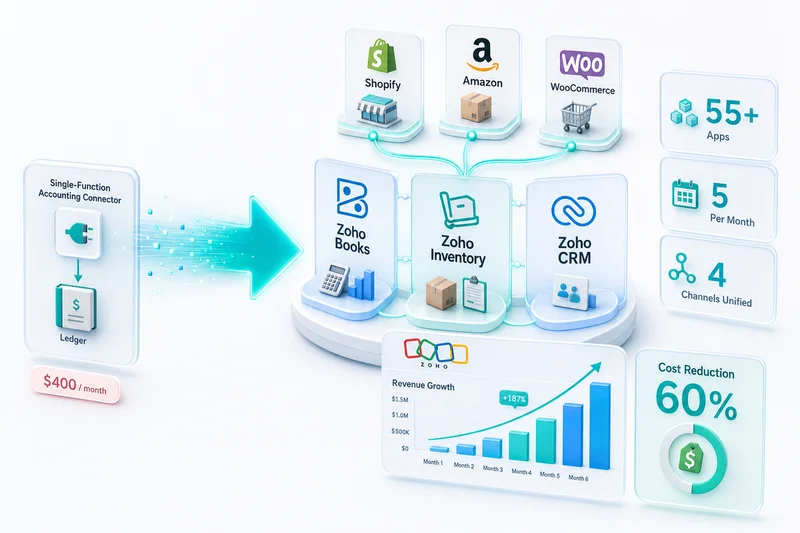
Zoho One bundles 50+ business apps at $37/user/month on the All Employee plan (Zoho Pricing, 2026). For a 3-person eCommerce team, that's $111/mo for accounting, inventory, CRM, analytics, email marketing, and 44 more apps, all native. Try pricing that out with QuickBooks as the base.
We've migrated over 100 eCommerce businesses to Zoho. The sellers who see the biggest improvement aren't the ones switching from QuickBooks. They're the ones switching from spreadsheets. Going from no system to a fully integrated Zoho stack is a different category of upgrade.
Read the Shopify accounting software comparison for a detailed cost breakdown against QuickBooks.
FreshBooks: for service businesses selling products on the side
Best for: Freelancers and service businesses that also sell a small volume of physical products.
FreshBooks is good at invoicing and time tracking. If you're a freelancer who also sells some products on Etsy, it can work. For a real eCommerce operation, it falls short on inventory, multi-channel support, and marketplace integrations. There's no native connection to Shopify, Amazon, or WooCommerce.
If more than 30% of your revenue comes from product sales on eCommerce platforms, FreshBooks is the wrong foundation for your books. See the full Zoho Books vs FreshBooks for eCommerce Sellers breakdown for a structural comparison.
Wave: free until you need eCommerce features
Best for: Side hustles with fewer than 50 orders/month and no inventory management requirements.
Wave is genuinely free for accounting and invoicing. No inventory management, no multi-currency on the free plan, no marketplace integrations. Wave was acquired by H&R Block in 2019, and development has slowed compared to competitors.
If you're testing whether eCommerce is viable before investing in infrastructure, Wave is a reasonable start. Plan the migration to a real platform before you hit 100 orders a month.
Tally Prime: for Indian SMBs evaluating a cloud migration
Best for: Indian SMBs currently on Tally who are evaluating cloud-native accounting with eCommerce integrations.
Tally Prime is the dominant accounting platform for Indian small and medium businesses. Desktop-first, handles GST compliance, and familiar to most Indian accountants. If your business runs on Tally and you're evaluating a cloud move — for remote access, automated GST filing, or eCommerce integrations — the Zoho Books vs Tally Prime comparison for Indian SMBs covers GST automation, pricing, offline capability, and what a Tally-to-Zoho migration involves.
Best accounting software by eCommerce platform
The right accounting tool depends not just on order volume but on the specific platform you sell on. Each marketplace has its own fee structure, settlement timing, and integration options.
Best accounting software for Shopify sellers
Zoho Books is the strongest native fit. Zoho Inventory handles SKU sync, stock levels, and COGS in real time across Shopify orders without a third-party connector. For sellers who need to stay on QuickBooks, A2X is the most reliable connector — it parses Shopify settlements and posts them to QuickBooks in the correct account structure.
For a detailed cost breakdown of Zoho Books versus QuickBooks for Shopify, including connector costs and what breaks at scale, see accounting software for Shopify sellers.
Best accounting software for Amazon sellers
Amazon settlements require software that can parse 15+ line item types across biweekly disbursements. Zoho Books handles this natively via Zoho Inventory's Amazon channel, mapping each fee type to the correct chart of accounts automatically. For sellers on QuickBooks, A2X for Amazon is the standard connector — it separates referral fees, FBA fees, and ad spend before posting to QuickBooks.
For a walkthrough of configuring Zoho Books for Amazon FBA settlement reconciliation, see the Amazon seller accounting guide for Zoho Books.
Best accounting software for WooCommerce sellers
WooCommerce runs on WordPress, which means plugin complexity. Zoho Books integrates with WooCommerce through Zoho Inventory, syncing orders, inventory adjustments, and customer data without a middleware layer. Xero is also viable for WooCommerce sellers who don't carry physical inventory and prefer simpler bank reconciliation.
The WooCommerce to Zoho integration guide covers how orders, inventory, and accounting connect across that stack.
Best accounting software for eBay and Etsy sellers
eBay Managed Payments adds six distinct fee types that most accounting software collapses into a single line, creating gaps that compound over time. Zoho Books categorizes each fee separately, keeping channel P&L clean. For low-volume eBay or Etsy sellers, Wave works as a starting point; it stops being sufficient once you're managing multi-platform settlements or meaningful inventory.
See eBay seller accounting software for a fee-by-fee breakdown of what Zoho Books handles natively on eBay. For Etsy sellers, Etsy accounting software covers the listing-fee-to-deposit reconciliation process.
How to evaluate accounting software for eCommerce (not the generic checklist)
The usual "features to look for" articles list things like "invoicing" and "bank reconciliation." Every accounting platform does those. Here are the questions that actually matter for eCommerce.
Can it handle marketplace settlement reconciliation?
Amazon settles every two weeks. The settlement report contains 15+ line item types. Your accounting software needs to match each settlement deposit to the individual orders, fees, refunds, and adjustments that produced it. If it can't, you're reconciling by hand, and at 500+ orders per settlement period, that takes hours.
Does it connect to your inventory system natively?
"Integrates with inventory apps" is not the same as native inventory management. Native means one database, one login, real-time sync. Third-party means API calls, sync delays, and a second subscription. For sellers doing meaningful volume, the difference shows up every time an order comes in faster than the sync can keep up.
Can it automate multi-channel revenue recognition?
A sale on Shopify generates different fee structures than a sale on Amazon or eBay. Your accounting software needs to categorize revenue and fees correctly by channel without manual intervention. If someone on your team is manually tagging transactions by platform every week, you've automated nothing.
What happens when you hit 500+ orders per day?
Businesses spend an average of 25 hours per week on manual data entry and reconciliation across apps (Intuit Business Solutions Survey, 2024). At low volume, any software works. At high volume, API rate limits, sync failures, and batch processing delays separate tools that scale from ones that don't.
Ask the software company: what's the largest eCommerce client on your platform? How many transactions per day do they process? If they can't answer, that tells you something.
WooCommerce sellers deal with an additional layer of plugin complexity. The WooCommerce to Zoho integration guide covers how orders, inventory, and accounting connect across that stack.
Year-end accounting checklist for eCommerce sellers
This checklist applies at any fiscal close, but carries the most weight in Q4 when settlement backlogs and inventory counts overlap with peak order volume.
1. Reconcile all marketplace settlements
Amazon pays biweekly. Shopify Payments settles daily. PayPal holds can take 21 days. Before any quarter-end, every deposit in your bank account should be matched to a settled marketplace report. Gaps that span more than one settlement cycle compound quickly and become month-long reconciliation projects.
2. Audit your chart of accounts against your actual fee structure
Most DIY setups lump Amazon referral fees, FBA fees, and advertising costs into a single "Cost of Sales" account. That works until your CPA asks for a breakdown. Before any year-end close, split these correctly. The eCommerce chart of accounts guide for Zoho Books shows how to structure accounts for Shopify, Amazon, and WooCommerce operations separately.
3. Automate your accounts payable before peak season
Peak season doubles vendor invoice volume for most product sellers: freight invoices, 3PL billing, ad platform invoices, supplier payments. Manual AP processing during that period is how payments get missed and vendor relationships get strained. The eCommerce accounts payable automation guide for Zoho Books covers how to set up automated AP workflows before the rush.
4. Freeze your inventory count date
If you're doing a year-end physical count, schedule it for a low-traffic week in early January rather than during peak fulfillment. Document the count date in your accounting software. For FBA sellers, pull your Amazon inventory report for December 31 specifically; Amazon's system reconciliation doesn't happen automatically.
5. Prepare your 1099 vendor list
Any US vendor you paid $600+ during the tax year needs a 1099-NEC. Pull the list from your accounting software now. If your books are clean, this takes 30 minutes. If you've been dumping freelancer payments into "miscellaneous expenses," it takes days.
6. Pull channel-by-channel P&L through the prior quarter
Before any peak period, lock in your Shopify P&L, Amazon P&L, and WooCommerce P&L through the last completed quarter. This is your baseline for measuring current-period performance and for year-end tax planning conversations with your CPA.
7. Verify your COGS methodology is consistent
If you switched from average cost to FIFO at any point during the year, make sure the transition was recorded correctly. Mixed COGS methodology inside a single year creates audit exposure. Your accounting software's inventory valuation report shows this; run it before your CPA asks.
Why Zolify recommends Zoho Books for eCommerce (and when we don't)
We're a Zoho partner, so take this with the appropriate grain of salt. We became a partner because we evaluated the alternatives and concluded Zoho is the best fit for most eCommerce operations. Here's the reasoning.
The Zoho ecosystem advantage for eCommerce sellers
Average eCommerce net profit margins run about 10%. Amazon sellers see 5%-15%, Shopify merchants 10%-20% (Onramp Funds, 2025). At those margins, the difference between $200/mo (QuickBooks plus add-ons) and $111/mo (Zoho One for 3 users) is real money.
Cost isn't the main argument, though. Integration is. When your accounting, inventory, CRM, and analytics live in one ecosystem, you don't have data translation problems. A customer's purchase history in Zoho CRM connects directly to their invoice history in Zoho Books and their order history in Zoho Inventory. No CSV exports. No "the CRM says one thing and the accounting says another" conversations.
From our 100+ eCommerce implementations: the single biggest source of accounting errors isn't bad math. It's data that doesn't match between systems. A sale recorded in the inventory system but not yet synced to accounting. A refund processed in accounting but not reflected in CRM. Zoho's native integration eliminates this entire category of errors.
For the mechanics of how CRM, Books, and Inventory share data — including what you must configure before the native connections work — see Zoho CRM, Books & Inventory: How All Three Connect for eCommerce.
When QuickBooks or Xero is the better fit
If you're a US-only seller on a single platform doing under 200 orders a month, and your CPA already uses QuickBooks, there's no compelling reason to switch. The integration apps work well enough at that volume, and CPA compatibility matters.
If you're an international seller with simple inventory (digital products, services, subscriptions), Xero's multi-currency handling and clean interface are hard to beat. For sellers dealing with FX gain/loss, per-currency bank accounts, and international settlement reconciliation on Shopify or Amazon, the multi-currency eCommerce accounting guide covers how Zoho Books handles these natively.
If you're already on a platform and it's working, switching accounting software mid-year is painful. We generally recommend timing any migration to a fiscal year boundary, with go-live targeting January 1.
The implementation gap: why software choice is only half the battle
There are 340,000 fewer accountants in the US workforce compared to five years ago. 75% of CPAs are Baby Boomers approaching retirement (Bloomberg / Kent State, 2024). Fewer professionals understand eCommerce accounting, and the ones who do are expensive and busy.
Picking Zoho Books (or QuickBooks, or Xero) is step one. Configuring it correctly for your specific operation is step two, and that's what determines whether the software saves you time or just creates a different kind of mess.
DIY setup vs professional implementation
A DIY Zoho Books setup takes the defaults and starts entering transactions. Revenue from all channels lands in one "Sales" account. Fees land in one "Bank Charges" account. It technically works until you try to figure out which channel is profitable, which fees are eating your margins, or why your P&L doesn't match your bank account. For a breakdown of how the automated flow should look — from order placement through bank reconciliation without manual data entry — see the eCommerce accounting automation guide.
A professional implementation starts with your specific operation. Which platforms do you sell on? What fee structures does each one have? How do you handle returns, multi-currency, subscriptions? The chart of accounts gets built around those answers, not software defaults. The eCommerce chart of accounts guide for Zoho Books is worth reading before any implementation conversation.
What a CA-backed eCommerce accounting setup looks like
Zolify is an Official Zoho Authorized Partner with a Chartered Accountant on staff. That combination matters because most Zoho consultants are developers. They can connect the APIs but can't tell you whether your Amazon referral fees should be classified as cost of sales or operating expenses. (It depends on your business model and tax situation. There's no universal answer. That's why you need an accountant, not just a developer.)
Our Chartered Accountant has configured Zoho Books for eCommerce sellers ranging from $500K to $50M in annual revenue. The setup for a single-channel Shopify seller looks nothing like the setup for a multi-channel operation selling on Amazon, Shopify, WooCommerce, and eBay simultaneously. Same software. Completely different configuration. That's the implementation gap.
The setup process typically takes 3-10 weeks depending on complexity, and includes discovery, chart of accounts design, integration build, testing with real transaction data, and go-live support.
See our eCommerce operations services for what a full implementation covers. For sellers who want ongoing bookkeeping handled after setup, our managed accounting service covers monthly reconciliation, CA oversight, and channel-level P&L delivery. For a deeper look at what ongoing eCommerce accounting services cover across Shopify, Amazon, and WooCommerce — including reconciliation scope, COGS tracking, and when to move from DIY to managed — see what eCommerce accounting services actually cover.
Frequently asked questions
What is the best accounting software for eCommerce in 2026?
For multi-channel sellers who need integrated operations, Zoho Books with Zoho One is the strongest value at $37/user/mo for 50+ apps including accounting, inventory, and CRM. For US-only single-channel sellers whose CPA requires QuickBooks, QuickBooks Plus at $115/mo works. For international sellers with simple inventory, Xero is worth considering. The right answer depends on your channel mix, order volume, and whether your accountant has a platform preference.
Can I use QuickBooks for my Shopify store?
Yes, but you'll need a third-party integration app ($20-50/mo) to connect them. QuickBooks has no native Shopify integration. The app handles basic order and payment sync, but complex scenarios like partial refunds, multi-currency, and marketplace fee separation often require manual cleanup. For sellers doing 200+ orders/month across multiple platforms, the connector costs add up fast.
How much does eCommerce accounting software cost per month?
Ranges from free (Wave, Zoho Books Free under $50K revenue) to $275/mo (QuickBooks Advanced). Most eCommerce sellers land between $50-150/mo for accounting alone. Add CRM, inventory, and integration apps and the real cost is $150-300/mo unless you use an integrated suite like Zoho One ($37-90/user/mo for everything).
Do I really need separate accounting software if I sell on Amazon?
Amazon's Seller Central reports show sales and fees, but they're not accounting. You still need a system that records revenue, categorizes 15+ fee types correctly, handles sales tax reporting, tracks inventory COGS, and produces financial statements your CPA can work with. Seller Central does none of those things.
How long does it take to set up eCommerce accounting software properly?
DIY setup takes a few hours but usually results in misconfigured accounts that cause problems at year-end. Professional implementation with a team like Zolify takes 3-10 weeks depending on the number of sales channels and complexity of your operation. Even a partial implementation before year-end reduces the January reconciliation backlog significantly.
Do I need accounting software specifically for eCommerce, or will any small-business tool work?
Standard small-business accounting handles invoicing, bank reconciliation, and basic reporting. What it doesn't handle: marketplace settlement parsing, per-platform fee categorization, multi-channel inventory COGS, and the reconciliation of Amazon's biweekly disbursements. These gaps are manageable at 30 orders/month. At 300 orders across three platforms, they're not. If you sell on more than one platform or carry physical inventory, eCommerce-specific capabilities matter.
What accounting software works with all five platforms: Shopify, Amazon, WooCommerce, eBay, and Etsy?
Zoho Books is the only major accounting platform with native integrations across all five. QuickBooks and Xero cover some platforms natively and others via third-party connectors (A2X, OneSaas). The connector approach works at low volume but introduces sync delays, extra subscription costs, and failure points as order volume grows.
How do I migrate from QuickBooks to Zoho Books without losing historical data?
The standard path exports your QuickBooks chart of accounts, customer and vendor lists, open invoices, and historical reports, then imports them into Zoho Books. Transaction-level historical data typically imports cleanly for 12-24 months; older data is usually archived rather than migrated. Zolify has completed 100+ migrations from QuickBooks, Xero, and Tally to Zoho Books. The process takes 2-6 weeks depending on data complexity and the number of channels to reconnect.
Get an eCommerce accounting assessment
If you're on spreadsheets, outgrowing your current software, or trying to close out the year cleanly, start with an assessment.
Zolify's eCommerce Ops Audit maps your current financial workflow across every platform you sell on, identifies where data is missing or miscategorized, and recommends the right configuration for your operation. We work with Shopify, Amazon, WooCommerce, eBay, and Etsy sellers. Our Chartered Accountant has seen what goes wrong at year-end for every setup type, and can tell you within the first session whether your books will survive a close.
The sellers who get this right know their margins by channel, clear year-end without surprises, and stop adding hours to the reconciliation pile. The ones who don't keep adding to it.
Frequently Asked Questions
For multi-channel sellers who need integrated operations, Zoho Books with Zoho One is the strongest value at $37/user/mo for 50+ apps including accounting, inventory, and CRM. For US-only single-channel sellers whose CPA requires QuickBooks, QuickBooks Plus at $115/mo works. For international sellers with simple inventory, Xero is worth considering. The right answer depends on your channel mix, order volume, and whether your accountant has a platform preference.
Yes, but you'll need a third-party integration app ($20-50/mo) to connect them. QuickBooks has no native Shopify integration. The app handles basic order and payment sync, but complex scenarios like partial refunds, multi-currency, and marketplace fee separation often require manual cleanup. For sellers doing 200+ orders/month across multiple platforms, the connector costs add up fast.
Ranges from free (Wave, Zoho Books Free under $50K revenue) to $275/mo (QuickBooks Advanced). Most eCommerce sellers land between $50-150/mo for accounting alone. Add CRM, inventory, and integration apps and the real cost is $150-300/mo unless you use an integrated suite like Zoho One ($37-90/user/mo for everything).
Amazon's Seller Central reports show sales and fees, but they're not accounting. You still need a system that records revenue, categorizes 15+ fee types correctly, handles sales tax reporting, tracks inventory COGS, and produces financial statements your CPA can work with. Seller Central does none of those things.
DIY setup takes a few hours but usually results in misconfigured accounts that cause problems at year-end. Professional implementation with a team like Zolify takes 3-10 weeks depending on the number of sales channels and complexity of your operation. Even a partial implementation before year-end reduces the January reconciliation backlog significantly.
See exactly where your Shopify, Amazon, or WooCommerce ops are leaking — free.
Get a personalised eCommerce Ops Audit: inventory gaps, accounting leaks, and order-flow bottlenecks — with a Zoho fix roadmap. Delivered in 48 hours, at no cost.