eBay Seller Accounting Software: The Best Options for eBay Sellers in 2026
eBay Managed Payments changed how sellers receive and categorise revenue. Most accounting software wasn't built for it. Here's which options handle the fee complexity, and which break when the statements get complicated.
eBay accounting has one problem most generic accounting software doesn't solve: your bank deposit is not your revenue. When eBay Managed Payments deposits $2,150 into your account, that number is the result of gross sales minus final value fees, minus insertion fees, minus promoted listing fees, minus payment processing fees, and possibly minus international transaction fees on cross-border sales. Recording that deposit as "eBay Revenue" produces financial statements that are structurally wrong before you've even opened the P&L.
Standard accounting software was built for businesses that receive the full sale price and pay fees separately. eBay sellers work the other way: eBay collects everything, deducts everything, and sends what's left. The right eBay seller accounting software knows the difference and reconciles the statement, not just the deposit.
TL;DR: The right eBay seller accounting software reconciles the eBay Managed Payments statement (not just the bank deposit), maps six distinct fee types to separate accounts, handles multi-currency for UK/AU/CA markets, and connects to inventory for accurate COGS. Zoho Books meets all four. QuickBooks Online and Xero meet two with paid plugins. Wave and FreshBooks break at fee complexity. See our broader eCommerce accounting software guide for the full category comparison, and our eBay Zoho integration guide for the technical connection walkthrough.
What to Look for in eBay Accounting Software
Most eBay sellers pick accounting software based on price or familiarity, then find the gaps when their first Managed Payments reconciliation doesn't match the bank statement. Here's what actually matters.
Managed Payments statement reconciliation
The software needs to read the eBay Managed Payments statement, not just the bank deposit. Every disbursement is a net figure. Without statement-level reconciliation, your revenue is wrong from day one.
Six fee categories in separate accounts
Final value fees, insertion fees, promoted listing fees, payment processing fees, international transaction fees, and return fees each need their own account. A single "eBay Fees" expense line tells you a total, not where the money went.
Native eBay connection
Third-party plugins add cost and another point of failure. When eBay changes its data format, native integrations hold; plugins break. Zoho Inventory connects to eBay directly.
Multi-currency support
If you sell on eBay UK, eBay Australia, or eBay Canada, your software needs to handle GBP, AUD, and CAD with exchange rate tracking. Software that converts everything to USD at import hides your actual foreign exchange exposure.
Return handling across revenue, fees, and inventory
An eBay return reverses revenue, partially or fully reverses the final value fee, restocks inventory, and may add a return shipping cost. Software that records only the refund as a negative bank transaction misses three of those four entries.
Why eBay Sellers Need Accounting Software That Understands eBay
eBay eCommerce sellers deal with accounting problems that don't show up in a general small-business setup: disbursements that bundle gross sales and fees together, six separate fee categories that need distinct treatment for tax and P&L purposes, and multi-currency exposure if you sell on eBay's UK, Australian, or Canadian sites.
eBay Managed Payments: Your Disbursement Is Not Your Revenue
eBay moved to Managed Payments in 2021, replacing PayPal as the default payment processor. Before that change, many sellers used PayPal reports as a proxy for revenue, which was already imperfect. After the change, eBay's Managed Payments system deducts all fees before disbursing, making the bank deposit a net figure that looks nothing like gross sales.
Recording the net disbursement as revenue causes two accounting errors at once: gross revenue is understated (because fees were already pulled out) and business expenses are understated (because those fees are invisible in the bank feed). Your gross margin looks better than it is. Both errors compound at tax time.
Six Fee Types Inside Every eBay Statement
A single eBay Managed Payments statement contains:
| Fee Type | What It Is | 2026 Rate (Most Categories) |
|---|---|---|
| Final value fee | Percentage of total sale amount including shipping | 13.25% up to $7,500 |
| Insertion fee | Per-listing fee when you exceed the free listing threshold | $0.35 per listing |
| Promoted listing fee | Ad spend when buyers click your promoted listings | Variable (seller-set %) |
| Payment processing fee | Fixed rate per transaction | Folded into final value fee |
| International transaction fee | Additional percentage on cross-border sales | 1.65% (US sellers) |
| Return fee | Shipping label cost when you cover return shipping | Actual label cost |
Each needs its own account in your chart of accounts. Lumping them into a single "eBay Fees" expense line gives you a number but not an answer. You can't see which fee category is eating your margin, and you can't verify the amounts against eBay's published rate schedule without the category breakdown. Our eCommerce chart of accounts guide for Zoho Books covers the full account structure for marketplace sellers.
Multi-Currency eBay Sales: Revenue Recognition Across Currencies
eBay sellers active on multiple national sites receive revenue in GBP, AUD, CAD, and EUR alongside USD. eBay UK and eBay Australia are the two most common international expansions for US-based sellers: eBay UK gives access to UK and European buyers, while eBay AU offers high average order values with relatively low competition from US-based accounts.
Each currency carries a different exchange rate at the time of sale versus the time of disbursement. That difference creates realized foreign exchange gains or losses that need to flow through your books correctly. Software without native multi-currency handling either ignores the exchange rate difference or requires manual conversion entries each period. At low volume this is manageable. At 200+ cross-border transactions a month, it produces consistent errors.
eBay Returns: When a Refund Hits Revenue, Fees, and Inventory at Once
eBay's return rate runs 10-15% across most categories, with electronics and fashion running toward the top of that range. Each return requires: a revenue reversal, a partial or full fee reversal (final value fees refund when eBay accepts a return), an inventory restock, and potentially a return shipping cost entry if you provided the label. Generic accounting software records the refund as a negative bank transaction. That approach doesn't reverse the fee, doesn't update inventory, and doesn't track return shipping separately. All three errors sit in your P&L unnoticed until month-end or tax time.
The 4 Accounting Software Options eBay Sellers Actually Use
QuickBooks Online: Popular, But eBay Integration Is Plugin-Dependent
QuickBooks Online is the default for small businesses including eBay sellers who haven't specifically researched alternatives. At low volume it handles basic bookkeeping. For eBay sellers, the core problem: there's no native eBay integration. You'll need a third-party plugin to import eBay Managed Payments data, adding $20-50/month in software cost and a third point of failure in your accounting stack.
Multi-currency is locked behind the Plus tier ($115/month as of 2026). Inventory tracking is basic and won't handle eBay's return-and-restock flow correctly. If you sell on Shopify or Amazon alongside eBay, each channel typically needs its own plugin, and each plugin is another monthly fee and another integration to maintain.
Xero: Good Multi-Currency, Basic eBay Fee Support
Xero includes multi-currency from its Growing plan and has a cleaner interface for international eBay sellers. If your accountant is Xero-trained and you primarily sell on eBay UK or eBay Australia, Xero is a reasonable base.
Like QuickBooks, Xero requires a third-party integration for eBay data. Mapping the six eBay fee types to separate accounts (which is what eBay sellers actually need) requires manual configuration that most Xero generalists won't set up correctly. Xero's API is solid, but the eBay reconciliation layer still needs someone who knows both eBay's statement format and chart of accounts design.
Zoho Books: Full eBay Managed Payments Reconciliation
Zoho Books handles the full eBay accounting stack through the Zoho ecosystem: Zoho Inventory connects to eBay for order and stock data, Zoho Books handles the financial recording, and the chart of accounts can be built specifically for eBay's fee structure. Multi-currency is included across all paid plans.
The difference shows up at setup. Zoho Books requires more configuration than QuickBooks to get the eBay-specific account structure right, but that configuration is what produces accurate financials. A Zoho Books setup done correctly records gross sales to revenue, each fee type to its own expense account, and inventory changes to COGS automatically. A QuickBooks setup fed only from a bank feed records the net deposit and nothing else.
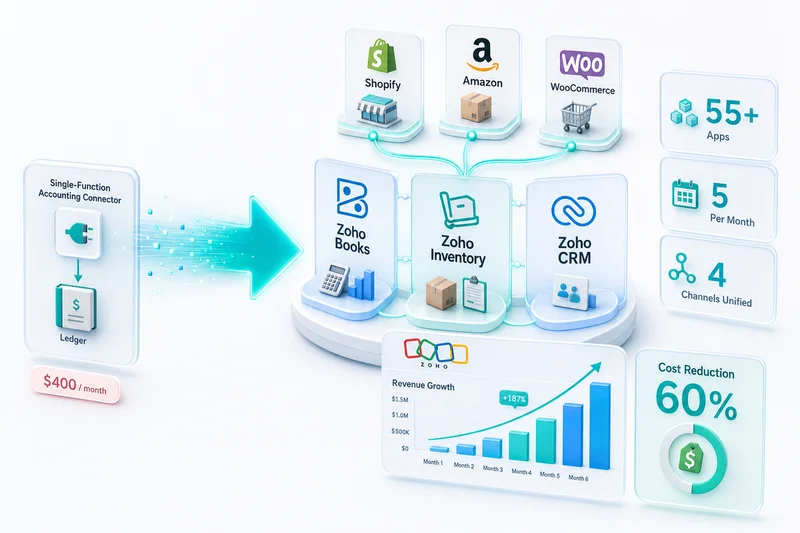
For eBay sellers who also sell on Shopify, Amazon, WooCommerce, or other channels, Zoho Books scales into a multi-channel eCommerce accounting setup without requiring additional software layers. See our eBay Zoho integration guide for the full technical setup walkthrough.
Wave / FreshBooks: Free Tiers That Break When Fees Get Complex
Wave is free. FreshBooks charges for what should be table stakes. Both were built for freelancers who send invoices — not marketplace sellers who receive net disbursements from a platform that already deducted everything.
Neither handles eBay Managed Payments properly. Wave has no native eBay integration and no inventory module. FreshBooks has limited inventory support and minimal eBay integration options. Both break when eBay Managed Payments reconciliation becomes the central accounting challenge, which happens above 100 transactions a month. Under 50 transactions, Wave works as a starting point. Above that, you'll rebuild sooner than you expect.
Why Zoho Books Works for Most eBay Sellers
eBay Managed Payments: Reconcile the Statement, Not Just the Deposit
The core advantage of a correctly configured Zoho Books setup is reconciling the Managed Payments statement rather than the bank deposit. Your eBay Managed Payments statement lists every transaction for the period with full fee detail. Zoho Books, configured properly, matches against that statement: gross sales to revenue, each fee type to its designated expense account, disbursement matching the bank deposit.
This reconciliation catches errors in eBay's own statement too, such as occasional mis-posted fees, missing reimbursements, or return credits that didn't apply correctly. For a step-by-step walkthrough of this configuration, see our eBay Seller Zoho Books setup guide. Once the account structure is in place, the eBay monthly bookkeeping guide for Zoho Books covers the complete seven-step monthly close: transaction report download, all six fee postings, COGS from Zoho Inventory, returns, tax pass-throughs, and clearing account reconciliation.
Fee Categorisation: Final Value, Insertion, Promoted Listings, Processing
With the right chart of accounts in Zoho Books, eBay fees don't disappear into a single line item. Final value fees go to Cost of Sales, as they're directly tied to each transaction. Insertion fees land in a separate listing expense account. Promoted listing fees go to Advertising Expense so your real ad spend is visible separate from mandatory marketplace fees. Payment processing fees go to Bank Charges or a dedicated Payment Processing account. International fees get their own line.
The result: a P&L where you can see what each fee category costs you, verify it against eBay's rate schedule, and identify trends when eBay adjusts its pricing. eBay restructured its final value fee schedule in 2025, folding the payment processing component into the main fee percentage for most categories. Sellers who had separate payment processing fee accounts needed to reclassify those entries. With correct account structure, that reclassification takes one journal entry. Without it, sellers had no clear record of where the amounts were posted.
Zoho Inventory Integration: Stock Levels Update When eBay Orders Arrive
Zoho Inventory connects to eBay for order sync and inventory updates. When an eBay order arrives, stock quantity decreases in Zoho Inventory and the COGS value flows to Zoho Books based on your actual purchase cost. When a return arrives, inventory increases and COGS reverses. Before configuring this, it's worth reading through the common Zoho Inventory setup mistakes eCommerce sellers make — a handful of configuration errors at this stage can cause COGS to drift quietly over time.
For sellers who also run a Shopify store or an Amazon account alongside eBay, this becomes multi-channel inventory management with Zoho, with all channels drawing from the same inventory pool and accurate COGS in Zoho Books across every channel without manual aggregation. The Zoho for eCommerce guide covers how the full stack (Inventory, Books, CRM, Analytics) connects for multi-channel sellers.
Multi-Currency: Handle UK, AU, CA, and US eBay Markets in One Account
Zoho Books supports multi-currency on all paid plans. GBP sales from eBay UK and USD sales from eBay US sit in the same account with exchange rate handling applied automatically. Monthly financial statements consolidate to your home currency. Foreign currency gains and losses post to the correct accounts without manual journal entries. For a closer look at how Zoho Books handles exchange rate treatment across multiple sales channels, see our multi-currency eCommerce accounting guide.
eBay Accounting Software Comparison: Zoho Books vs QuickBooks Online vs Xero
| Factor | Zoho Books | QuickBooks Online | Xero |
|---|---|---|---|
| eBay integration | Via Zoho Inventory (native ecosystem) | Third-party plugin ($20-50/mo) | Third-party plugin required |
| Six fee types categorisation | Configurable with correct chart of accounts | Requires manual setup or add-on | Manual configuration required |
| Multi-currency | Included on all paid plans | Plus tier only ($115/mo) | Growing plan and above |
| Inventory + accounting link | Native (Zoho Inventory) | Third-party app required | Third-party app required |
| eBay Managed Payments reconciliation | Statement-level with proper setup | Deposit-level without add-on | Deposit-level without add-on |
| Base price (accounting only) | $15/mo (Standard) | $35/mo (Simple Start) | $15/mo (Starter, limited) |
| Price with inventory tracking | $50/mo (Professional) | $115/mo (Plus) | $42/mo (Growing + add-on) |
| Full ecosystem (CRM, analytics, ops) | Included via Zoho | Separate third-party apps | Separate third-party apps |
Total Cost for a $250K eBay Business
A seller doing $250K/year on eBay who needs inventory tracking, multi-currency, and a CRM for post-sale customer management:
QuickBooks route: QuickBooks Plus ($115/mo) + eBay integration plugin ($25-40/mo) + CRM ($25-50/mo) = $165-205/mo, or $1,980-2,460/year.
Xero route: Xero Growing ($42/mo) + eBay integration plugin ($25-35/mo) + inventory add-on ($20-40/mo) + CRM ($25-50/mo) = $112-167/mo, or $1,344-2,004/year. Multi-currency and basic inventory land on Growing plan; the eBay-specific reconciliation still needs an add-on.
Zoho route: Zoho Books Professional ($50/mo) + Zoho Inventory Standard ($79/mo) + Zoho CRM Standard ($20/user/mo for 2 users) = $169/mo, or $2,028/year. Zoho One at $45/user/month covers all apps for teams needing the full stack.
The monthly costs land in a similar range across all three. The difference is what happens when something breaks. Zoho's apps share a database, so data flows between inventory, accounting, and CRM without integration maintenance. QuickBooks and Xero connect apps via third-party APIs; when the eBay plugin or CRM integration breaks, reconciliation stops until someone fixes it.
eBay Sales Tax: What Your Accounting Software Needs to Handle
eBay collects and remits sales tax on behalf of sellers in all 45 US states that impose it, under Marketplace Facilitator laws. That means eBay remits the tax, not you, so your accounting software shouldn't record eBay-collected sales tax as your liability.
The error most eBay sellers make: recording gross sales inclusive of sales tax as revenue, then trying to separate the tax later. The correct approach is to record revenue net of marketplace-facilitated tax, with a memo or separate line showing total sales tax collected by eBay for reference.
If you also sell on your own website alongside eBay, that's a different situation. Direct sales from your site require you to collect, track, and remit sales tax in applicable states yourself. Software handling both channels needs to treat them differently. For the full breakdown of how eCommerce tax requirements work across channels, see our eCommerce tax accounting software guide.
When Zoho Books Is NOT the Right Choice for eBay Sellers
If Your Accountant Is Locked Into QuickBooks or Xero
If your tax accountant insists on QuickBooks or Xero and switching accountants isn't worth the friction, stay with your accountant's preferred platform. A Zoho Books setup maintained by someone who doesn't know the platform develops problems faster than a QuickBooks setup maintained correctly. Zoho Books exports clean financial statements that any competent CPA can review, but if your accountant wants direct ledger access in QuickBooks, that integration doesn't exist.
If You Sell Exclusively on eBay With No Other Channels
eBay-only sellers under 200 orders per month who aren't planning to expand to other platforms get less benefit from the Zoho ecosystem. QuickBooks Simple Start or a careful Wave setup may be sufficient if you're willing to reconcile monthly fee statements manually.
That changes as soon as you add Shopify or Amazon. The eCommerce bookkeeping complexity multiplies across channels faster than most sellers expect, and Zoho's single-platform approach saves significant ongoing reconciliation work compared to connecting separate tools for each channel.
How Zolify Sets Up eBay Seller Accounting in Zoho Books
Chart of Accounts Built for eBay Revenue and Fee Structure
The default Zoho Books chart of accounts was not designed for marketplace sellers. Zolify's CA builds an eBay-specific chart of accounts before the first transaction syncs: separate revenue accounts for eBay gross sales, separate expense accounts for each of the six eBay fee types, liability accounts for pending returns, and COGS accounts tied directly to Zoho Inventory.
The structural accounting errors most eBay sellers accumulate (revenue appearing higher than it is, expenses understated, COGS approximated from bank deposits) come from getting this wrong at the start and discovering it six months later when the numbers don't reconcile.
eBay Managed Payments Statement Import and Categorisation Workflow
Zolify configures a monthly workflow for importing eBay Managed Payments statements into Zoho Books. Each line in the statement maps to the correct account. Disbursements reconcile to bank deposits. Discrepancies get flagged before month-end close, not during the next tax filing.
This workflow replaces the most common DIY approach: recording the net deposit as revenue, then spending hours at year-end trying to reconstruct fee totals from eBay's statements after the fact.
eBay + Shopify or eBay + Amazon: Multi-Channel Setup
Many eBay sellers also sell on Shopify or Amazon. Zolify's multi-channel implementations connect all active channels to Zoho Inventory as the master stock source, with each channel's orders, revenue, and fees flowing to Zoho Books through separate account mappings. The result: a single financial view with eBay, Shopify, and Amazon as distinct P&L channels, comparable to each other without manual aggregation.
For channel-specific setup details, see our Amazon accounting software guide and Shopify accounting software guide.
Month-End Close Checklist for eBay Sellers
A correctly configured Zoho Books setup reduces eBay month-end close to a repeatable process: import the eBay Managed Payments statement, verify each fee category against eBay's published rates, reconcile the bank account, review inventory valuation in Zoho Inventory, and produce the P&L. For sellers running Zolify's managed accounting service, that process runs on a fixed schedule with CA oversight, with no quarterly scramble to reconstruct what happened. For sellers in December, the monthly close also feeds into the year-end performance review; the eBay year-end seller performance review guide covers auditing Q4 defect rate and Managed Payments data in Zoho Analytics before eBay's January seller level evaluation.
Get an eBay Accounting Assessment
eBay seller accounting breaks in predictable ways: net deposits recorded as revenue, six fee types collapsed into one line, inventory disconnected from COGS, returns handled as negative bank transactions. Our CA has corrected those exact errors across 100+ eCommerce implementations — the patterns are consistent.
If your current books record the Managed Payments deposit as revenue and stop there, your P&L is wrong in at least three places. Get the eBay accounting assessment and we'll show you exactly where the numbers are off and what a correct Zoho Books configuration looks like for your operation.
Zolify is an Official Zoho Authorized Partner with a CA on staff. The setups we build are accurate from day one, not corrected after the first tax filing.
Frequently Asked Questions
Most eBay sellers start with QuickBooks Online or Wave because they're familiar or free. At low volume those work adequately. The problem surfaces when eBay Managed Payments disbursements arrive and sellers record the net deposit as revenue, which overstates gross sales and understates deductible fees. Zoho Books is the option that handles eBay Managed Payments reconciliation correctly, mapping final value fees, insertion fees, promoted listing fees, and payment processing fees to separate accounts.
eBay Managed Payments deposits are net amounts, meaning gross sales minus all fees deducted by eBay. To reconcile correctly, read the eBay Managed Payments statement (not just the bank deposit) and post each line separately: gross sales to a revenue account, final value fees to a cost-of-sales account, insertion fees to a listing expense account, promoted listing fees to advertising expense, and payment processing fees to bank charges. Software that only reads your bank feed records the net deposit as revenue, which produces structurally wrong financials.
Wave and FreshBooks work for very simple eBay operations: low volume, single currency, no inventory. Once you add eBay Managed Payments reconciliation complexity, multiple fee types, or any inventory tracking, both platforms run out of road. Wave has no native eBay integration and no inventory module. FreshBooks is invoice-centric and was not designed for marketplace sellers. For eBay sellers above 100 transactions a month, neither is adequate.
eBay connects to Zoho Inventory, which syncs order data and stock levels. Zoho Inventory connects natively with Zoho Books, so orders, inventory changes, and COGS flow into accounting automatically. The eBay Managed Payments reconciliation layer (matching the statement to individual transactions and posting each fee type to the correct account) requires implementation work to configure correctly. Zolify sets this up as part of every eBay seller onboarding.
An eBay seller's chart of accounts needs separate revenue accounts for eBay gross sales and separate expense accounts for final value fees, insertion fees, promoted listing fees, payment processing fees, and international transaction fees. Return-related entries need their own revenue reversal and fee adjustment accounts. Recording eBay gross sales as a single Sales line and netting fees against it hides your real expense structure and produces a P&L that understates both gross revenue and deductible business expenses.
See exactly where your Shopify, Amazon, or WooCommerce ops are leaking — free.
Get a personalised eCommerce Ops Audit: inventory gaps, accounting leaks, and order-flow bottlenecks — with a Zoho fix roadmap. Delivered in 48 hours, at no cost.