Shopify Inventory Problems: Why Your Stock Counts Never Match (And How Zoho Fixes It)
Shopify's native inventory works fine for a single-channel store. Add Amazon, WooCommerce, or a second warehouse and stock counts stop matching reality. Here's why it happens and how Zoho Inventory fixes the root cause.
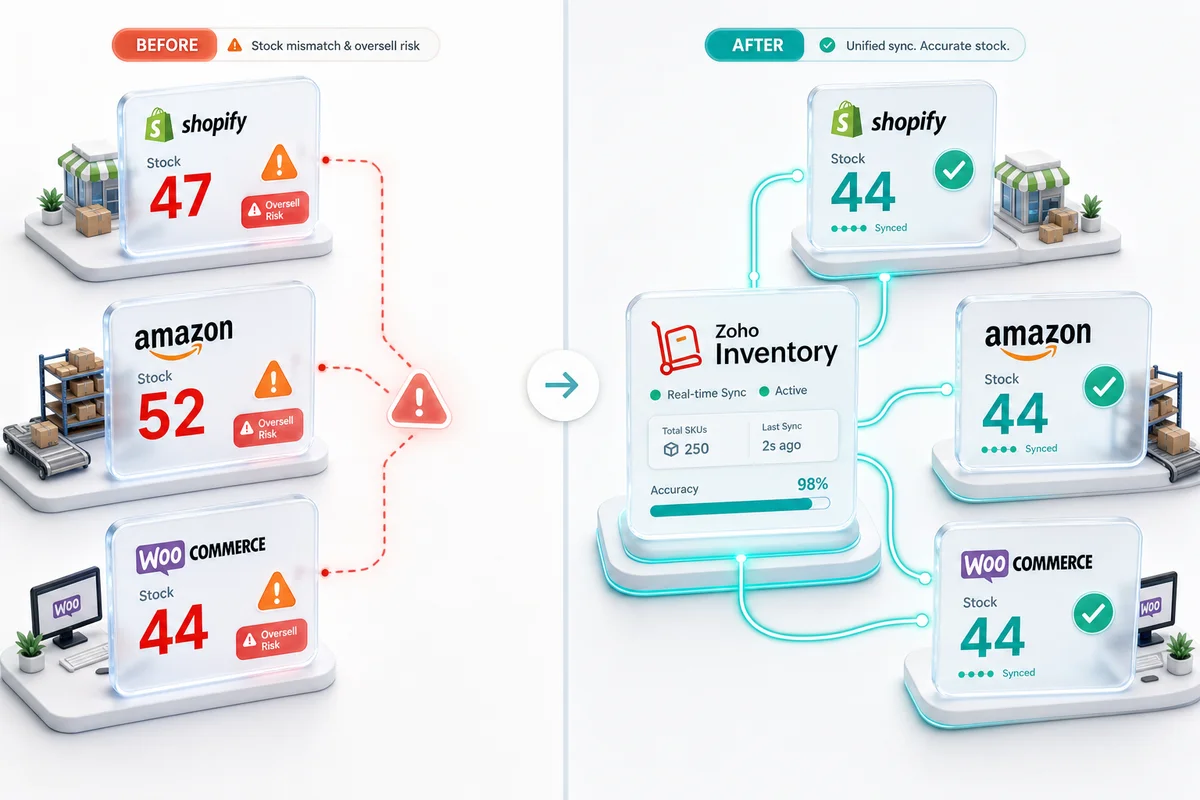
Shopify's inventory tracking works well for a single-channel store with one warehouse. Add a second sales channel, a second warehouse, or enough order volume to stress the system, and the same stock count starts appearing differently in different places. Shopify shows 47 units. Amazon shows 52. Your warehouse count is 44. The payout report adds up to something different from all three.
These aren't random errors. They're symptoms of one specific architectural problem: Shopify is not designed to be a central inventory management system across multiple channels and locations. Zoho Inventory is. During BFCM and the wider Q4 peak, those mismatches stop being annoying and start costing money. When order volume runs 8–12x a normal trading week on Black Friday and Cyber Monday, a 30-second sync lag is long enough for a sold-out SKU to generate three more orders. Each one gets cancelled. Each cancellation is a refund, a disappointed customer, and depending on the platform, a mark against your seller account.
TL;DR: Shopify's native inventory tracks stock within Shopify only. Multi-channel selling, multiple warehouses, and high order volumes produce count mismatches, overselling, and phantom stock because no single system controls availability across all channels. Zoho Inventory solves this by acting as the master inventory record, syncing available quantities to Shopify, Amazon, WooCommerce, eBay, and Etsy in near real time from one source of truth.
The six most common Shopify inventory problems
These are the patterns we see most often when sellers bring us an inventory problem. Each one has a specific cause.
1. Stock counts that diverge after multi-channel sales
A sale on Amazon does not automatically reduce the quantity available on Shopify. Even with a connector, there is a write-back lag. During peak trading periods, that lag is enough for a Shopify customer to purchase a unit just sold on Amazon. The result: an oversold order, a customer apology, and a manual adjustment that may itself create another discrepancy.
The root cause is structural. Shopify holds its own inventory record. Amazon holds its own. Neither is automatically authoritative over the other.
2. Phantom stock after returns
A customer returns a unit to your warehouse. Shopify may show it as restocked if you approved the return in Shopify. Amazon may show it as returned to FBA inventory after inspection. If you use a 3PL, the 3PL's system is the only one tracking the physical count, and it may not be connected to either platform. Phantom stock is inventory the system believes exists but physically doesn't.
3. FBA reserve quantities visible on Shopify
If you use Amazon FBA, units stored in Amazon's warehouses are reserved for Amazon fulfilment. Those units cannot be used to fulfil Shopify orders. When Shopify shows total inventory that includes FBA stock, customers can purchase units you can't fulfil from your own location, and Amazon will not fulfil a Shopify order. The error surfaces only when fulfilment fails.
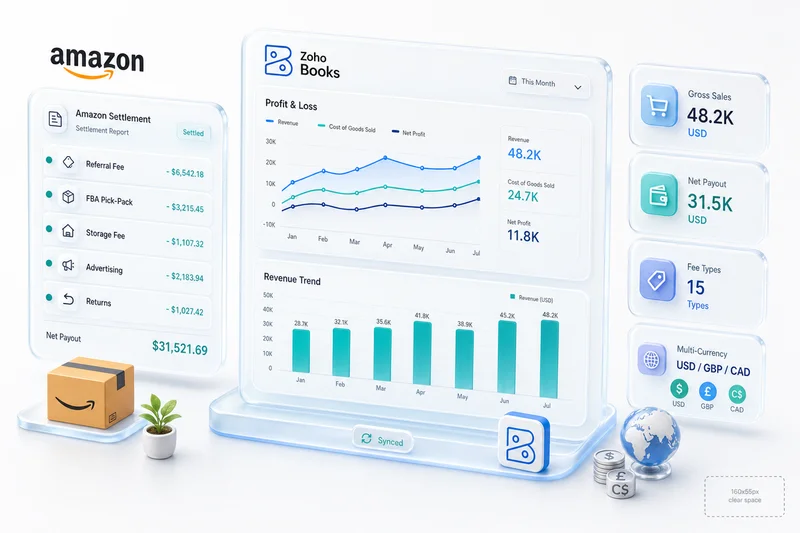
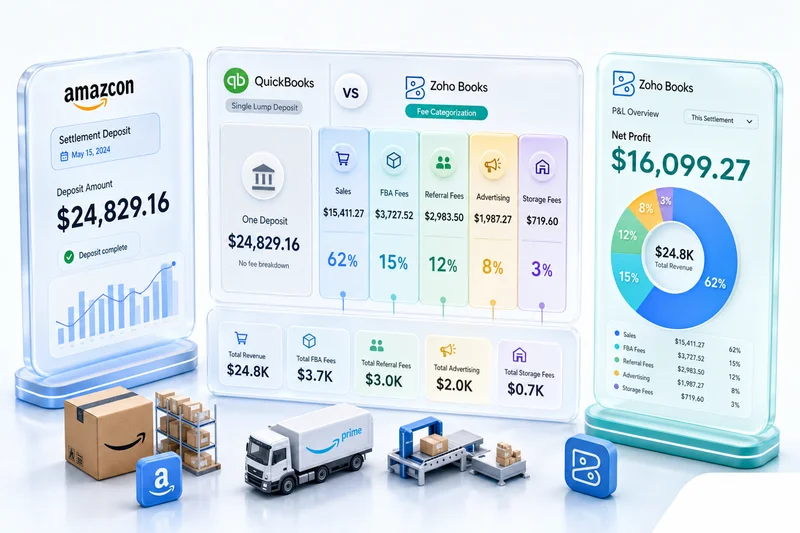
Amazon FBA also complicates accounting: settlement deposits, FBA fee categorisation, and multi-channel COGS all require specific configuration in Zoho Books. For sellers running FBA alongside Shopify, Zoho Books for Amazon sellers covers how the settlement-to-account mapping works when implemented correctly.
4. No reorder point logic
Shopify's inventory shows current count. It does not flag when stock needs replenishing, what lead time applies to each supplier, or what is already on purchase order. Reorder decisions made from Shopify's inventory view are based entirely on current quantity, which means stockouts happen when count hits zero, not when count crosses the reorder threshold.
For BFCM and the Q4 peak, this creates a specific problem: suppliers need purchase orders weeks ahead of peak demand. Without automated reorder triggers and lead time buffers, you're relying on someone noticing the count before it's too late to restock. The Zoho Inventory reorder points guide covers how to configure thresholds, supplier lead times, and draft PO generation so your Q4 replenishment runs on schedule rather than in reaction to a stockout. For the full BFCM configuration — seasonal velocity multipliers, channel stock reservation buffers, and how to stage purchase orders so they land before Amazon's FBA inbound cut-off — BFCM inventory planning for Shopify and Amazon sellers covers the October window that protects November revenue.
5. Inventory COGS disconnected from accounting
Shopify records sales revenue. It does not calculate cost of goods sold per transaction. Selling 500 SKUs at different cost bases requires either an ongoing manual accounting job or the COGS data simply doesn't exist, meaning gross margin figures are either wrong or absent from your P&L entirely.
6. Returns data that never reaches the purchase plan
Returns add units back to physical stock. What they don't do is adjust your reorder logic or your supplier forecasts. A seller returning 200 units in October across multiple channels may still trigger purchase orders for Q4 replenishment based on sales velocity alone, without accounting for restocked returns. The result is overstocking on slow lines alongside simultaneous stockouts on fast-moving variants. Zoho Inventory connects return receipts to inventory positions and factors them into reorder calculations so your purchase plan reflects what's actually on the shelf.
If your counts are off today, get an eCommerce Ops Audit and we'll map the root cause before recommending anything.
Why Shopify's native inventory tools reach their limits
Shopify is built for commerce: product listings, order processing, payments. Its inventory tools serve that context, tracking what is in stock per location so checkout can confirm availability.
What Shopify's inventory tools are not designed for:
- Multi-channel source of truth. Shopify tracks Shopify stock. It does not pull stock changes from Amazon, WooCommerce, or eBay and reflect them in its own counts.
- Complex warehouse operations. Shopify locations handle basic multi-location tracking but do not support stock transfers with movement records, bin-level tracking, or 3PL integrations.
- Purchase order management. Shopify has a basic purchase order feature in some plans, but it does not handle supplier lead times, PO approval workflows, or automatic reorder triggers.
- Accounting-linked COGS. Shopify does not hold cost basis per item or post inventory value adjustments when stock moves.
None of this is a flaw in Shopify. It's simply the wrong tool for the job. An inventory management system is the right one. For eCommerce sellers running their back end on Zoho, that system is Zoho Inventory.
How Zoho Inventory solves multi-channel stock sync
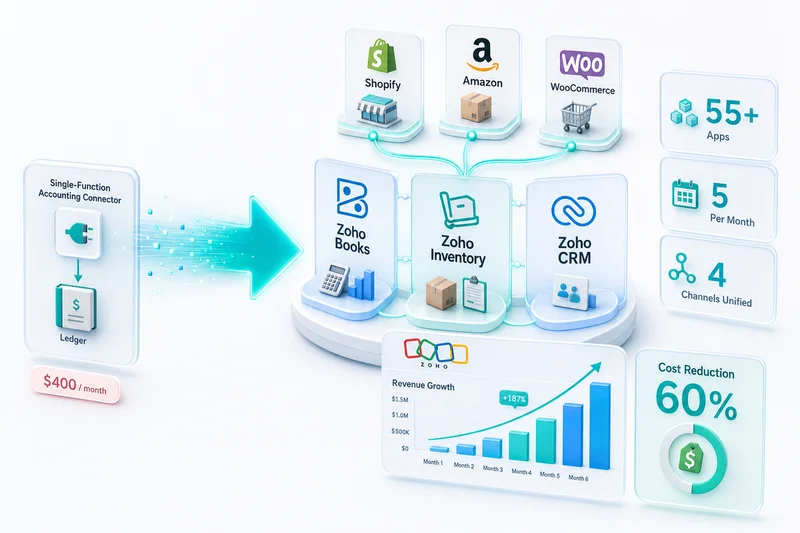
Zoho Inventory acts as the master inventory record. It holds the authoritative stock count for every SKU across every location. When a sale occurs on any channel, Zoho Inventory decrements stock and pushes the updated available quantity to all other channels at the same time.
| Approach | Shopify-centric | Zoho Inventory as master |
|---|---|---|
| Stock authority | Per-channel | Centralised |
| Multi-channel sync | Connector write-back (lag) | Push from single source |
| Oversell risk | High during lag windows | Minimal (near real-time) |
| Warehouse support | Basic multi-location | Full multi-warehouse with transfers |
| COGS calculation | None | Automatic per transaction |
| Reorder management | Manual monitoring | Configurable reorder points + POs |
Real-time sync mechanism
Zoho Inventory receives order webhooks from Shopify within seconds of order placement. Stock decrements happen in Zoho's central record, then propagate to Amazon, WooCommerce, eBay, and Etsy from there. All channels draw from one authoritative number rather than separate records that each need reconciling.
For a Shopify-to-Zoho integration, sync runs in both directions: Shopify orders arrive in Zoho Inventory for fulfilment processing, and stock updates from Zoho reflect back to Shopify's availability in near real time. For the full setup walkthrough — app install, SKU mapping, warehouse configuration, reorder automation, and COGS integration — see Zoho Inventory for Shopify: orders, stock, and fulfillment. For a complete look at running Shopify, Amazon, and WooCommerce from a single inventory record — including how the sync architecture handles simultaneous orders across channels during peak periods — multi-channel inventory management with Zoho covers the configuration and edge cases across all three platforms.
Multi-warehouse management
Zoho Inventory supports multiple warehouses with location-specific stock records. Your main warehouse, a secondary storage location, consignment stock at a partner, and FBA inventory at Amazon each exist as separate locations in Zoho, with separate quantity records.
Fulfilment rules determine which warehouse picks each order based on criteria you set: proximity to customer, available stock, fulfilment cost. When a warehouse ships, the movement generates a picking slip, updates that location's stock count, and triggers the Zoho Books COGS entry, all from the same transaction record. For the full three-channel configuration across Shopify, Amazon FBA, and WooCommerce — including how FBA and self-fulfilled orders draw from separate warehouse buckets — see multi-channel inventory operations with Zoho.
Reorder point automation
Zoho Inventory supports configurable reorder points per SKU per location. When stock drops below the reorder threshold, Zoho generates a draft purchase order to the supplier. You review and approve it rather than manually watching stock counts. Lead time buffers prevent stockouts during supplier transit.
For multi-channel inventory management across Shopify plus Amazon plus WooCommerce, reorder logic accounts for stock across all warehouses combined, not just a single Shopify location that may not reflect total available units.
To understand what this looks like for your specific channel mix, get an eCommerce Ops Audit.
Preparing your Zoho Inventory setup for Q4
October is still the right time to audit your inventory configuration — November is too late to fix structural problems. If your reorder points aren't calibrated for Q4 velocity, if your multi-channel sync has untested edge cases, or if your warehouse fulfilment rules still reflect last year's setup, the fix takes weeks. eCommerce peak season readiness with Zoho covers the Zoho Inventory, Books, and multi-channel checks to complete before Q4 pressure arrives — including the specific configuration points that break first when order volume triples.
BFCM channel priority: allocating limited stock across Shopify, Amazon, and eBay
When stock is constrained heading into peak week, every unit has a channel decision attached to it. Zoho Inventory's fulfilment rules let you pre-allocate quantity before BFCM starts. You can reserve a minimum buffer for Shopify orders and cap how much feeds Amazon FBA reorders at the same time. If the same SKU is live on Shopify, Amazon, and eBay and one channel takes the last unit at 11 p.m. on Black Friday, the other two channels need to know before the next order arrives — not after.
If each channel is managing its own stock record independently, you cannot control this cleanly. Shopify doesn't know what Amazon just sold. Amazon doesn't know what Shopify is promising. With Zoho Inventory as the master record, stock allocation is a decision you make before Black Friday morning, not a problem you diagnose at midnight.
The pre-BFCM audit in Zoho Inventory — mapping physical counts against channel commitments, open purchase orders, and FBA inbound shipments — surfaces the gaps that cause overselling during peak volume. The BFCM inventory planning guide for Shopify and Amazon walks through the specific setup: seasonal reorder points, channel stock reservation, and the readiness checklist to complete before November 28.
Connecting inventory to accounting: the COGS gap
Shopify tells you what you sold and for how much. It doesn't tell you what margin you made. Gross margin requires knowing what each unit cost, and that cost basis lives in the inventory system.
When Zoho Inventory connects to Zoho Books, every sale generates an automatic COGS entry based on the item's cost basis. If you receive 100 units of a product at $8.50 each and later receive 100 more at $9.20, Zoho Inventory calculates COGS using FIFO or weighted average, whichever matches your accounting method, automatically, per transaction.
Your profit and loss statement in Zoho Books shows gross margin at the product level, by channel, without a manual calculation at month-end. You can see whether Shopify margin and Amazon margin are the same (they usually are not, because Amazon's FBA fees create a different cost structure than Shopify's payment processing fees).
The eCommerce accounting automation post covers the full data flow — sales, fees, refunds, and COGS — when Zoho Books and Zoho Inventory are connected to your storefronts. If you're currently on QuickBooks and evaluating whether to migrate before the full inventory implementation, Zoho Books vs QuickBooks for eCommerce sellers covers the cost and feature comparison in detail.
What a Shopify-to-Zoho Inventory integration actually involves
The integration isn't a plugin install. It requires configuring API connections and business logic for your specific product catalogue, warehouse structure, and channel mix.
Item migration
Every Shopify product variant becomes an item in Zoho Inventory with the correct SKU, unit cost, and tax treatment. Bundle products require composite item setup. Variants with different costs need separate cost records rather than a single average.
Opening stock reconciliation
Before go-live, Zoho Inventory's counts need to match physical counts. This reconciliation process identifies discrepancies between what Shopify reports and what is actually on the shelf — discrepancies that would otherwise carry forward into the new system and compound from there.
Warehouse configuration
Each physical location (your warehouse, any 3PL, FBA inventory) is configured as a separate location in Zoho Inventory with the correct fulfilment rules and stock allocation.
Parallel-run testing
The integration runs alongside existing processes before go-live, using real order data to confirm that counts, COGS entries, and fulfilment records are correct. Errors found in parallel run are cheaper than errors found after cut-over. Most misconfigurations surface in the first two weeks: bundle item calculations, returns restocking logic, and multi-warehouse allocation rules are the most common points of failure.
For a complete list of what breaks during setup and how to prevent it, Zoho Inventory setup mistakes for eCommerce sellers documents the 12 most common configuration errors we see across implementations.
Edge case handling
Bundles, dropshipped items, consignment stock, items sold at multiple prices: each requires specific setup. A partial integration that handles standard items correctly but breaks on edge cases produces unreliable inventory data, which can be harder to manage than a fully manual process.
Getting Shopify inventory right
Across 100+ eCommerce implementations, sellers with count problems are almost always running Shopify as their inventory system of record. The fix is to move inventory management to Zoho Inventory and let Shopify consume Zoho's stock data rather than hold its own. Our Shopify and Zoho integration service and inventory and warehouse management service handle both pieces.
Every implementation includes a Chartered Accountant reviewing the chart of accounts so COGS flows correctly into Zoho Books from day one. As an Official Zoho Authorized Partner, we have direct access to Zoho's partner engineering team for the edge cases that come up: FBA reserve handling, multi-currency stock valuations, and 3PL integration.
If you're seeing mismatched stock counts, overselling events, or month-end reconciliation taking longer than it should, get an eCommerce Ops Audit and we'll map what a Zoho Inventory implementation would look like for your channel and warehouse setup.
Frequently Asked Questions
Shopify's inventory tools track stock at the variant level within Shopify only. When you're also selling on Amazon, WooCommerce, eBay, or from multiple warehouses, Shopify has no native way to deduct stock across channels in real time. A sale on Amazon does not update Shopify inventory unless a connector writes the update back, and that write-back lag creates windows for overselling. The same problem occurs with returns, transfers, and manual adjustments that exist in one system but not the other.
Yes. Zoho Inventory connects to Shopify via API and receives order webhooks in near real time. When an order is placed on Shopify, Zoho Inventory decrements stock across all linked channels simultaneously. If the same SKU is listed on Amazon and WooCommerce, available quantity is updated on each platform from Zoho as the single source of truth. Sync lag for webhook-driven order events is typically under 30 seconds.
Zoho Inventory supports multi-warehouse stock with location-level visibility. You can assign stock to separate warehouse locations (your own warehouse, a 3PL, and FBA inventory at Amazon), each tracked independently. When a Shopify order is placed, fulfilment rules determine which warehouse picks the order based on stock availability, proximity, or cost. Transfers between warehouses generate movement records that keep book stock accurate across all locations.
Zoho Inventory holds the cost basis for each item. When a Shopify sale is recorded, Zoho Inventory calculates COGS based on your configured cost method (FIFO, LIFO, or weighted average) and posts that figure to Zoho Books automatically. The result is product-level gross margin in your P&L without manual calculation. Shopify's own reporting shows revenue but not COGS, so gross margin visibility requires the Zoho Inventory to Zoho Books connection.
BFCM overselling on multi-channel setups happens because each platform holds its own inventory record. A sale on Amazon at 9 p.m. on Black Friday does not immediately reduce the quantity shown on Shopify unless a system writes that update back in real time. Zoho Inventory prevents this by acting as the single inventory source for all channels: when a unit sells anywhere, Zoho decrements stock and pushes the updated available quantity to every other channel simultaneously. Before BFCM, you configure stock reservation buffers by channel — specifying minimum quantities held back for Shopify fulfilment, for example, before Amazon FBA reorders can draw from remaining units. The result is a system where channel conflict during peak volume is a configuration decision, not a manual task at 11 p.m. on Black Friday.
See exactly where your Shopify, Amazon, or WooCommerce ops are leaking — free.
Get a personalised eCommerce Ops Audit: inventory gaps, accounting leaks, and order-flow bottlenecks — with a Zoho fix roadmap. Delivered in 48 hours, at no cost.